


4 Powerful ChatGPT Prompts to Speed Up Survey Design

AI is moving fast—and today’s ChatGPT isn’t just a writing tool. It can brainstorm survey questions, plan survey logic, analyze results, and even generate reports in your tone of voice. It’s this close to replacing you in team presentations (just kidding… or are we?).
But to really unlock ChatGPT’s full potential, it all comes down to one thing: how you prompt it.
In this post, you’ll learn 4 proven ChatGPT prompt templates that take you from generating survey questions to analyzing results—without getting stuck. Whether you’re a survey beginner or just looking to work faster, this guide will help you level up your survey game.
Want ChatGPT to help you design surveys in seconds? Keep reading!
First, Understand How ChatGPT Thinks
Before we dive into prompts, it’s important to understand how ChatGPT processes your instructions.
Even though it’s AI, think of it as a blank slate. The more detailed and specific your instructions are, the better the results. Kind of like seeing a doctor: the more you explain your symptoms, the more accurate the diagnosis.
Let’s say you already have a survey goal—like customer satisfaction or market research. By giving ChatGPT clear keywords and context, it can generate highly relevant and effective questions.
Here are 4 prompt templates we’ve tested and refined for best results:
1. Basic Survey Generator
Use when: You have a topic in mind but need help crafting questions from scratch.
Prompt Example:
You are a [job title] designing a survey about [product] for [audience] to understand [goal]. Can you generate [X number] of relevant questions?
Sample Prompt:
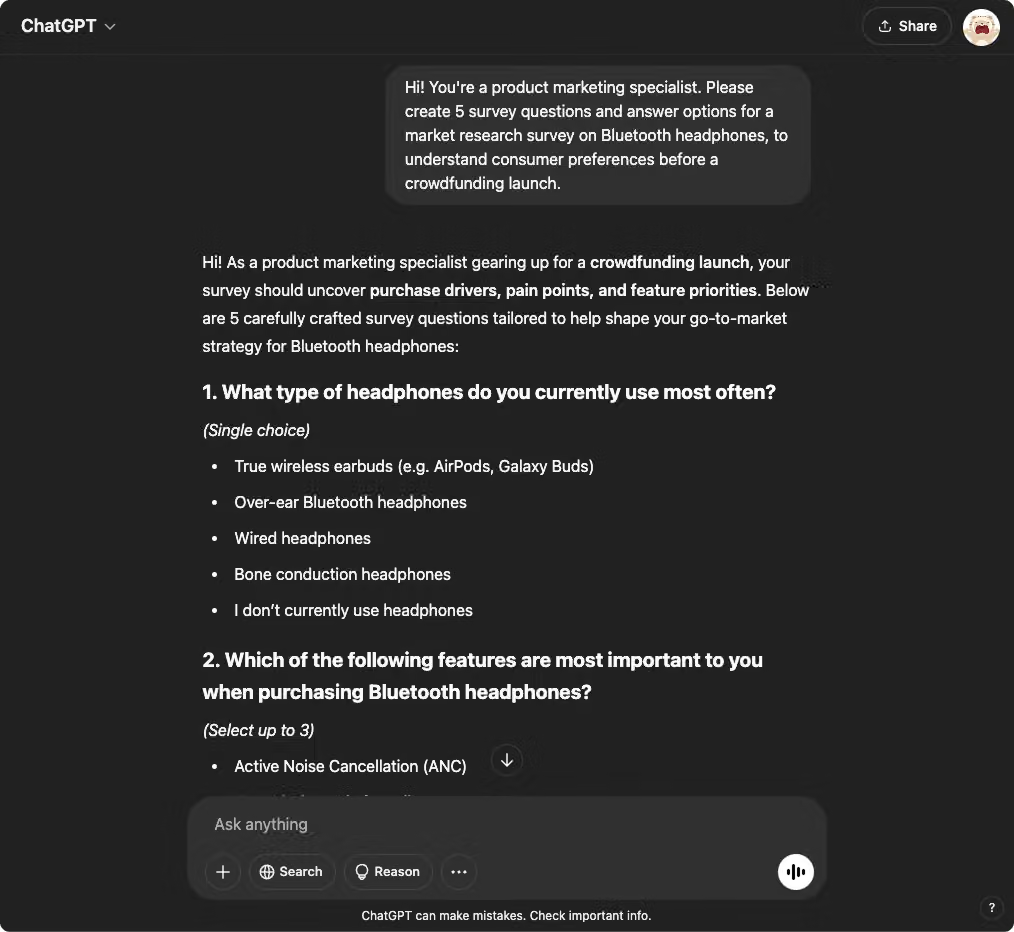
Hi! You’re a product marketing specialist. Please create 5 survey questions and answer options for a market research survey on Bluetooth headphones, to understand consumer preferences before a crowdfunding launch.
You can also add tone or audience instructions like: Please use simple, easy-to-understand language suitable for high school students.
💡 Pro Tip:
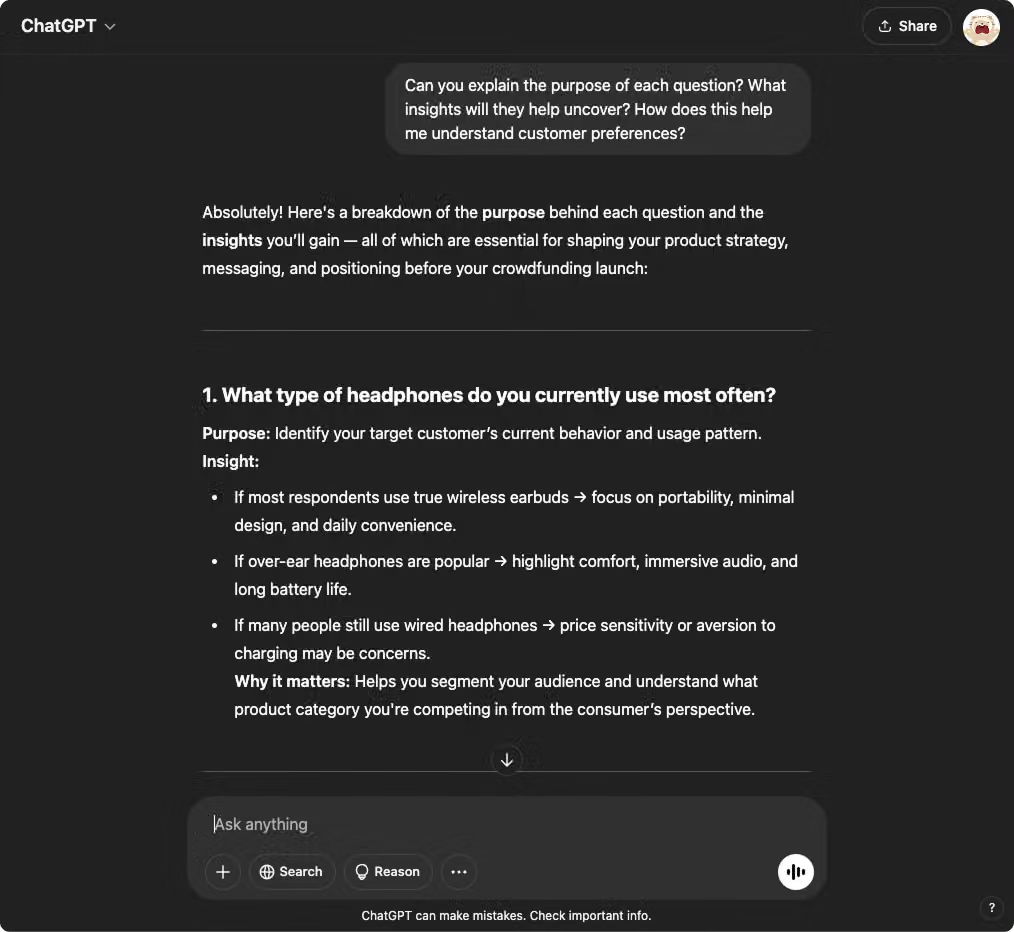
Not sure about the questions it generated? Ask ChatGPT to explain the reasoning behind each one:
Can you explain the purpose of each question? What insights will they help uncover? How does this help me understand customer preferences?
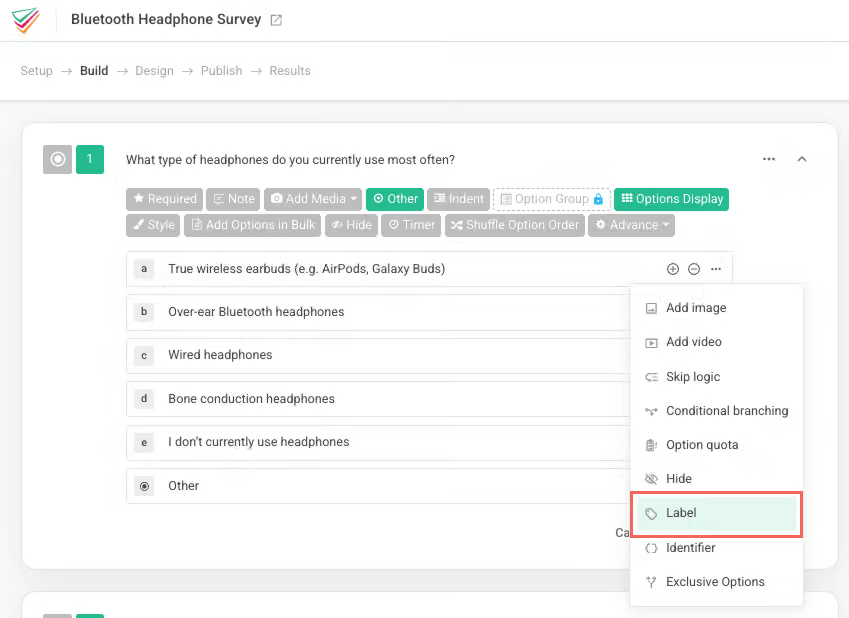
Once you read its explanation, you’ll often find gold. Say you’re selling high-end wireless headphones, you can use the Label feature in SurveyCake to segment respondents accordingly.
For example, those who select ‘I do not currently use headphones,’ while seemingly a potential market, might actually represent a ‘low potential’ audience with no current need or habit of using headphones.
Conversely, those who answer ‘True wireless earbuds (e.g., AirPods, Galaxy Buds)’ are already invested in the convenience and portability of wireless technology, making them a ‘high potential’ audience for similar or upgraded true wireless products.
Therefore, you could leverage SurveyCake’s Label to tag respondents who selected ‘True wireless earbuds (e.g., AirPods, Galaxy Buds)’ as ‘high potential’ due to their demonstrated preference for this category.
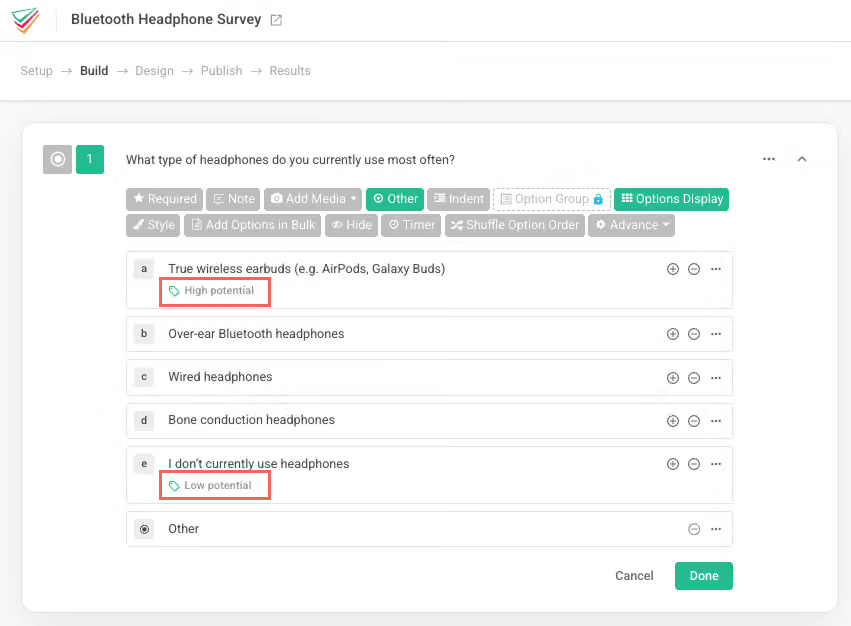
Learn More: Use Lable to analyze survey data and identify your highest-potential segments.
2. Survey Editor Mode
Use when: You already have a draft but want to improve flow, clarity, or logic.
Prompt Example:
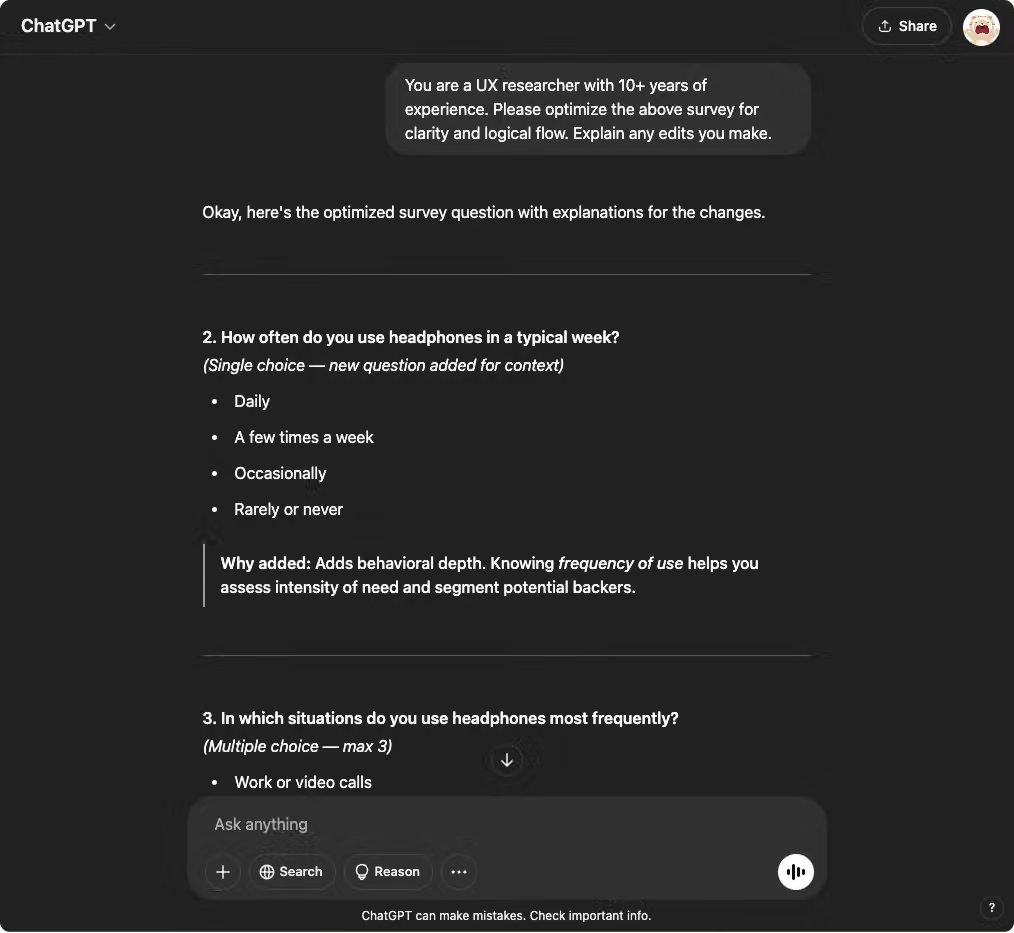
You are a UX researcher with 10+ years of experience. Please optimize the following survey for clarity and logical flow. Explain any edits you make.
This is perfect for refining wording, eliminating redundancy, or ensuring you’re not leading respondents.
3. Audience-Specific Survey Builder
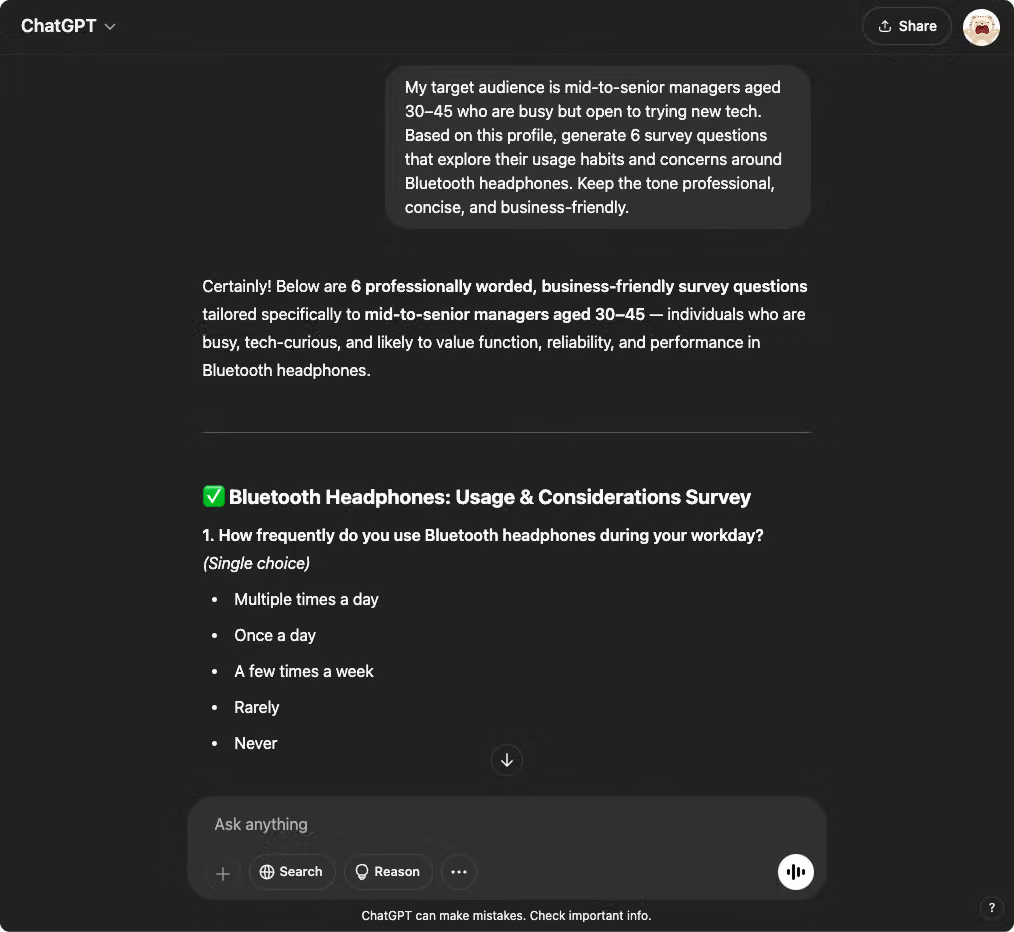
Use when: You have a clear respondent profile and want more targeted questions. ChatGPT can localize questions to your audience’s lifestyle, tone, and decision-making habits—making your survey more relevant and insightful.
Prompt Example:
My target audience is mid-to-senior managers aged 30–45 who are busy but open to trying new tech. Based on this profile, generate 6 survey questions that explore their usage habits and concerns around Bluetooth headphones. Keep the tone professional, concise, and business-friendly.
While ChatGPT is powerful, it’s not infallible. It can sound confident even when it’s wrong—so always review and adjust its output based on your real-world context.
4. Survey Data Analysis Assistant
Use when: You’ve collected responses and want fast insights.
Upload a CSV or paste your data directly, then try these prompts:
Prompt Examples:
Here are [N] responses to a survey on [topic]. What are the top 3 key takeaways? Present in bullet points, in a concise tone suitable for slides.
Do you see any trends or patterns in the data I should know about?
Based on this data, generate a brief summary for each question (e.g., average score, % breakdown), and recommend a chart type (e.g., bar chart, pie chart). What actions can we take based on these findings to [increase customer satisfaction/improve performance/reduce churn]?
✨ Bonus Tip: Providing ChatGPT with persona and background context leads to smarter insights and recommendations.
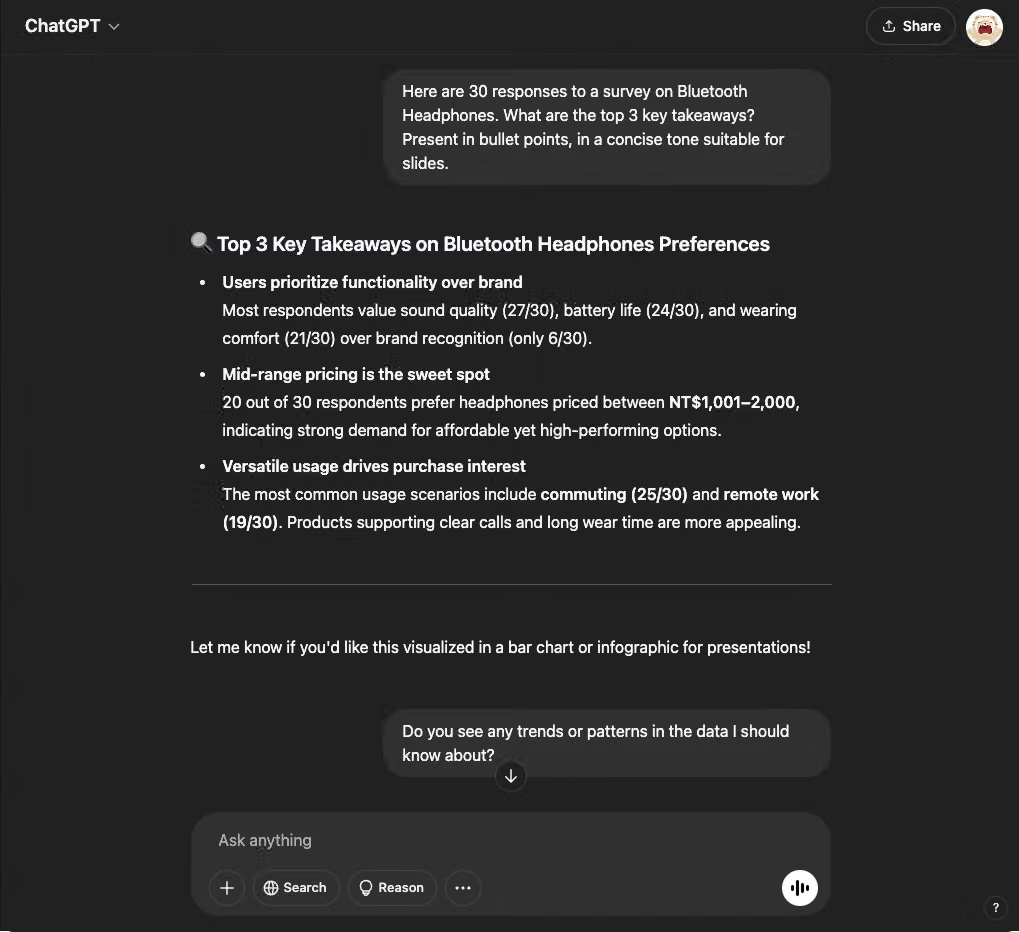
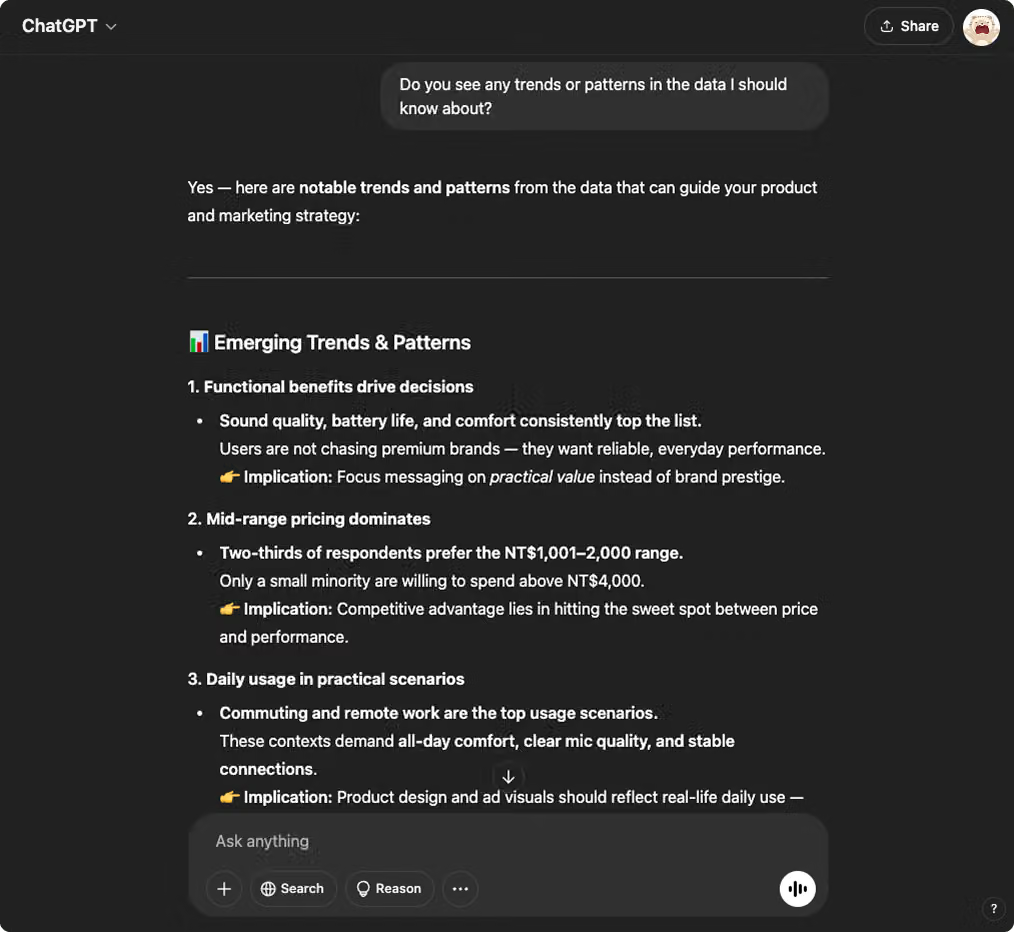
From idea generation to data analysis, these prompt templates can seriously boost your productivity and output quality.
Of course, these 4 are just the beginning. Have your own clever ChatGPT prompt for survey design? We’d love to hear from you!
Sign up for SurveyCake for free in 3 seconds, and start building surveys like a pro!


