


Build Online Registration System with SurveyCake

Creating a comprehensive online registration system involves three main aspects: form creation, distribution, and data analysis & utilization. Organizing an event entails more than just creating a registration form for participants. You also need to distribute this registration form, expand its reach, so that more people become aware of the form – which essentially signifies the existence of the event.
Lastly, there’s a crucial aspect that cannot be ignored – data analysis and utilization. The database formed by registrants’ information can be downloaded for further use or directly analyzed to understand the composition of the audience. This analysis can inform adjustments, additions, or deletions of data to optimize event content, ensuring a better experience for registrants and establishing a good reputation for you.
Now, let’s learn how to build a complete online registration system through SurveyCake.
From form creation to distribution, data analysis and utilization, SurveyCake has got you covered.
How to Create a Registration Form
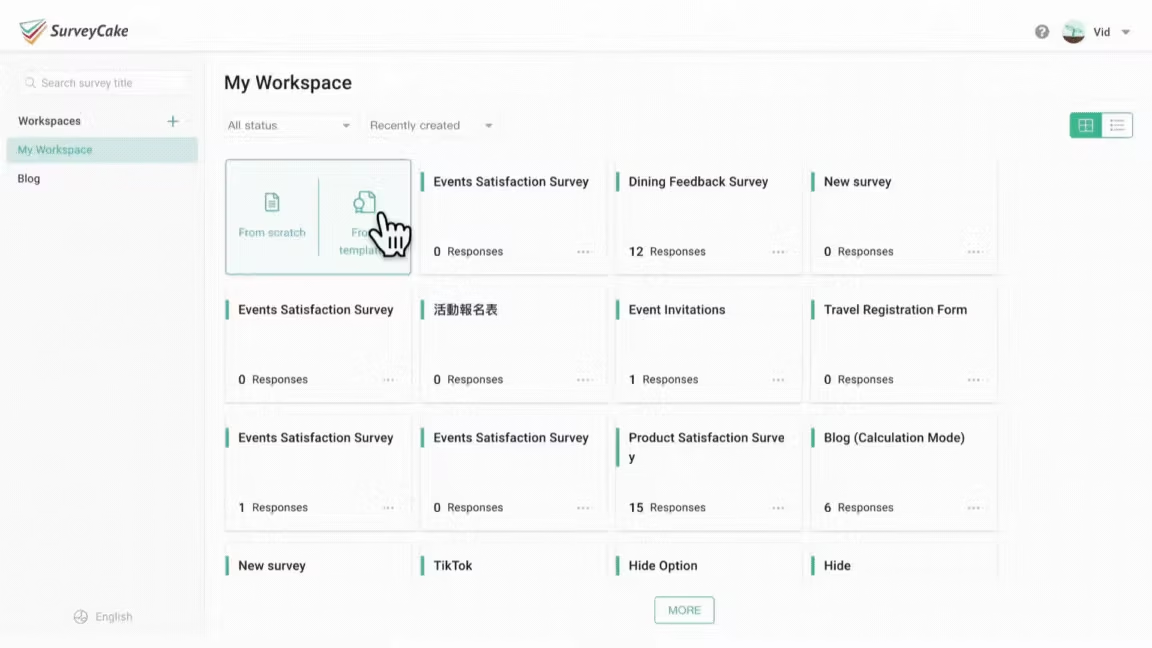
Upon logging into the SurveyCake dashboard, you can choose to create a blank survey and design your registration form. If you’re unsure about how to design the form, you can easily apply templates provided by SurveyCake, enabling you to quickly create a registration form tailored to your needs. SurveyCake’s survey templates cover eight different scenarios, offering layout and design for visual and textual content.
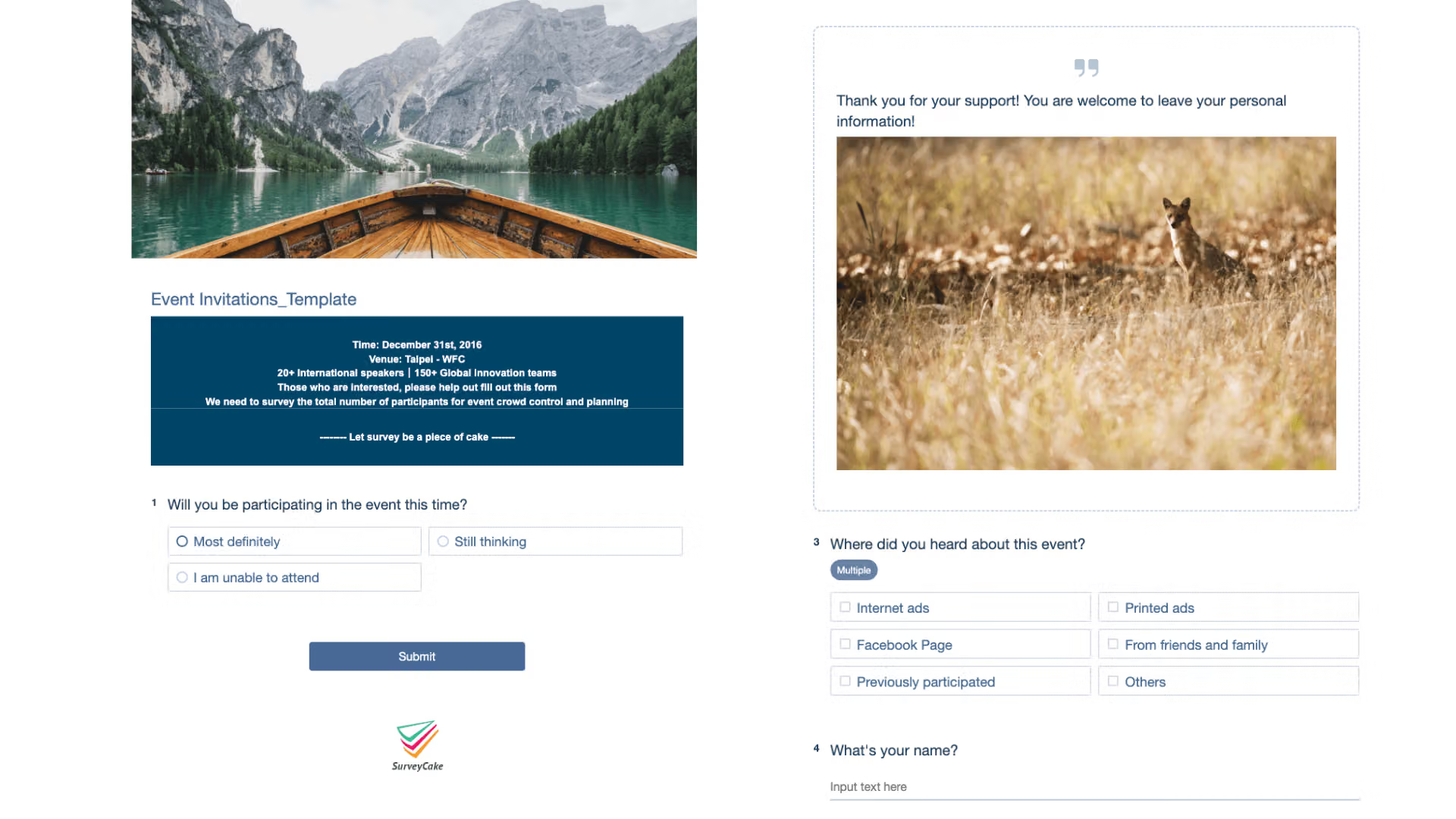
For instance, the “Event Registration Form Template” includes event features, descriptions, schedules, contact information, and consent forms, allowing you to directly apply or modify them.
How to Distribute the Registration Form
Once you’ve created the SurveyCake registration form, click on the “Publish” option in the toolbar at the top of the form’s backend to access the page below.
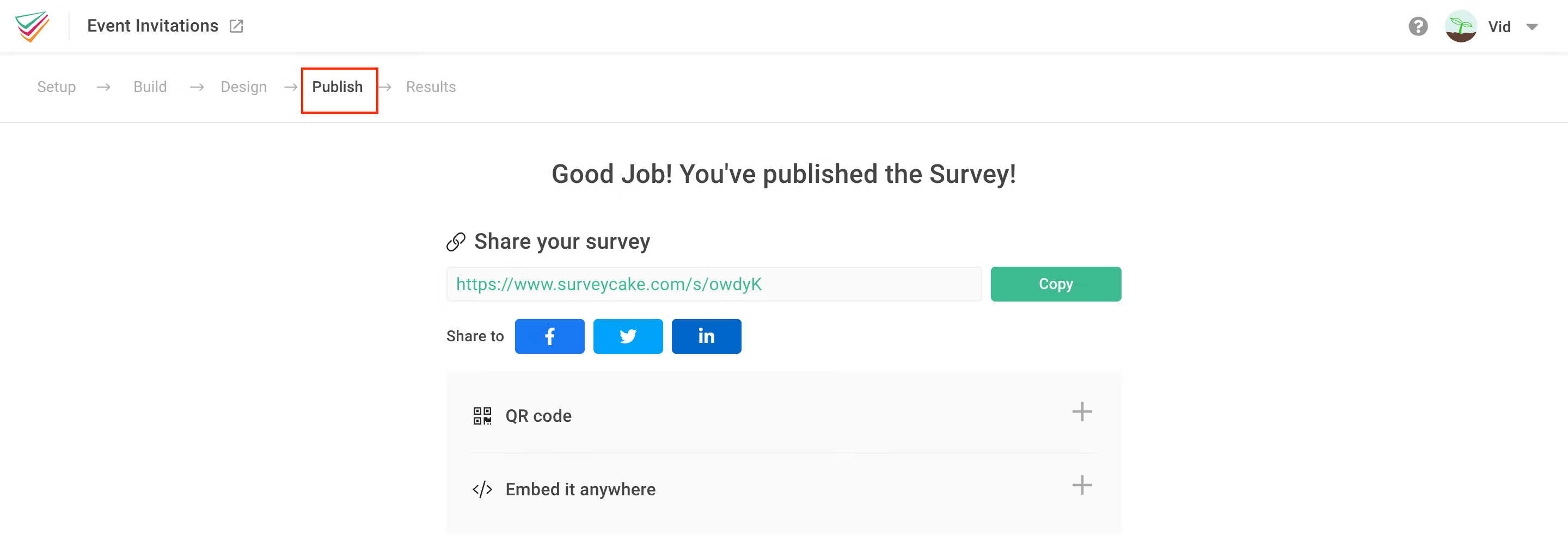
The “Publish” page offers various ways to distribute the survey, including “Survey Link,” “Embed Code,” and “QR Code.” We’ll explore how to use these methods to expand the reach of the registration form and attract more sign-ups.
1.Survey Link
You can directly send the link via email or share it on various social platforms to allow viewers to sign up. If Facebook is your primary channel for event promotion, you can embed the registration form directly on your fan page.
2.Embed Code
You can copy the embed code and paste it into your blog or website and other social platforms to expand the reach of the registration form and increase the number of sign-ups.
3.QR Code
Using QR codes, you can facilitate quick and easy access to the registration form in print materials or at live events, allowing crowds to sign up more efficiently.
Data Analysis and Utilization
How can you further utilize the information collected through the registration form?
Statistical Charts
SurveyCake’s backend provides professional charts, allowing you to easily understand information without spending too much effort on data compilation.
“Word Cloud” displays textual content such as registrants’ names and phone numbers.
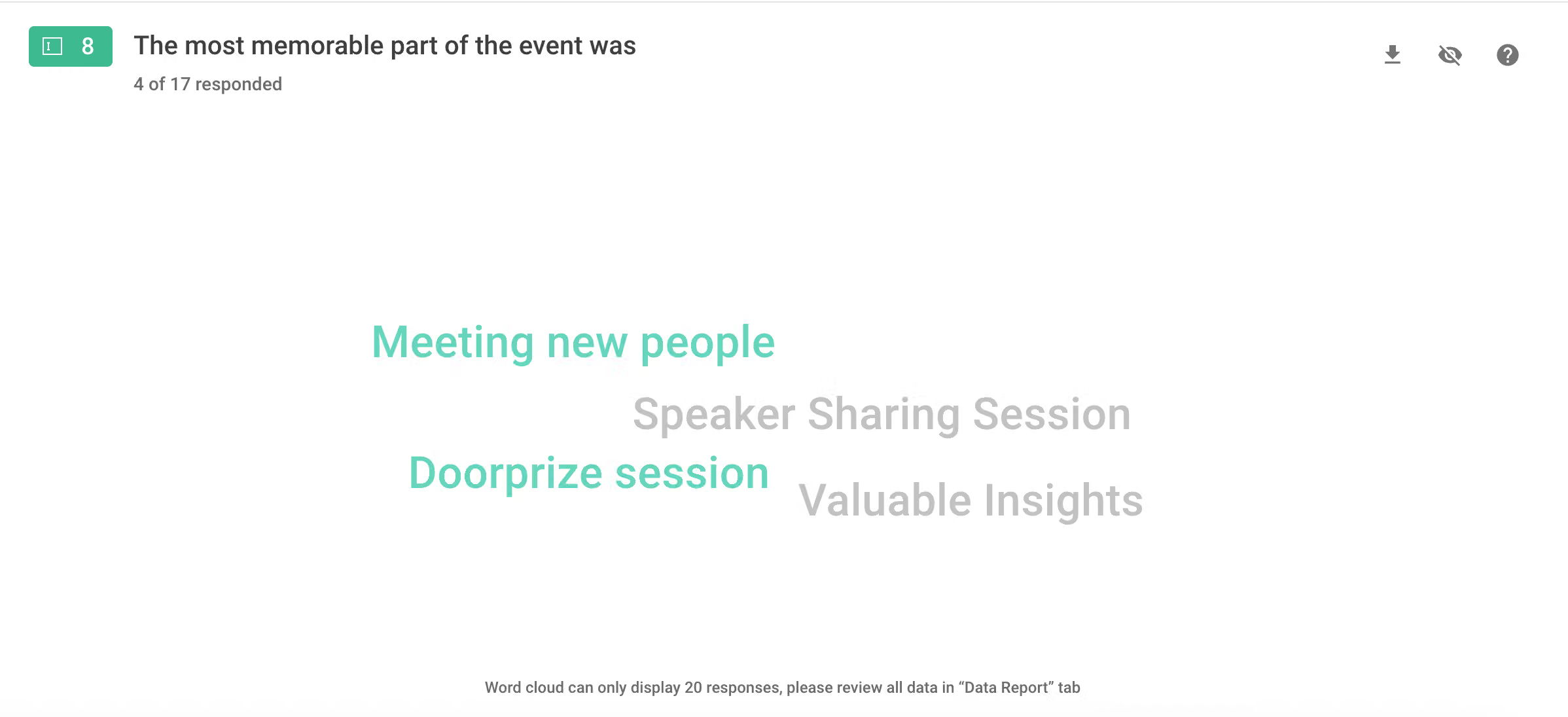
“Bar Chart” or “Pie Chart” shows general data distribution, enabling you to grasp the distribution of options at a glance, facilitating further resource allocation or adjustments. If the proportion of registrations in the medical industry is high, consider targeting more advertisements on relevant platforms to attract more registrants interested in the event.
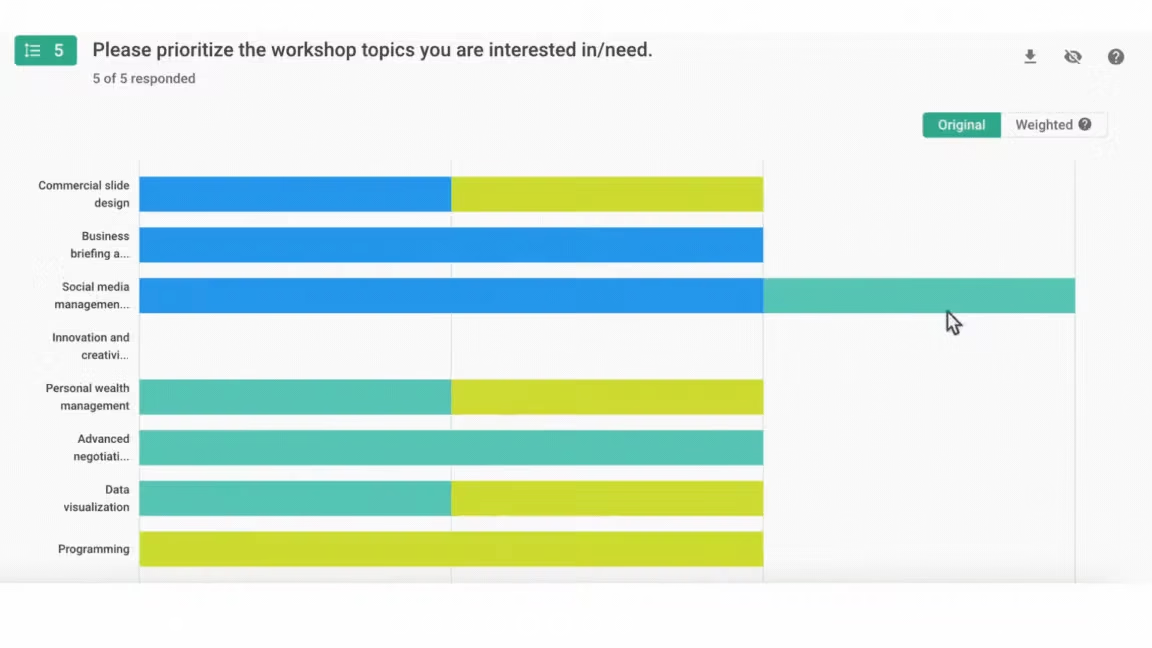
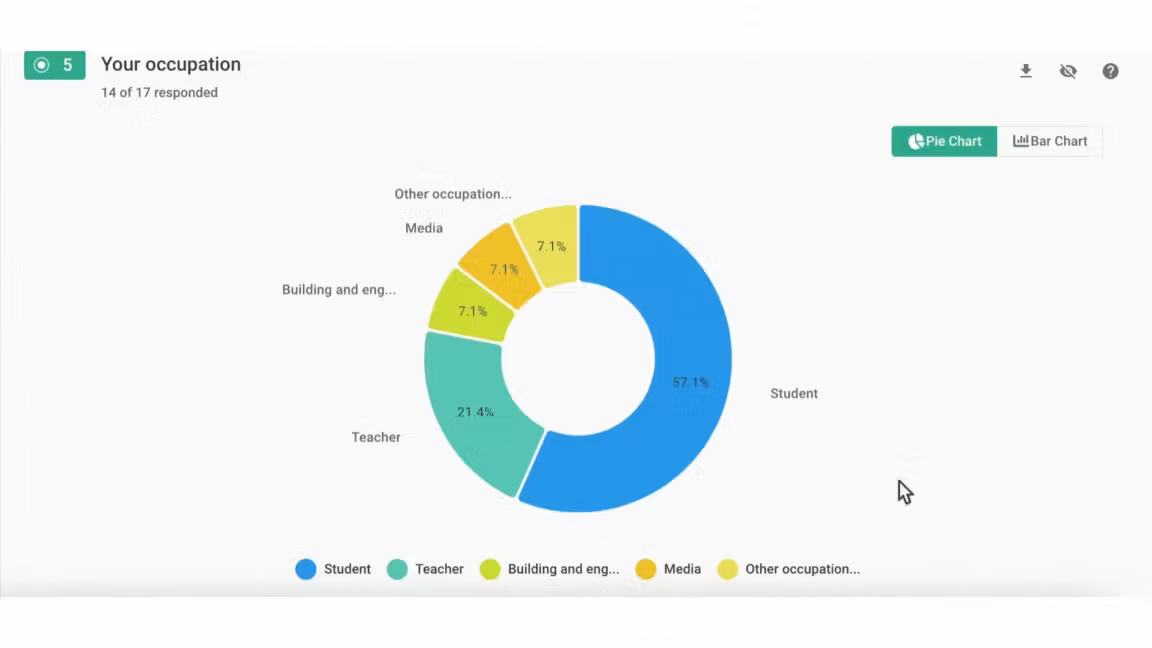
In addition to the word cloud, pie chart, and bar chart, there are also scatter plots and weighted data distribution charts. Depending on the types of questions, different charts are available to facilitate future adjustments to event design or decision-making.
Visitor Activity
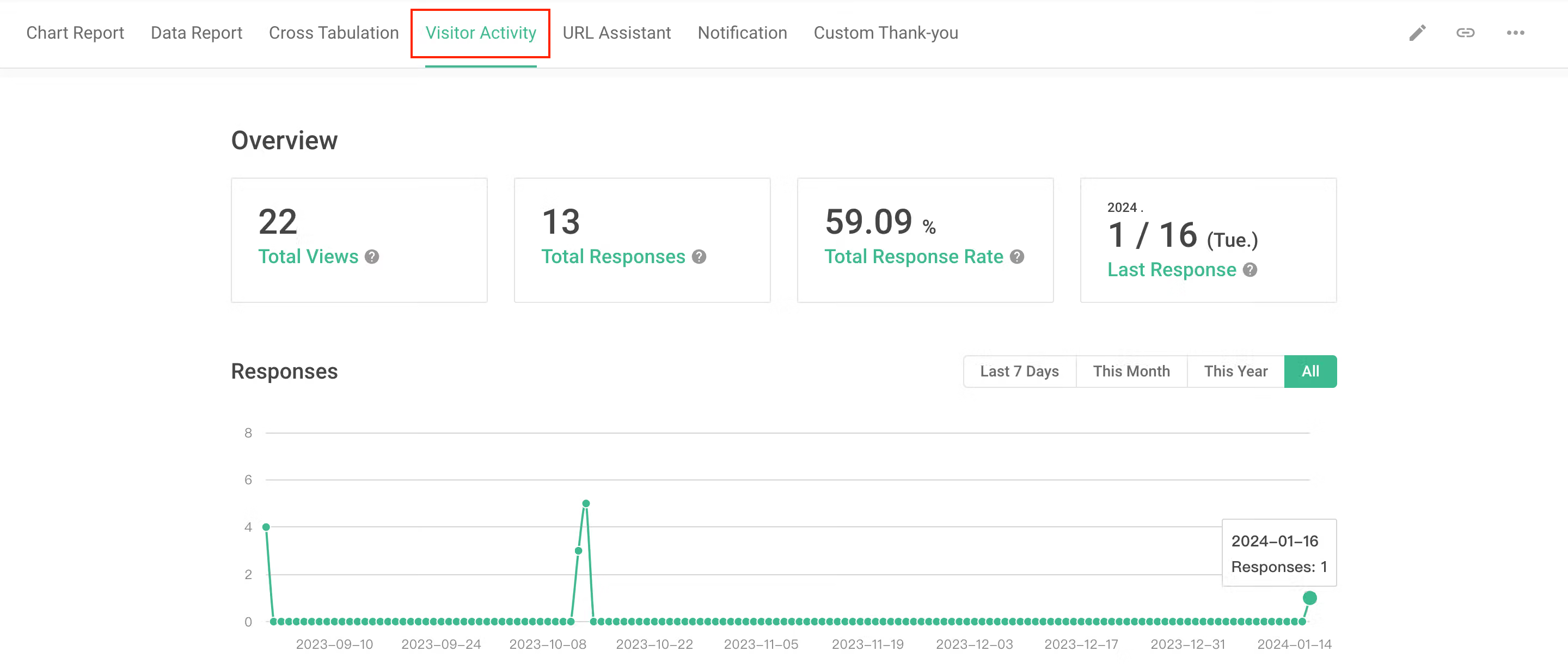
Through visitor activity, you can quickly understand the composition source of registrants, instantly grasp the status of form submission, and make corresponding adjustments. For example, if the response rate is too low, is it because there’s an issue with the form design that prevents respondents from submitting? Or is there a mistake in the distribution channel of the registration form, reaching many people but none interested in the event?
Data Editing and Modification
After registrants submit the registration form, if there’s a need to change or supplement registration information, such as reminders like “eats meat but not beef,” you can add notes without affecting the overall response status.
Data Export
Finally, if you want to export the data collected by the registration form for additional analysis and discussion, such as meeting reports or integrating analysis with other data, you can export files in PDF, Excel, CSV, SPSS, PowerPoint, and other formats.
Hurry up and create your registration system with SurveyCake!
A registration form can be used to collect specific information. However, a comprehensive registration system can collect more useful information through the form and make the information speak, helping the event run more smoothly.
Click here to register for FREE, and follow these three steps: Create Registration Form – Distribute Registration Form – Data Analysis and Utilization,” and you can immediately create your own registration system!


