


5 HR Survey Templates to Effortlessly Know Talent


Understanding the Importance of Employee Feedback for Talent Retention
How can we effectively retain talent? The key is to regularly tune into your employees’ thoughts, cater to their needs, and ensure they find fulfillment in their work. To help you achieve this, SurveyCake has crafted five essential HR survey templates that you can apply freely! These HR surveys will enable you to effectively capture feedback from both internal and external talents on various aspects, deeply understand their needs, and create a company that everyone admires as a happy workplace!
If you think that these templates are what you need after reading this article, simply head over to the SurveyCake Survey Dashboard and directly apply the templates. Just click on the “Use this template” button, and you can immediately create the same survey. You can also adjust and edit the template according to your needs!
We also offer templates for training evaluation surveys, and resignation satisfaction surveys to assist you in creating the best working environment and retaining valuable talent.
Essential HR survey templates
SurveyCake provides six templates for internal and external satisfaction surveys. From the introduction stage of talent, the development stage of talent, to the handling of departing employees, you can deeply understand the thoughts of employees on each work process through these different survey templates. Now, let’s explore these HR survey templates with SurveyCake!
-
Recruitment Satisfaction Survey
A positive interview experience can attract top-notch talent and create a favorable enterprise image. Especially during job-hopping seasons, maintaining consistent interview quality ensures that interviewees have the same interview experience is an important part. Through SurveyCake’s “Interview satisfaction” survey, you can effectively optimize the interview process and make interviewees feel valued!
Try it now👉🏻 Recruitment Satisfaction Survey Template
-
Employee Onboarding Survey
How can new employees quickly acclimate to the environment and hit the ground running? Don’t forget to continuously optimize the company’s onboarding operations and processes! Through the “Employee Onboarding Survey”, optimize the onboarding process for new employees, help employees quickly get into work, and improve employee productivity! After all, the last thing HR partners want is for new talent to leave the company shortly after recruitment due to improper onboarding procedures.
Try it now 👉🏻 New Employee Onboarding survey template
-
Employee Engagement Survey
Once employees are familiar with their work, you can regularly survey their work engagement. Occupational burnout or excessive workload, etc. are all culprits that reduce employee productivity. Understand where employees need help and provide timely assistance to create a highly efficient working environment and at the same time build team cohesion.
Try it now 👉🏻 Employee Engagement Survey template
-
Training Evaluation Survey
Many companies provide regular education and training to improve employees’ work capabilities. In order to understand whether the content direction of education and training meets the needs of employees and the company, you can use the “Education and Training satisfaction” survey to optimize each training course, spend every education and training budget on the blade, and improve employees’ capabilities.
Try it now 👉🏻 Training Evaluation Survey Template
-
Employee Exit Survey
All good things must come to an end, but that doesn’t mean it has to be a bitter one. Before employees leave the company, you can use the “Employee Exit Survey” to understand the reasons why employees leave the company, find out the internal problems of the organization in time and repair them as soon as possible to avoid losing more excellent talent!
Try it now 👉🏻 Employee Exit Survey template
Bonus: Internship Application Form
Cultivating excellent talent starts early. In addition to regular employee recruitment, intern recruitment is also a major focus of HR recruitment. Through the internship application form, you can quickly collect information about interns to see if there are suitable candidates for the company. At the same time, you can promote the company’s internship program in the form, so that people who want to apply for internships can better understand the company.
Give it a try 👉🏻 Internship Application Form Template
In addition to directly using the survey template, do you want to know how to design these surveys from scratch?
Now, let’s design it together with SurveyCake!
We will share the journey of designing the “Employee Engagement Survey” template, as well as the analysis and application after receiving the response(s). We hope that this will be helpful when you design your own survey templates in the future, and you will no longer be afraid of missing employee needs!
-
Survey Purpose
If you want to collect feedback from colleagues, what you need is a clear and simple survey, so that employees can clearly understand why they need to fill out this survey.
Finally, through the data analysis function of the Survey Dashboard, convert the collected “data” into meaningful “information”, find out the needs of employees that they want to be satisfied, and build a people-oriented company!
Survey Template Page – click here for a sneak peek
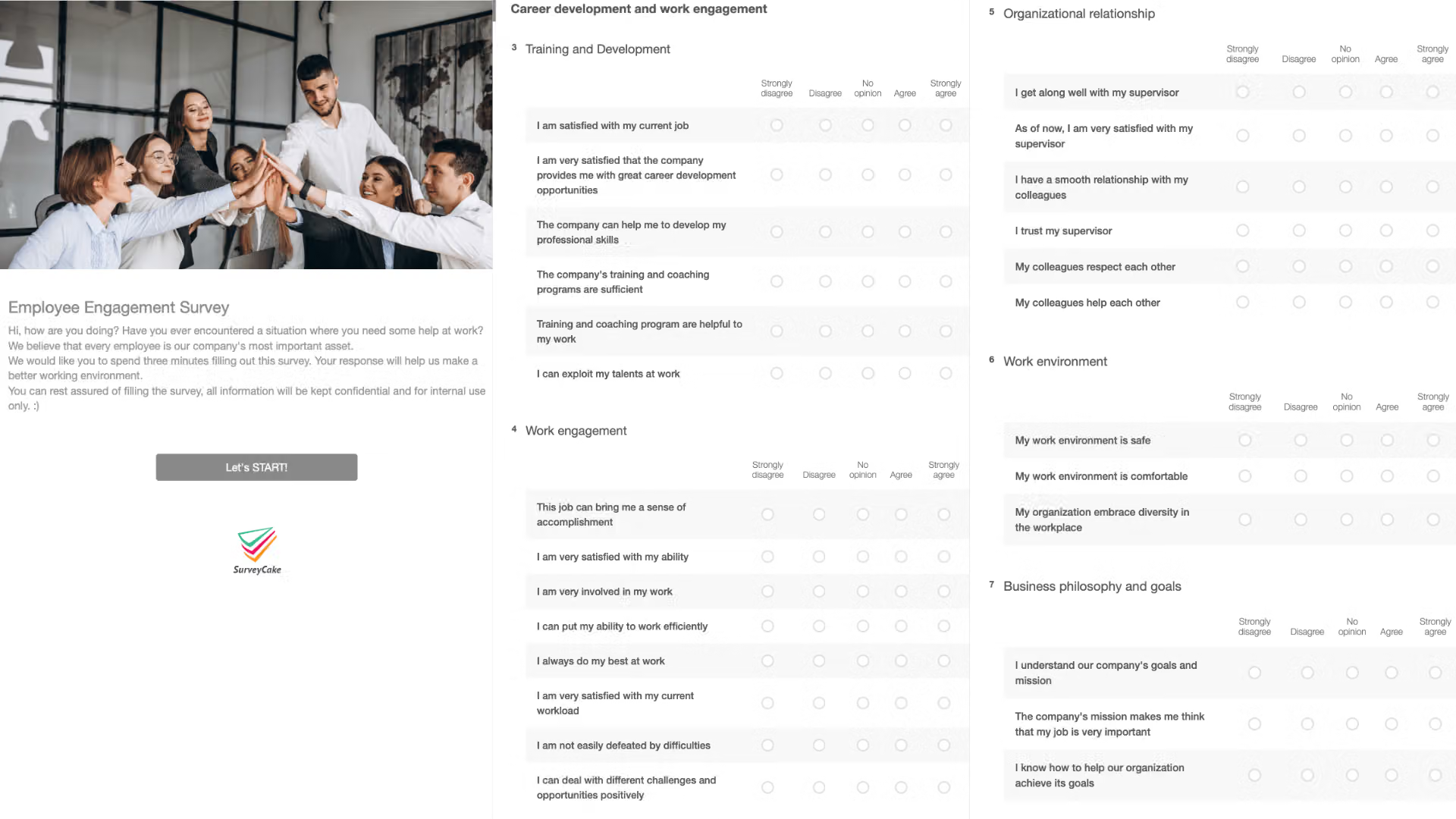
-
Survey Structure
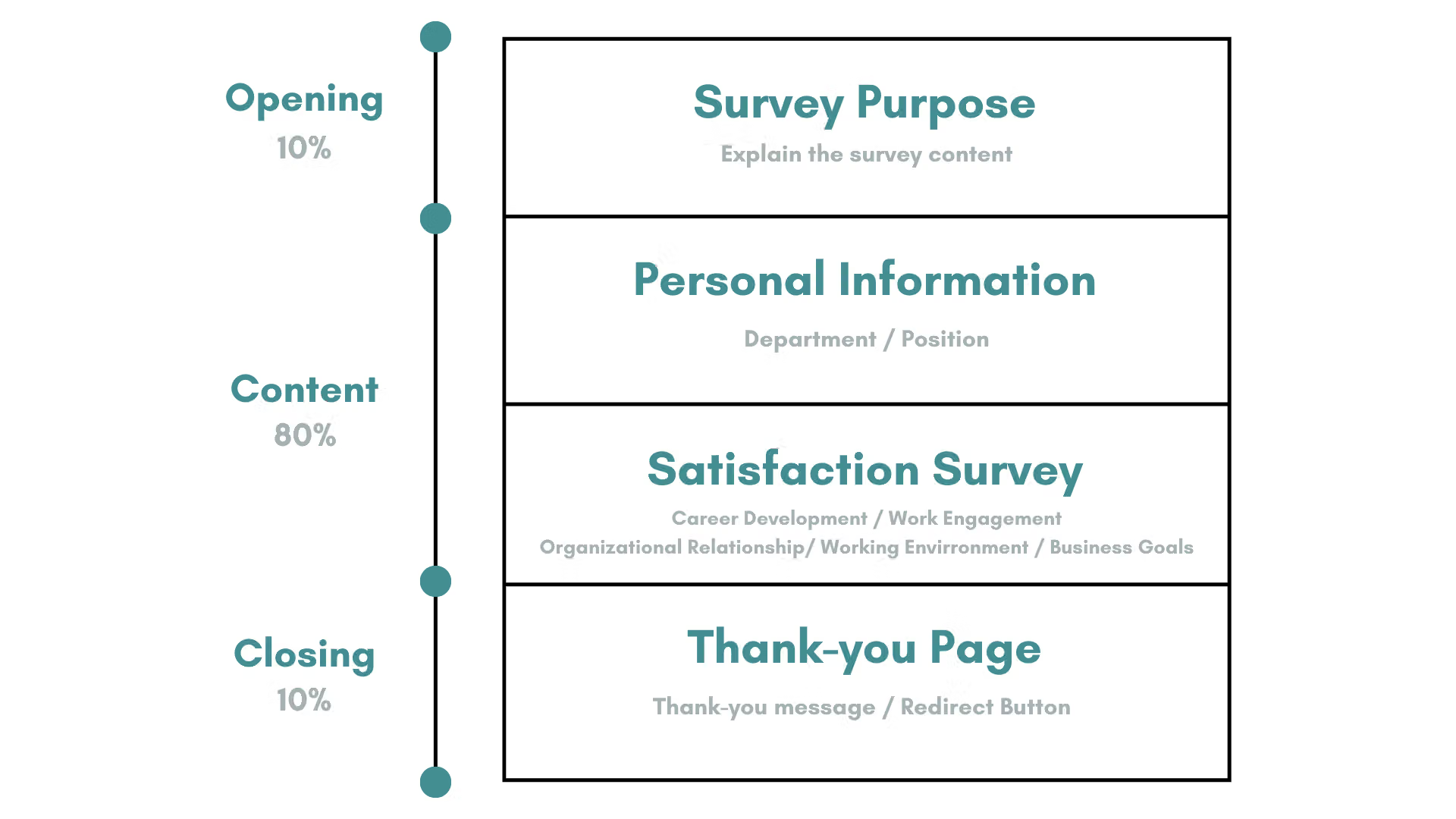
The structure of the Employee Engagement Template: Explain the purpose, basic information, satisfaction survey, and thank you for filling out the survey.
-
Survey Visuals and Copywriting
Although the Employee Engagement Survey is a survey issued to the internal enterprise, a beautiful appearance is still needed to embellish the survey, so as to avoid the survey being boring and making employees regard filling out the survey as a part of work pressure and answer it hastily.
- Visuals
Through eye-catching welcome images and rich survey tones, make the survey more in line with the survey theme and make the survey more lively.

- Copywriting
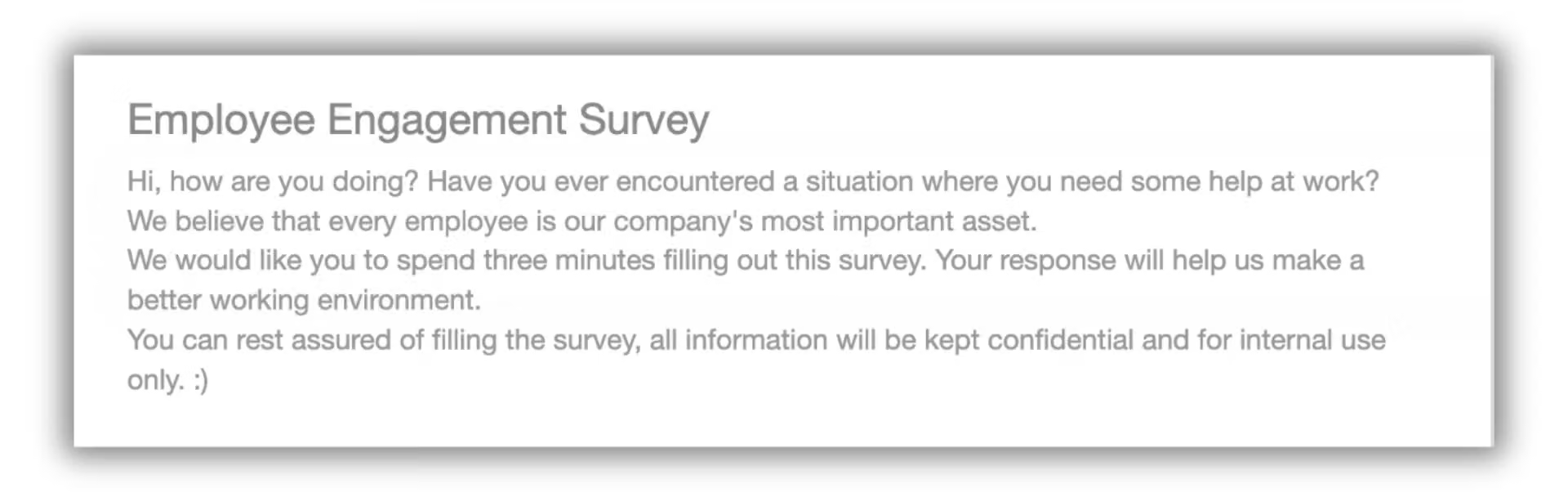
Before filling out the survey, you must let employees understand the purpose of filling out this survey, and inform them how the results of this survey will affect their own work content and environment. Only by clearly explaining the purpose of filling out the survey, can employees fill out their true feelings.
-
Survey Setup
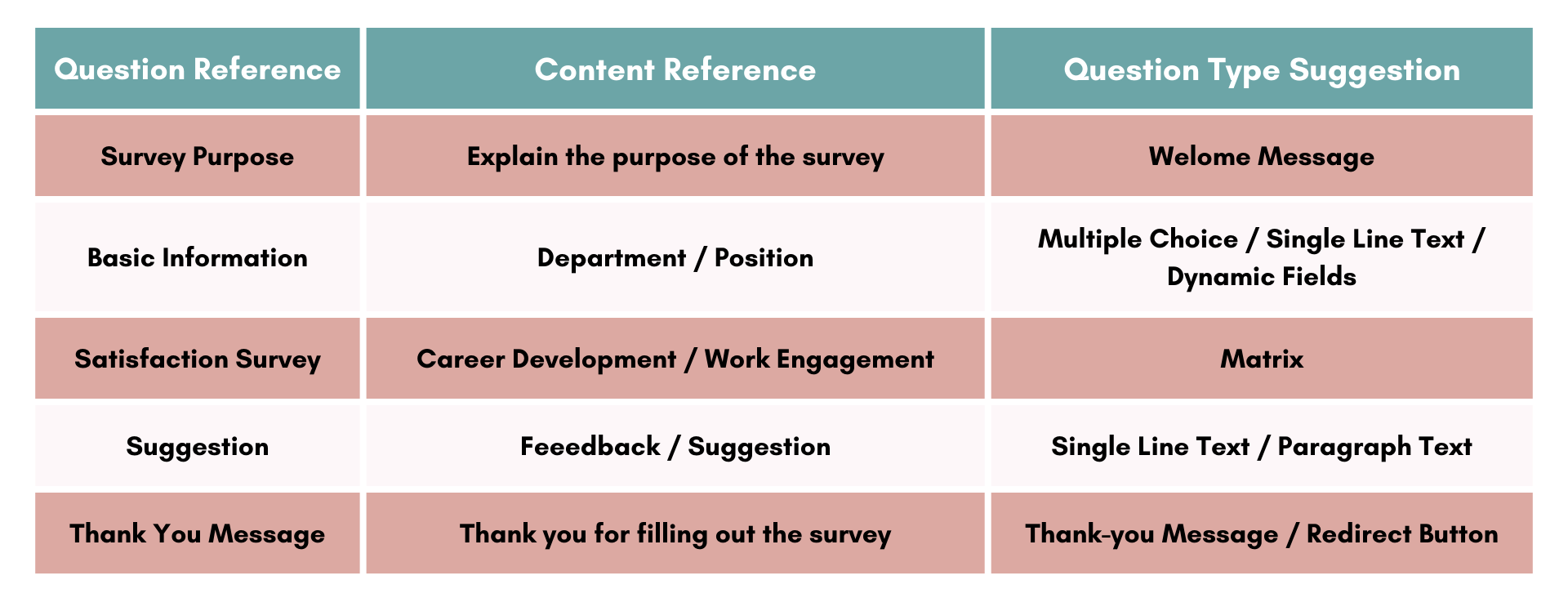
After clarifying the purpose of the survey and the main content of the survey, you can start designing the main axis of the entire survey, the “survey questions”.
- Insert Dynamic Field
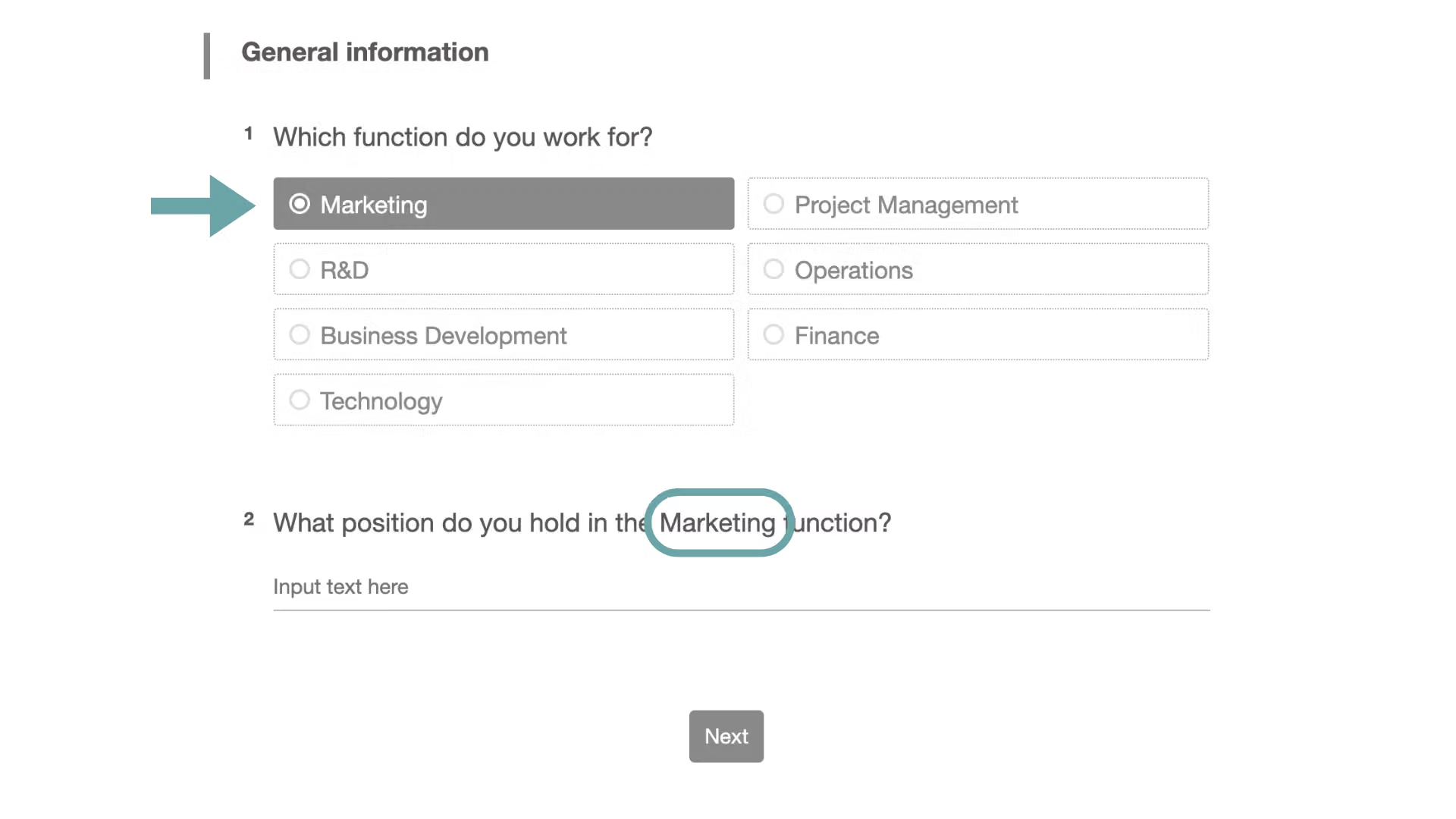
When asking about the department and position of employees, use “Insert Dynamic Field” to omit verbose words and give employees a more interactive filling experience.
- Matrix Questions
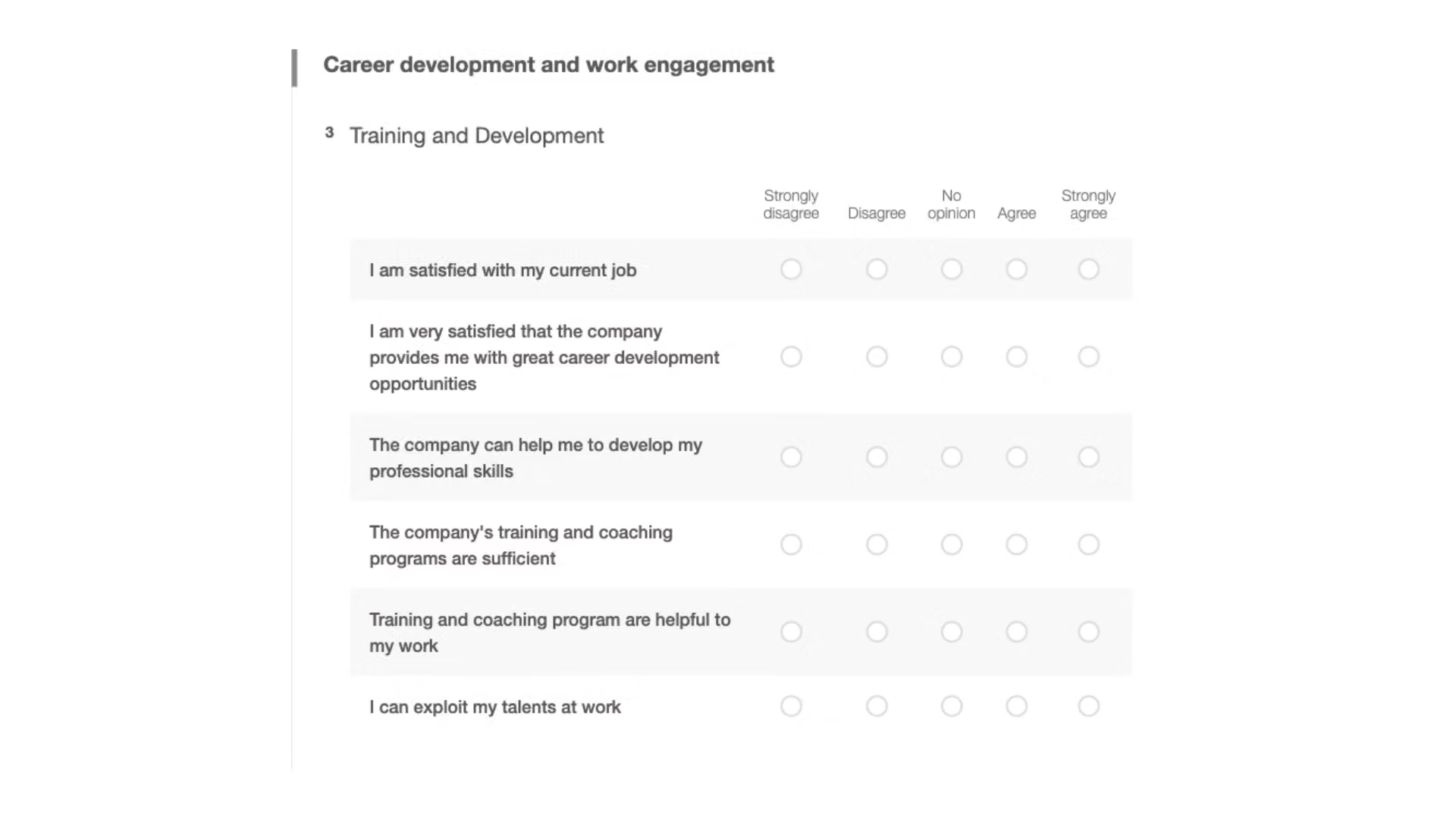
The first step in investigating satisfaction is to plan the aspects of the survey topic. For example, employee job satisfaction covers five major aspects, including “training and career development”, “work engagement”, “organizational relationship”, “working environment”, and “business philosophy and goals”. After confirming the general direction of the survey, you can think about the questions covered by each aspect.
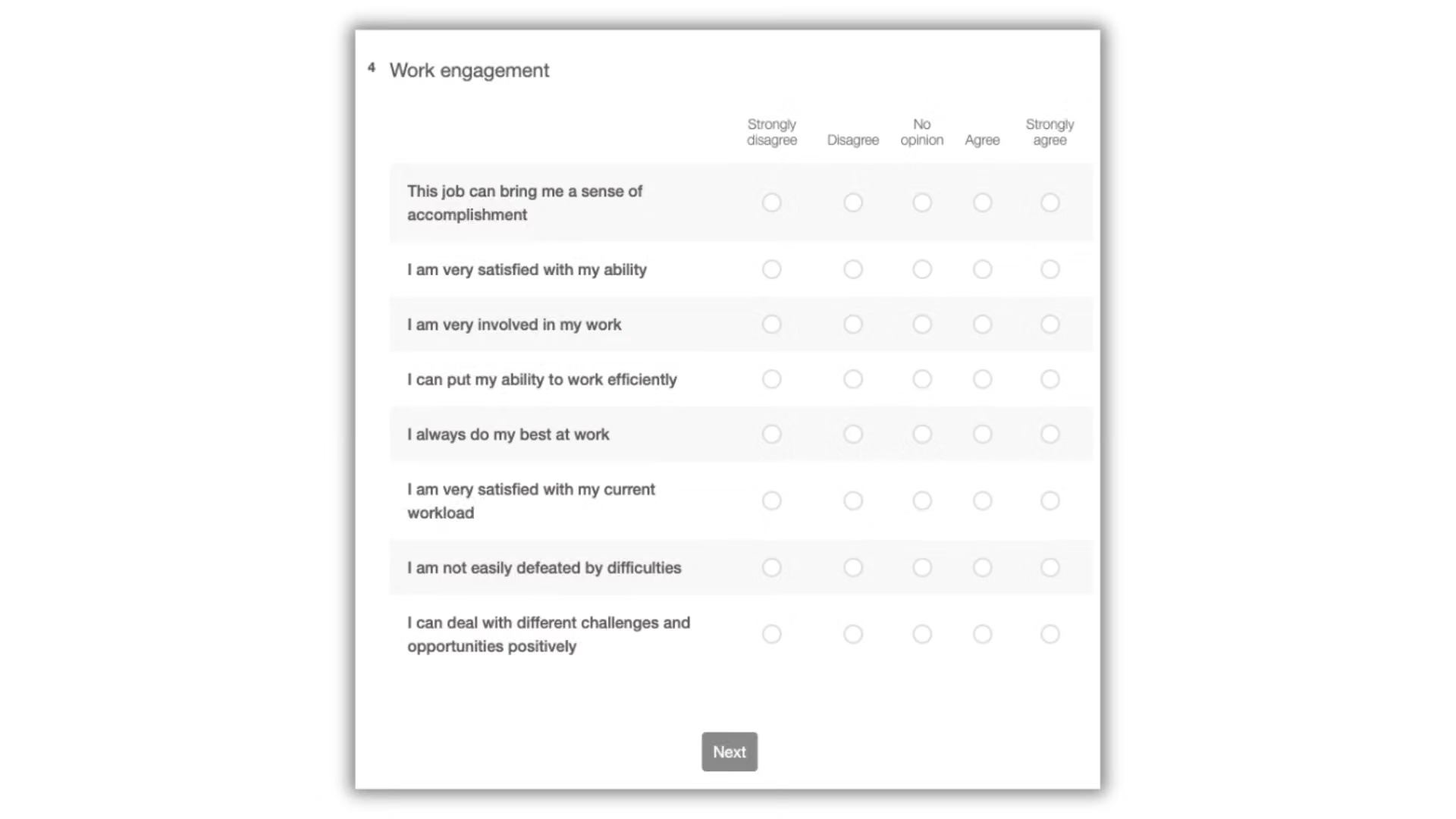
The most suitable subject for satisfaction surveys is none other than “Matrix”. Use “Matrix” to present the questions of the same aspect to the respondents more concisely, allowing respondents to enjoy a smooth filling experience.
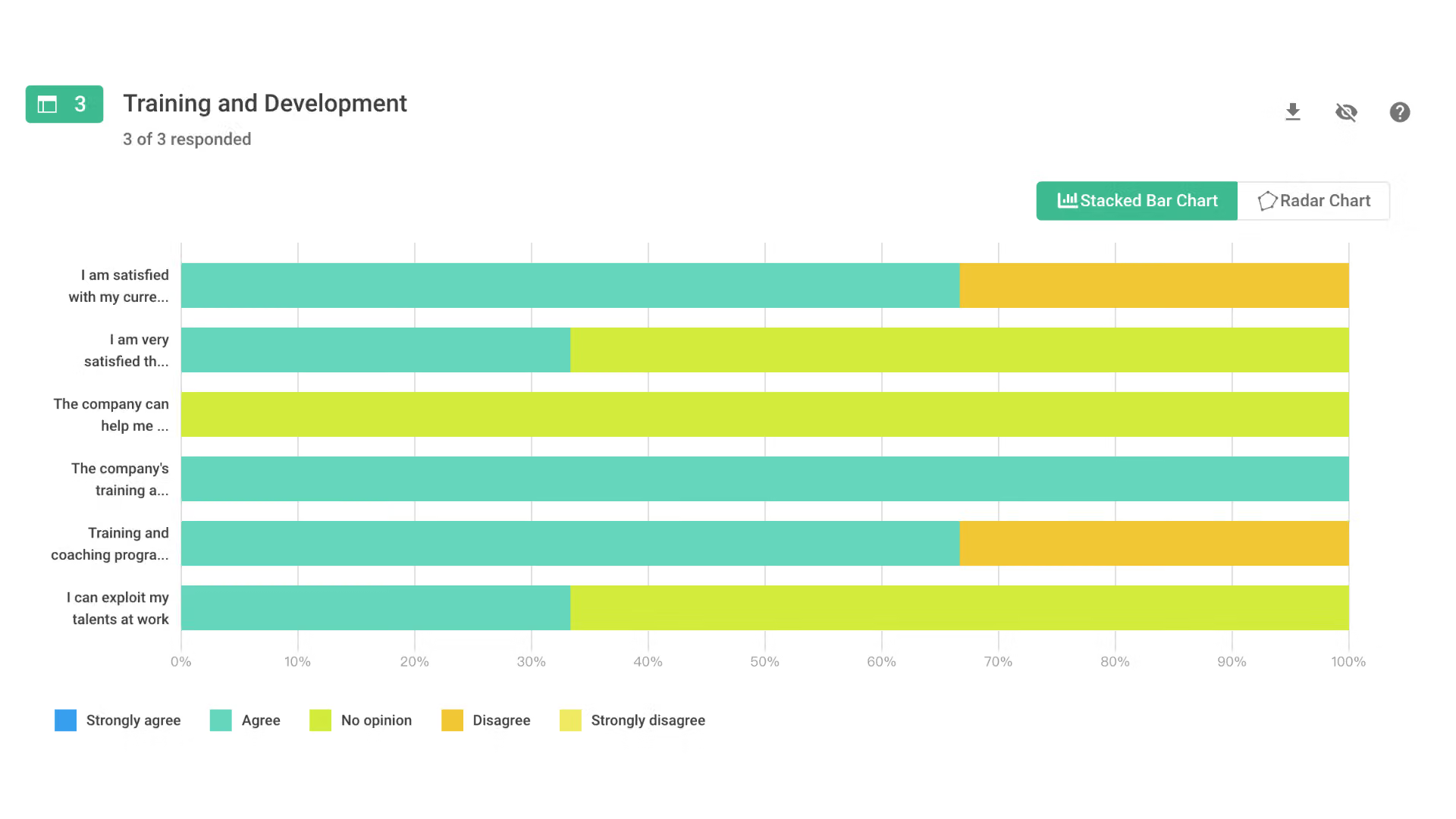
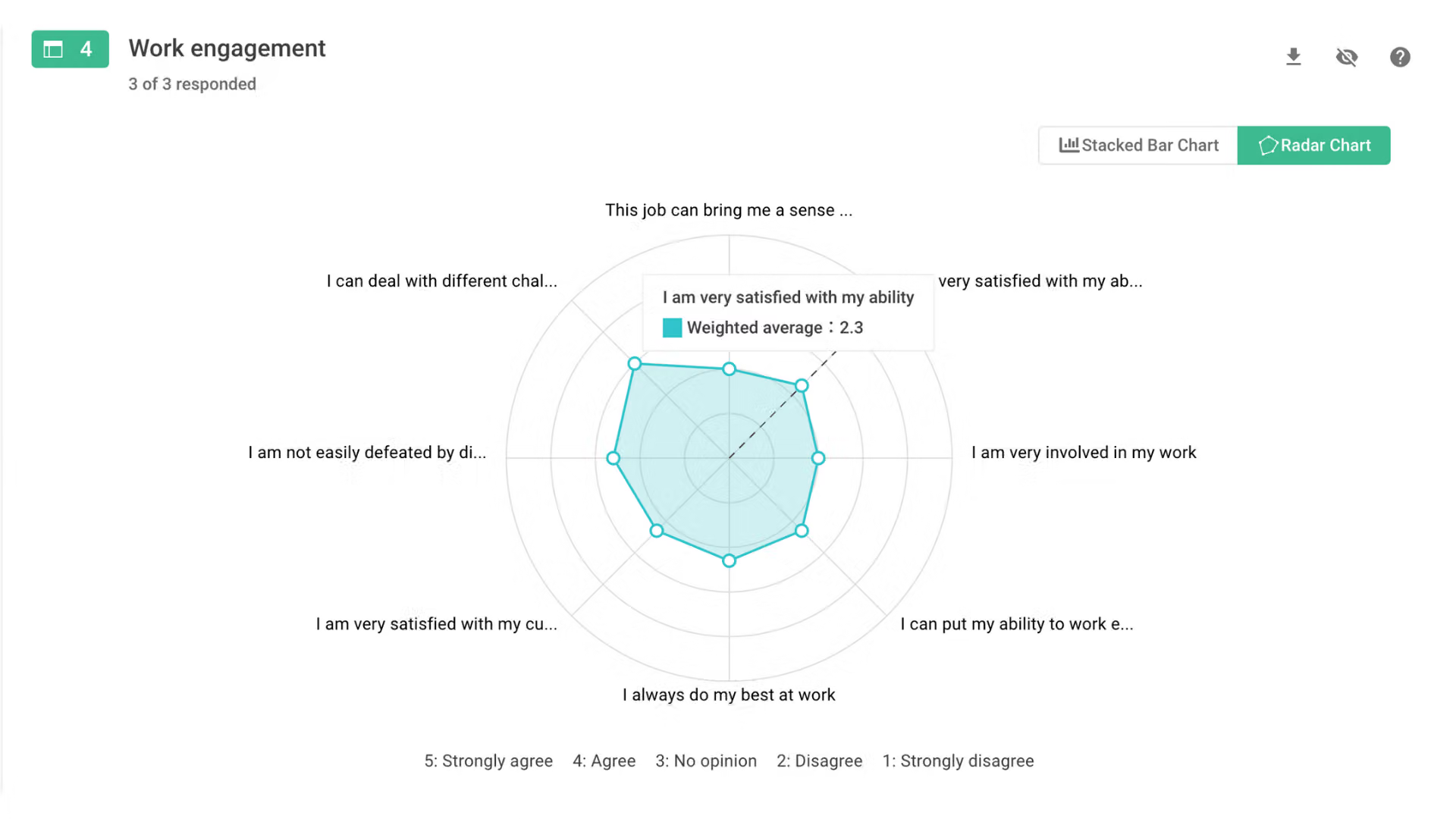
In the SurveyCake Chart Report, it will be presented in an intuitive “Radar Chart”, allowing you to see at a glance whether each aspect needs to be improved. It can also be presented in a “Stacked Bar Chart”, showing the distribution of answers for each aspect at a glance.
Chart Report – Radar Chart
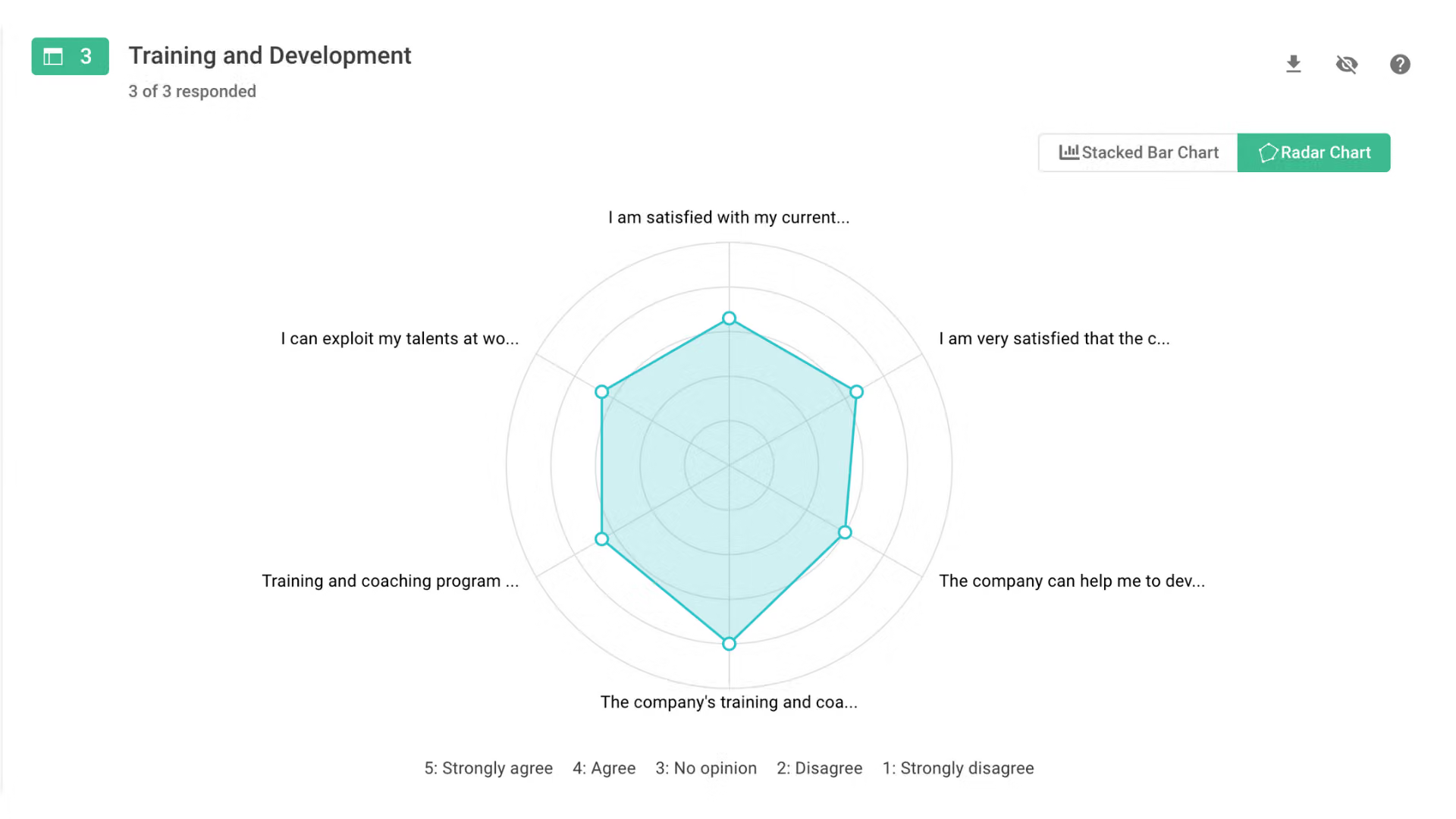
Chart Report – Stacked Bar Chart
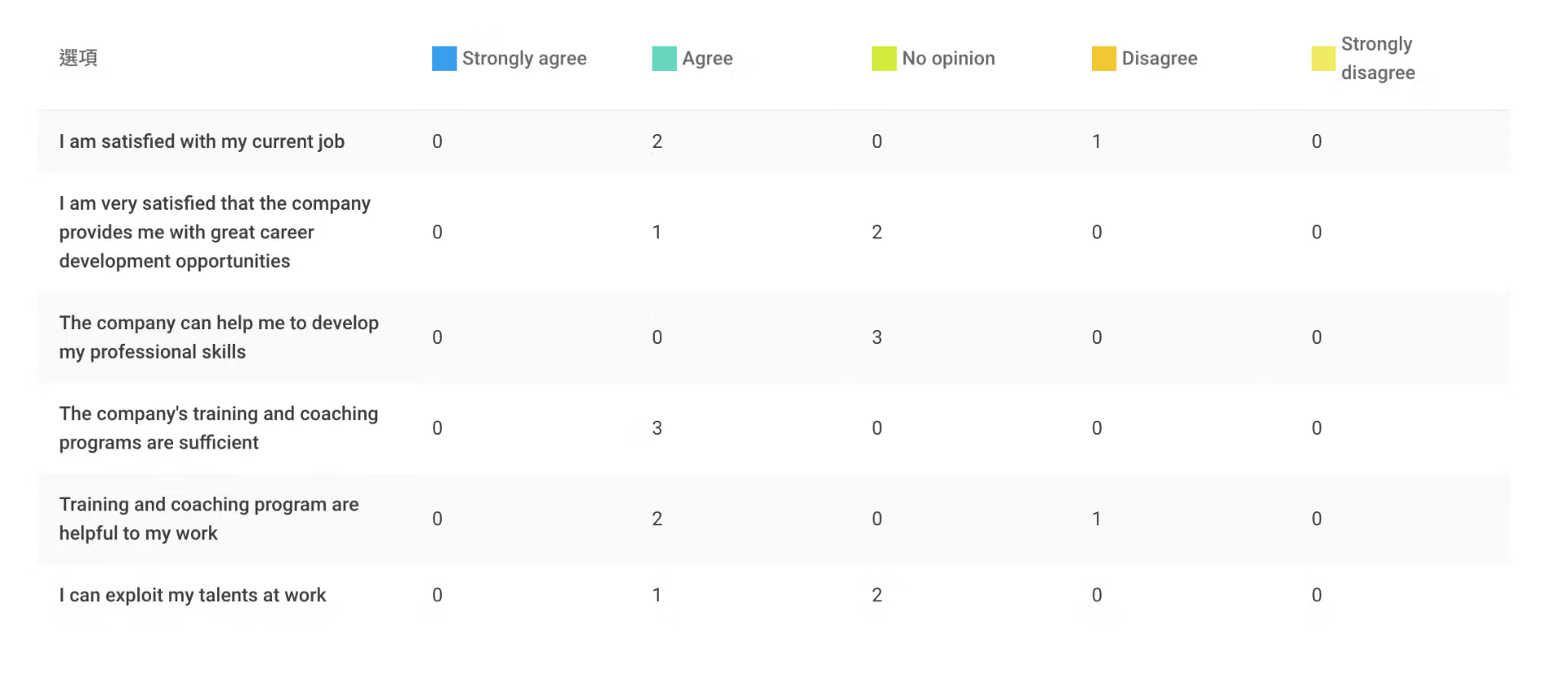
The questions that make up each aspect also have a Single Chart in the Survey Dashboard presented as a “Bar Chart”, and a “Breakdown Table” is attached to observe the number of responses for each option. This allows you to deeply understand the main areas that need improvement.
Chart Report – Single Chart
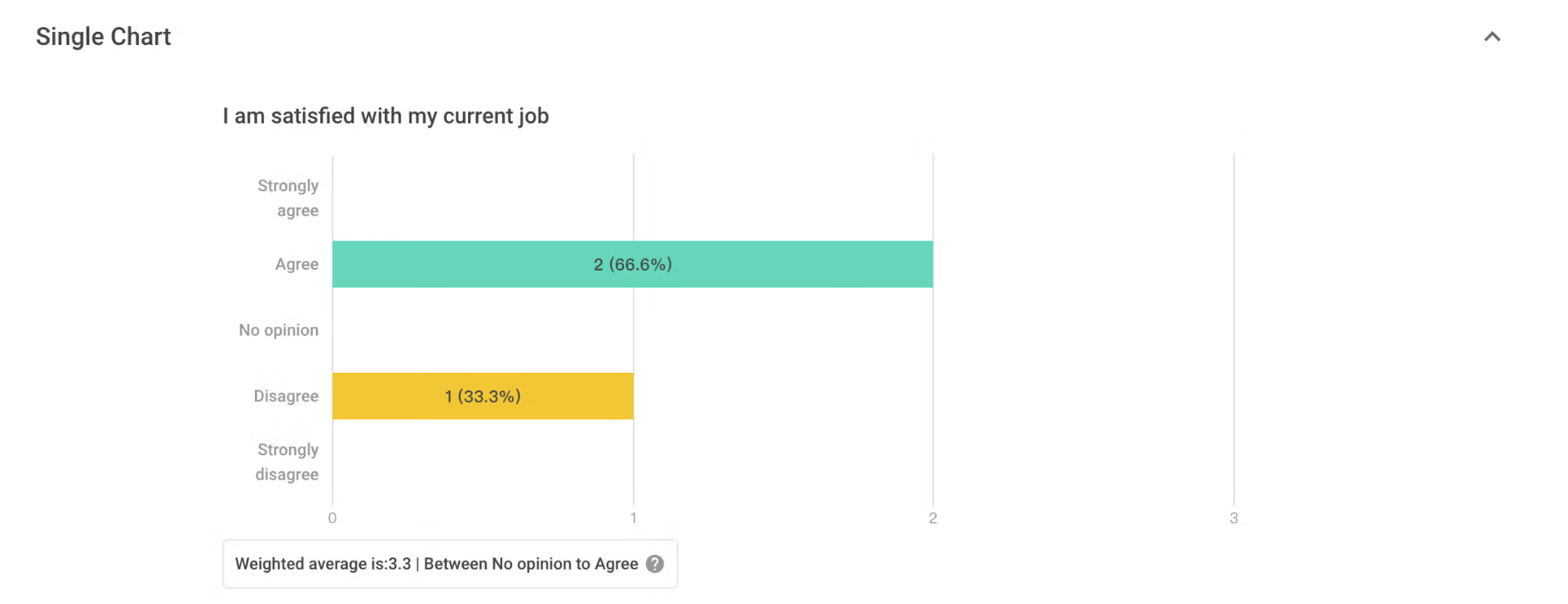
Chart Report – Breakdown Table
- Page Swipe
When the content of the inquiry is richer, you can make good use of “Page Swipe”, divide the survey into pages, reduce the length of a single survey, and create a good survey experience!
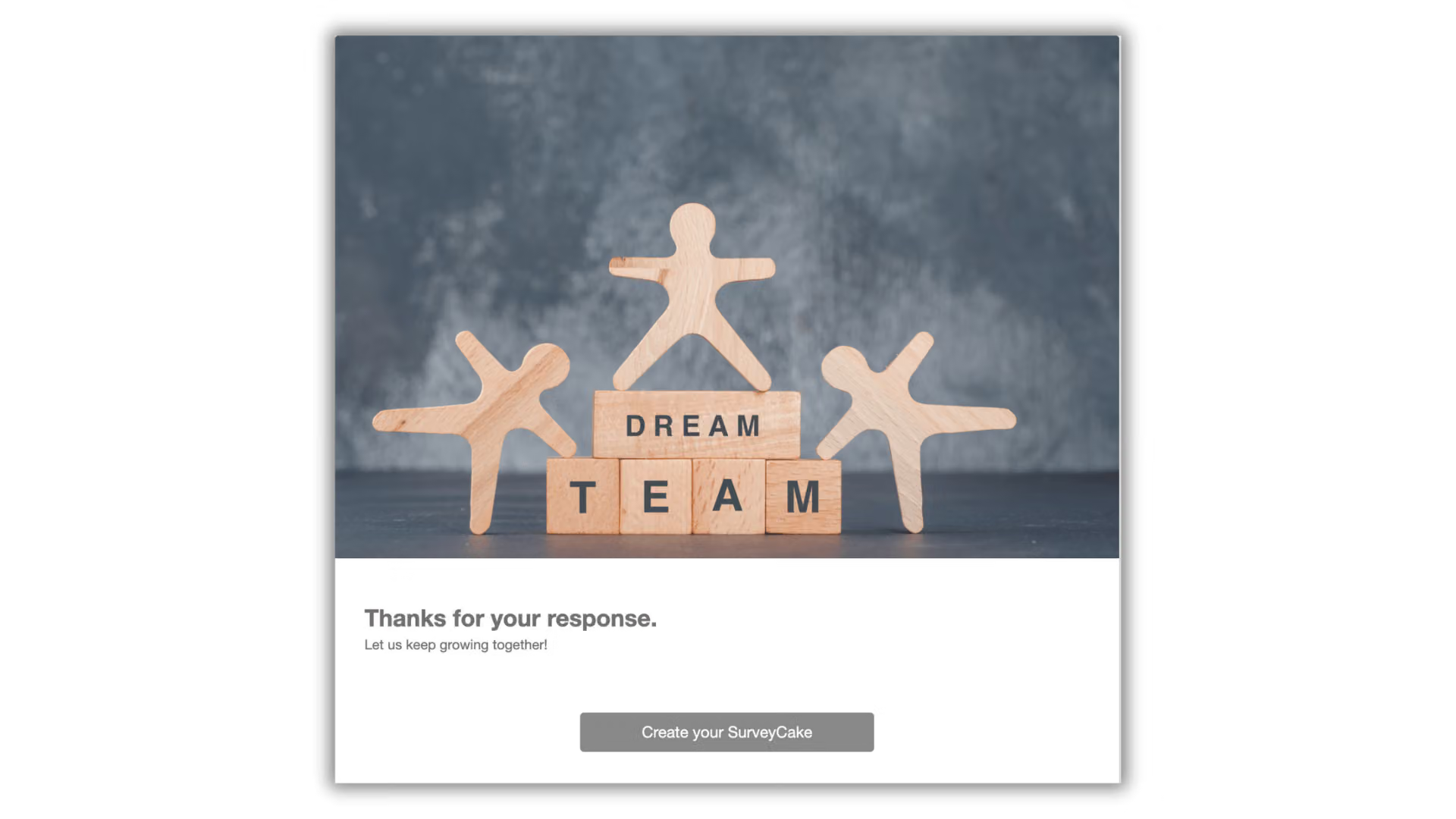
- Thank-you Message & Redirect Button
Don’t forget to thank the employees who filled out the survey carefully! Through the “Thank-you Page” features, write a thank you message and set a thank you banner, add a touch of warmth and harmony to the survey, and employees will be more willing to fill out the survey next time!
If you have new news to announce, you can also use the “Redirect Button” to convey activities or news related to employees to employees, helping you easily promote the latest news and resources of the company.
Essential HR Survey Statistical Analysis
After the employees have completed the survey, HR partners will need to analyze the hard-earned feedback and further find out valuable insights and improve the working conditions of employees appropriately! At this stage, SurveyCake provides powerful analysis tools to help you easily gain effective insights.
-
Chart Report
Want to see the current survey filling situation immediately? Through the “Chart Report”, you can see the overall work participation of employees at a glance, and quickly find out the work aspects that need to be adjusted.
-
Cross Tabulation and Filter
How to quickly grasp the work participation status of employees in various departments?
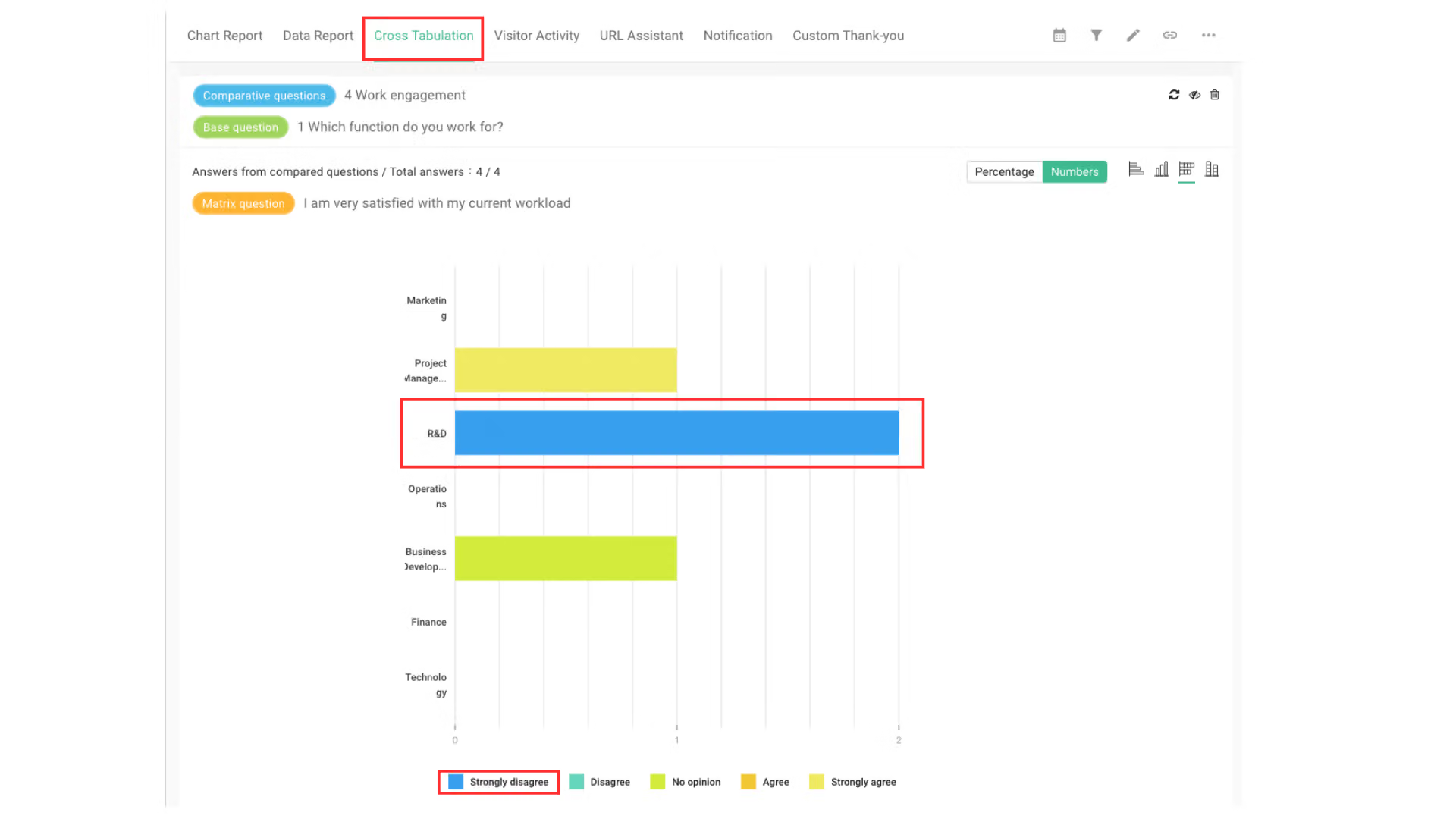
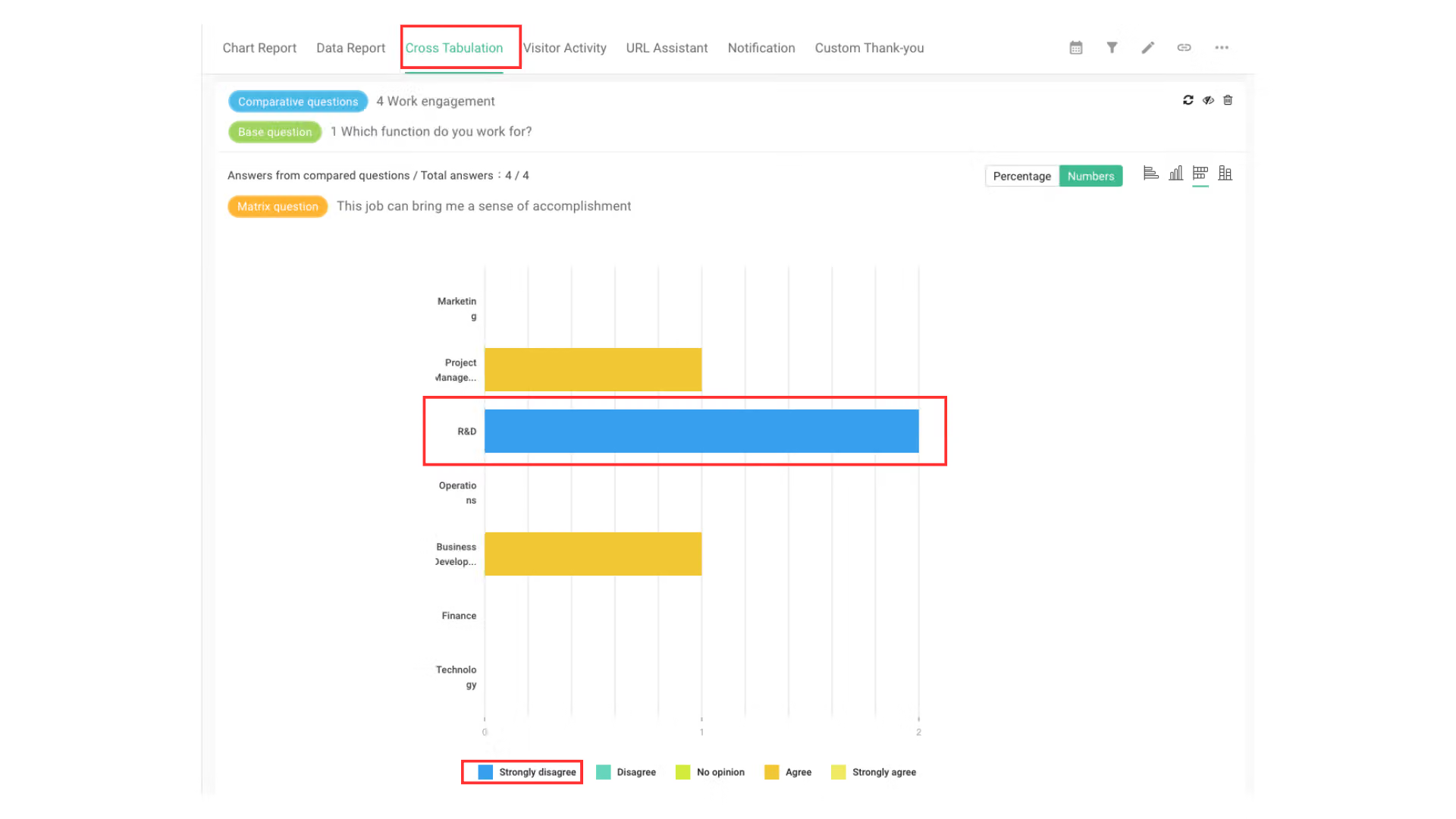
Through “Cross Tabulation” combined with “Filter”, you can find out the work participation of specific departments! For example, through “Cross Tabulation”, it is found that the R&D department generally needs to be strengthened in the “work engagement” aspect.
Then through the “Filter”, you can analyze the crux of the problem in the R&D department!
For example, after setting “R&D Department” as a filter criteria, it can be seen from the Radar Chart in the Survey Dashboard that the R&D department is dissatisfied with “Sense of Accomplishment” and “Workload”, so it needs to be re-evaluated whether the workload of R&D department employees exceeds the load.
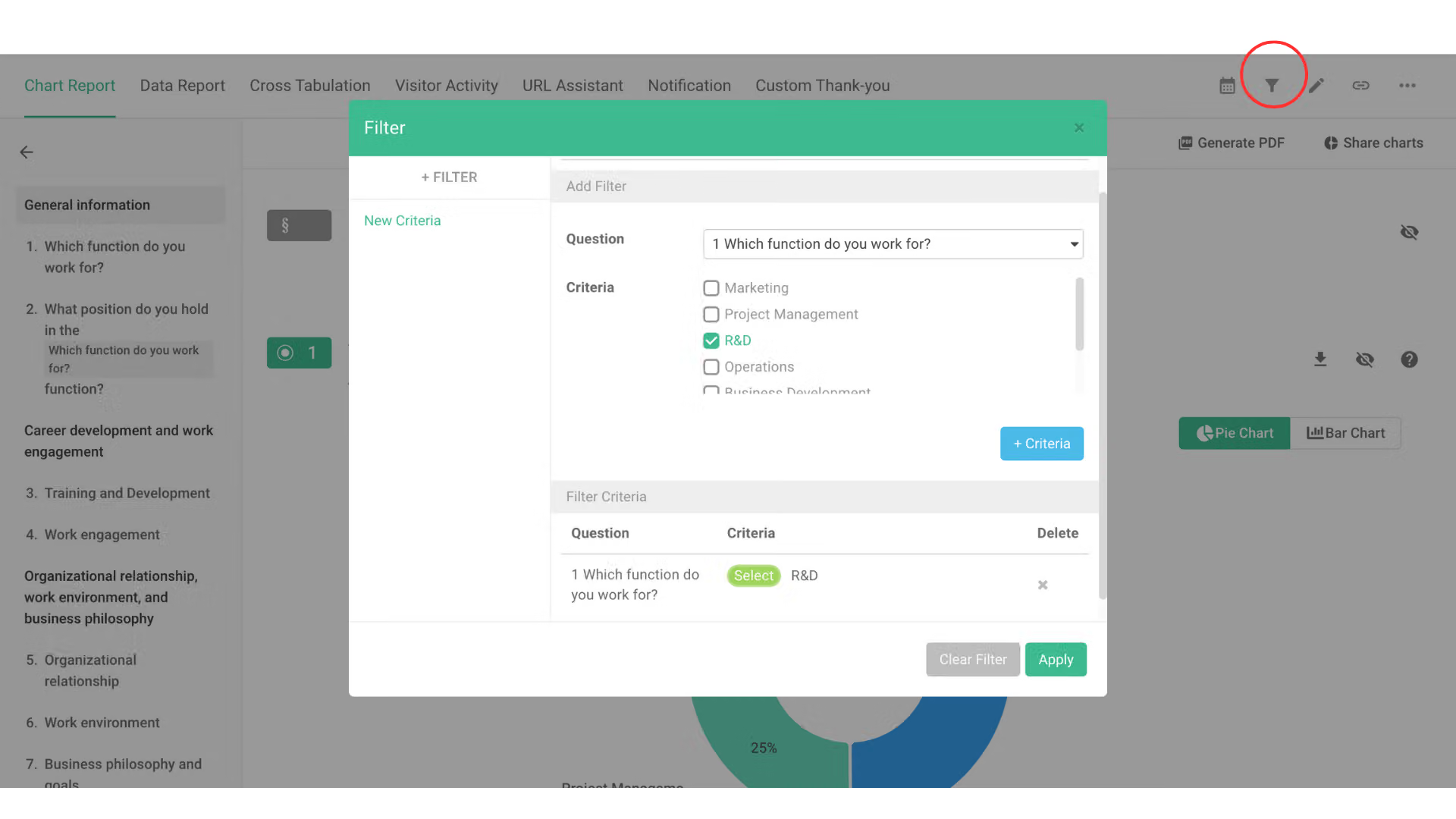
Use “Filter” to set “R&D Department” as a filter criteria
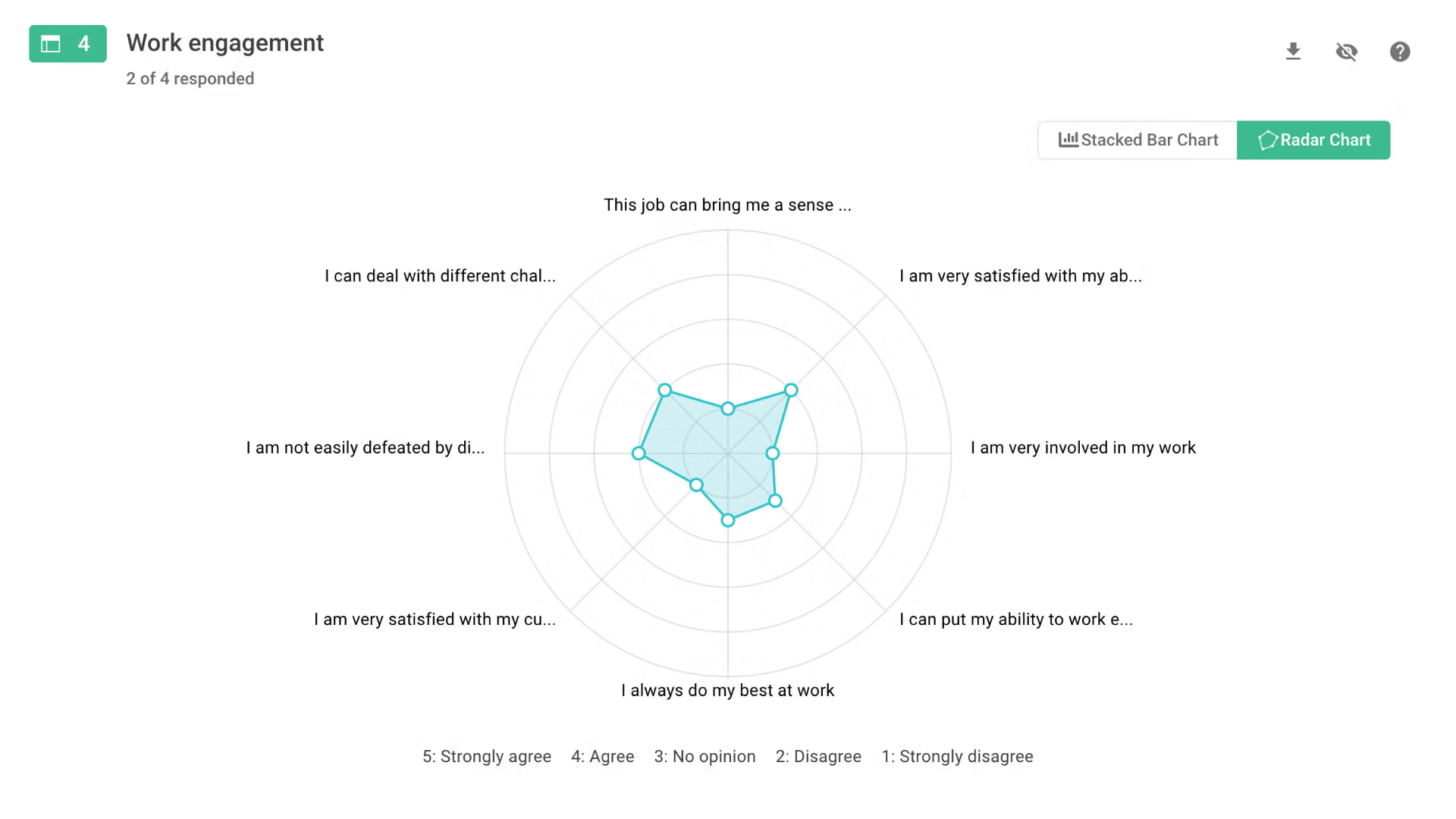
Through the data distribution of the Radar Chart in the Survey Dashboard, you can clearly understand the areas that need to be edited in the organization and work.
Sign up for FREE now!
Click HERE to sign up for free, and you can use the survey template immediately!
SurveyCake allows you to create a survey to save time and effort, and no longer worry about facing a blank survey interface!


