After successfully subscribing to SurveyCake paid plan, payments will be automatically charged based on your subscription cycle unless you cancel your subscription. Receipts and electronic invoices will also be generated (invoices are applicable to users in Taiwan only).
Taiwan users only
Here are two types of electronic invoices available for SurveyCake:
1. Duplicate E-invoice
Applicable to: Natural persons (general consumers) or subscribers without the requirement of tax ID number.
When you subscribe to SurveyCake paid plan, you can choose to save an E-invoice into:
If there is a winning E-invoice for the current month, SurveyCake will mail the winning invoice to the address provided by you.
2. Triplicate E-invoice
Applicable to companies and organizations that need to file business tax. Such invoices will calculate the 5% tax separately and will require the users to provide a tax ID number and Company Name.
For users outside of Taiwan
SurveyCake provides 2 types of receipt as below. When subscribing to paid plan, you can choose the recipient of the receipt:
How to check and print the issued E-invoices
The two types of E-invoices by SurveyCake can be viewed through the ezPay platform, but only the Triplicate E-invoice is available for printing. If you need to modify invoice type, please refer to the next section: How to change the Duplicate Invoice to Triplicate Invoice.

)", click on "RECEIPT" listed on the Remarks section of the order, and click the "ezPay invoice platform" link. You can check and print triplicate E-invoices directly from ezPay.

How to change the Duplicate Invoice to Triplicate Invoice
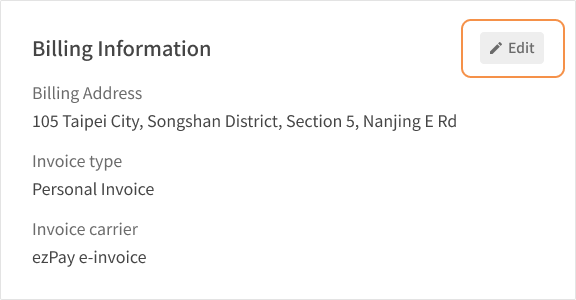
You can modify your invoice information in your account settings before the invoice is issued (i.e., before the next billing date). Simply go to Account Setting and change the invoice detail, where you can select between Duplicate E-invoice, Triplicate E-invoice, or Donate Invoice.
If a duplicate E-invoice has already been issued, but you wish to change it to a triplicate E-invoice for your billing needs, we accept the invalidation and reissue of invoices within 6 months. Please follow the steps below to apply:
(1) Go to Account Settings and change the invoice type to ensure that your future e-invoices will be issued with the correct type (please refer to Change invoices, payment details.
(2) Go to the latest [Your subscription details and invoice] email and apply for the reissuance of the invoice by providing the following information:

Once we receive the above information, our customer service team will assist you in reissuing a new triplicate E-invoice. (Please note that the issue date of the new invoice will change to the date when the previous invoice has been invalidated and the new one has been issued.)
The issuance date of the new invoice will be the time when the old invoice is reissued, so it will not be the same as the original invoice date.
Please note that if your invoice date is more than six months before the time of the request, we regret to inform you that we cannot assist with the reissuance based on internal financial regulations.
Example: If you request on December 1, 2025, and the original invoice date is March 1, 2025, we will be unable to assist with the reissuance and change of invoice format as the original invoice date is over 10 months (more than six months) from the date of the request.



