What are Ad-Free Responses?
Ad-Free responses refer to the number of survey responses you can collect in the current month, and responses collected within this quota will not display third-party advertisements on the survey thank-you page (for detailed display methods, please see "Advertisement Display Methods").
Starting from June 11, 2025, 23:00, if a user's monthly survey response count exceeds the monthly response quota limit of their subscribed plan (for detailed quota limits, please see "Ad-Free Response Quotas by Plan"), third-party advertisements certified by SurveyCake will be displayed on surveys published by that account until the response quota resets in the following month.
Rest assured! This change will not affect survey collection functions such as filling out survey, data collection, and data viewing. Third-party advertisements will only appear on survey thank-you pages / Conditional Thank-you Page / Exit Page / Option Quota Reached Page, and all advertisement content is pre-reviewed by the platform to ensure content safety, legality, and suitability for the usage environment.
To continue providing stable, high-quality services, we will use the advertising mechanism to support the platform's ongoing investment in server stability, cybersecurity protection, feature development, and product service quality. For this purpose, SurveyCake has conducted detailed user usage data analysis and set the ad-free response quotas for each plan based on the principle of meeting most users' actual needs. At the same time, we understand that different users have different usage requirements, so we provide multiple plan options to allow each user to find the service level that best suits them.
Currently, advertisements are only displayed to respondents from Taiwan and Hong Kong. Respondents from other regions will not see any advertisements
Ad-Free Response Quotas by Plan
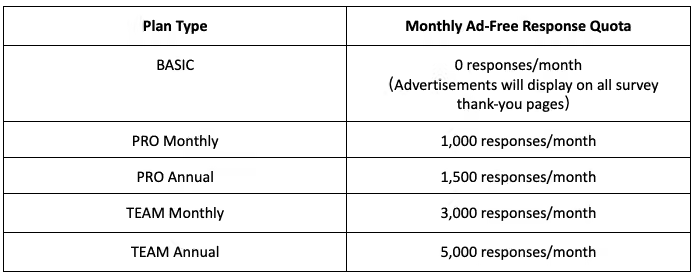
All members in Team plan will share one quota
Advertisement Display Methods
When the ad-free response quota is exceeded, advertisements certified by SurveyCake will be displayed on survey thank-you pages / Conditional Thank-you Page / Exit Page / Option Quota Reached Page Custom thank-you page are not affected by this feature, and survey response pages will not display any advertisement content.

How to Check Current Usage
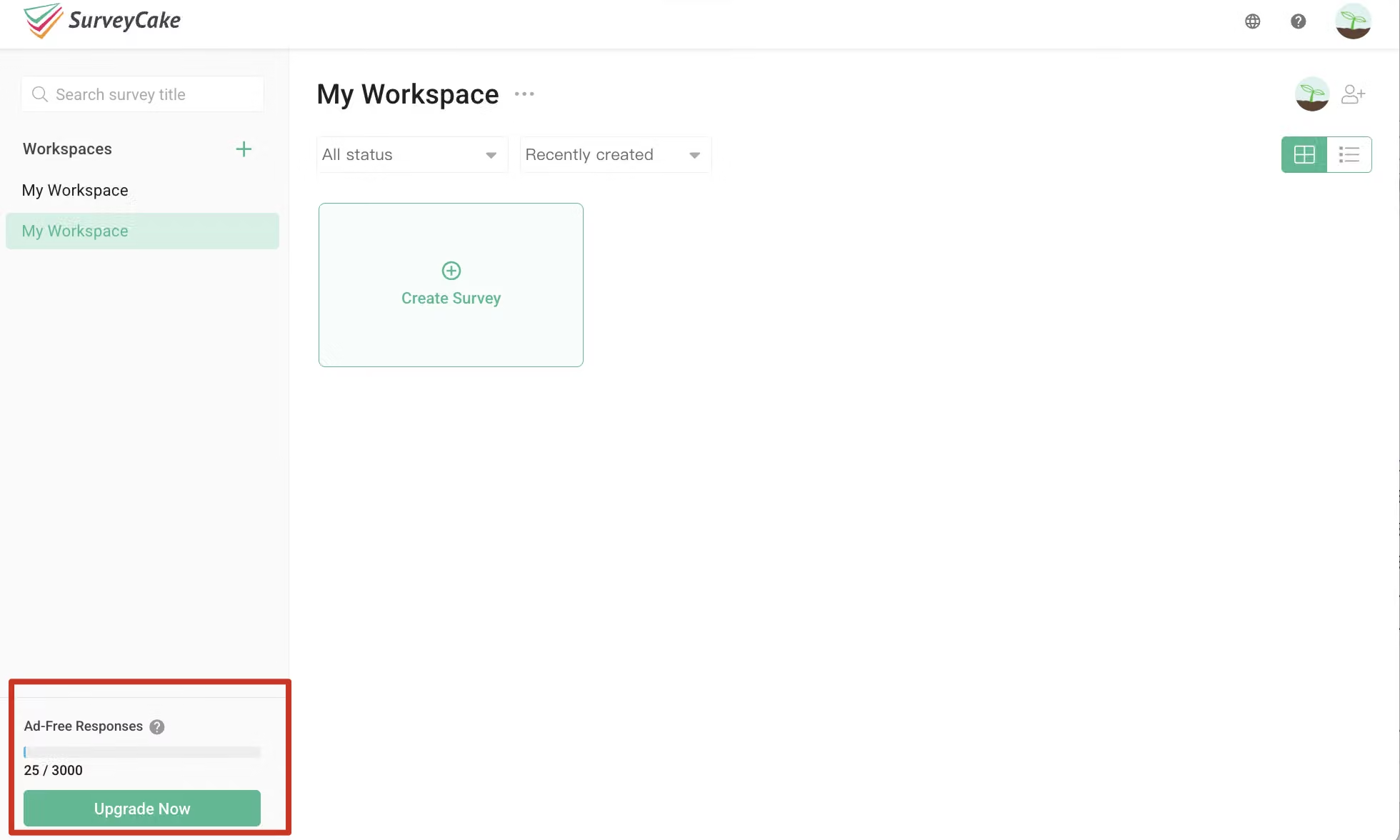
If you want to check your current month's "Ad-Free Responses" usage in real-time, you can view it in the bottom left corner of the "Survey Overview" page after logging in.
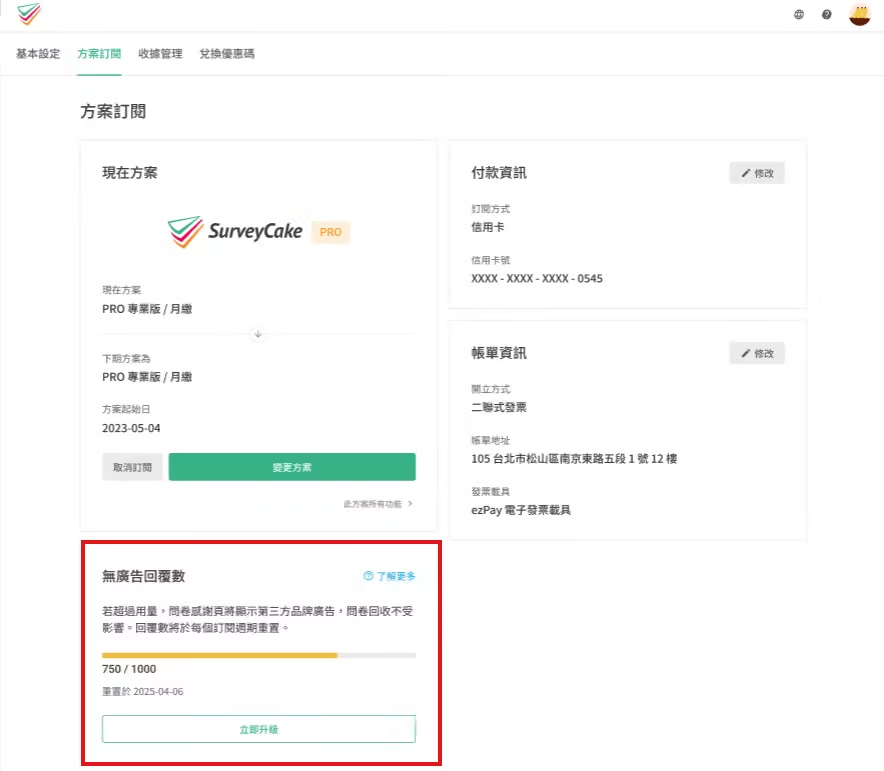
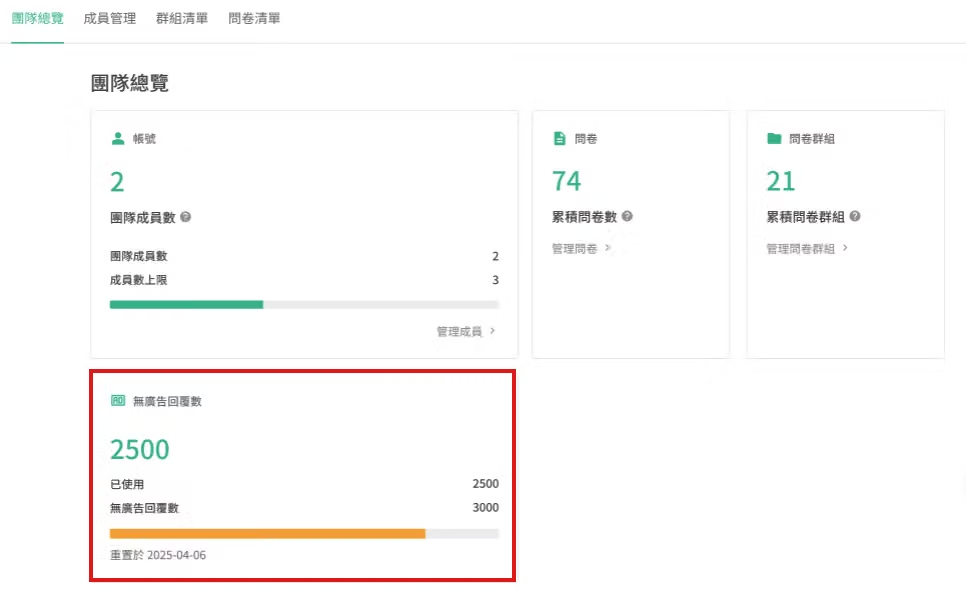
If you want to understand more precise usage data, you can check according to your plan by entering the following pages:
Quota Calculation Method
The ad-free response quota calculation is based on the total number of actual responses received in the current month for all surveys under that account, including deleted responses.
Different upgrade methods for each plan will have different calculation methods. Please refer to the following scenarios:
Immediate Payment of Difference and Plan Upgrade
After immediate upgrade, the quota will be updated to the new plan's quota, but usage will be maintained. Usage will only reset to zero when the next plan cycle begins.
Example: PRO Monthly → Team Annual
To understand which SurveyCake plans allow "immediate upgrade", please refer to the Plan Conversion support center article.
Upgrade After Current Subscription Cycle Ends
When updating to a new plan, usage resets to zero for recalculation.
Example: PRO Monthly → PRO Annual
Conversion Between PRO and Team Plans
Since the PRO plan is frozen when entering Team plan, each conversion between PRO and Team plans will settle the quota used during that period. This design ensures complete independence between personal usage and team quota, avoiding duplicate quota occupation.
Example: Plan conversion method is PRO Monthly → Team Monthly → PRO Monthly
How to Avoid Survey Advertisement Display
You can avoid advertisement display through the following methods:
Team plan will only notify the team admin
FAQ
No. Survey sending, filling out, data collection, and viewing functions are completely unaffected; advertisements only appear on thank-you pages.
All members within the team share one quota, managed uniformly by the team owner.
When your ad-free response quota is exhausted, if you remain idle on the thank-you page, the system will automatically display a second advertisement!