AI Survey Import

In the past, creating surveys with a large number of questions meant wasting a lot of effort on copying and pasting item by item. With the AI Survey Import feature, the system automatically recognizes your existing document content and rapidly converts it into survey questions. This significantly reduces the burden of repetitive tasks and switching windows, boosting your survey creation efficiency!

How to Use the "AI Survey Import" Feature
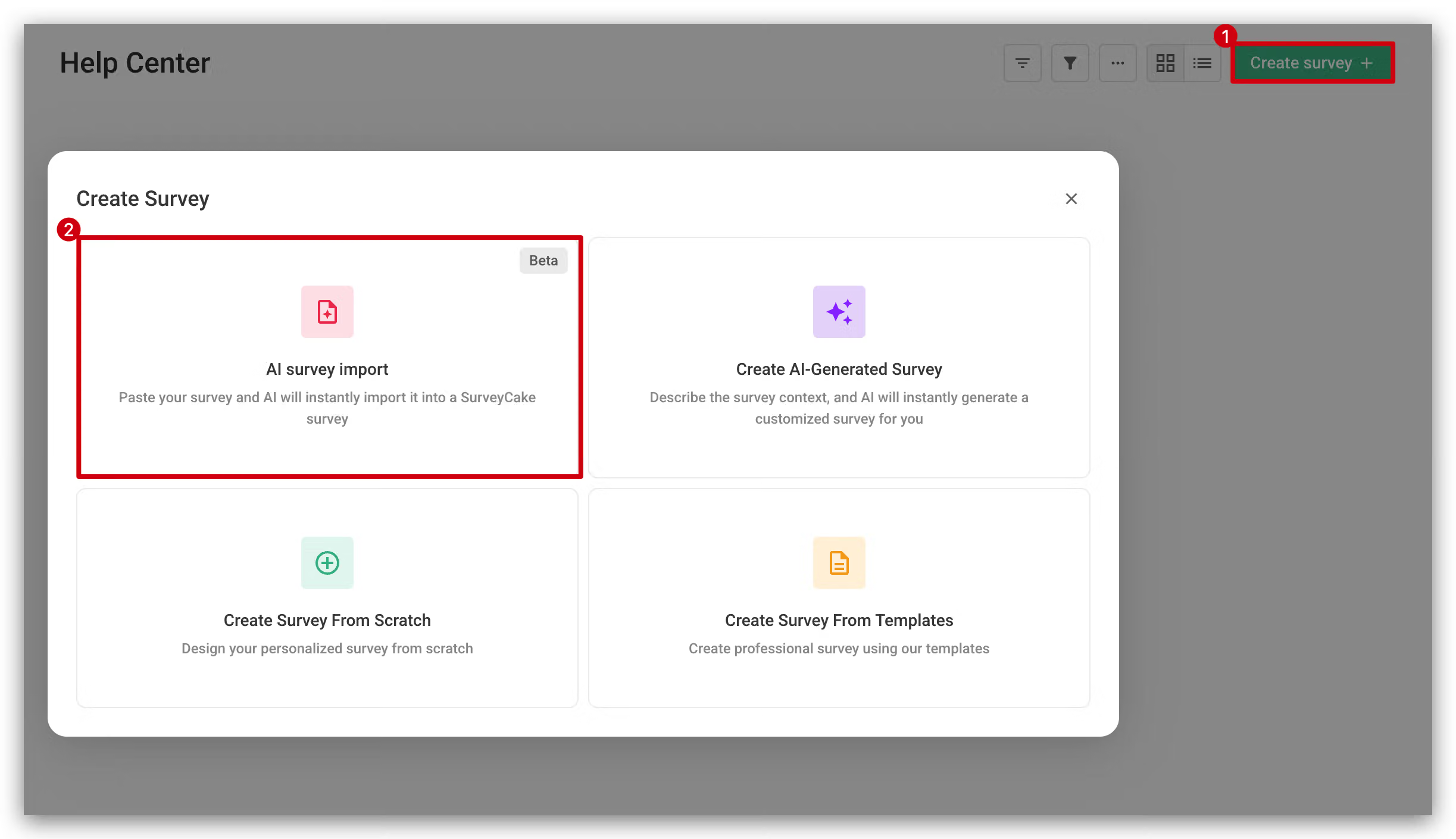
Go to the Survey Creation Page: Select "AI Survey Import".

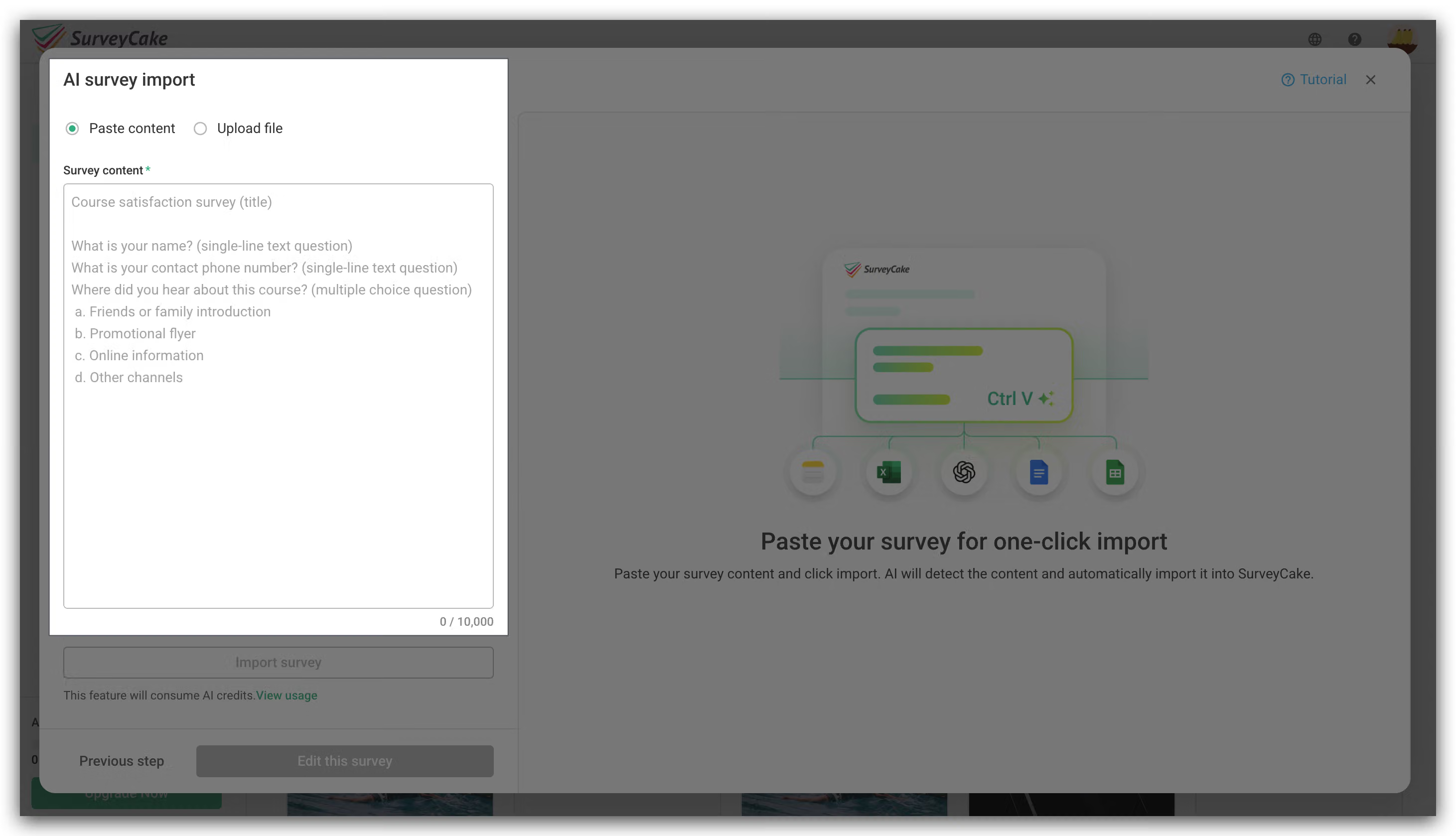
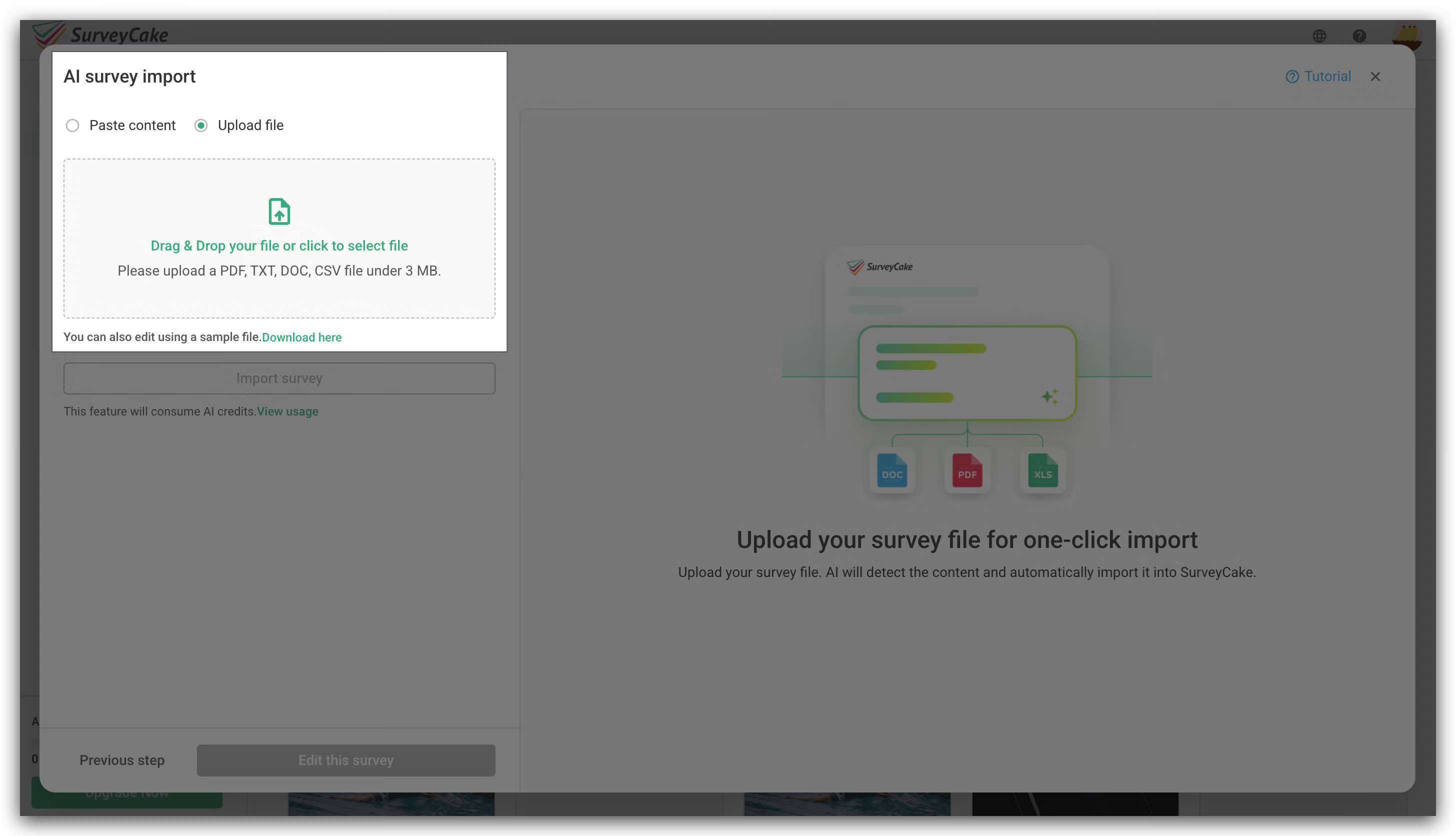
Choose an Import Method: You can choose either "Paste Content" or "Upload File".

Confirm the Recognized Content: After the system automatically parses the content, check if the questions and options are correct.

If adjustments are needed, edit the survey content and click "Re-import" to apply changes.
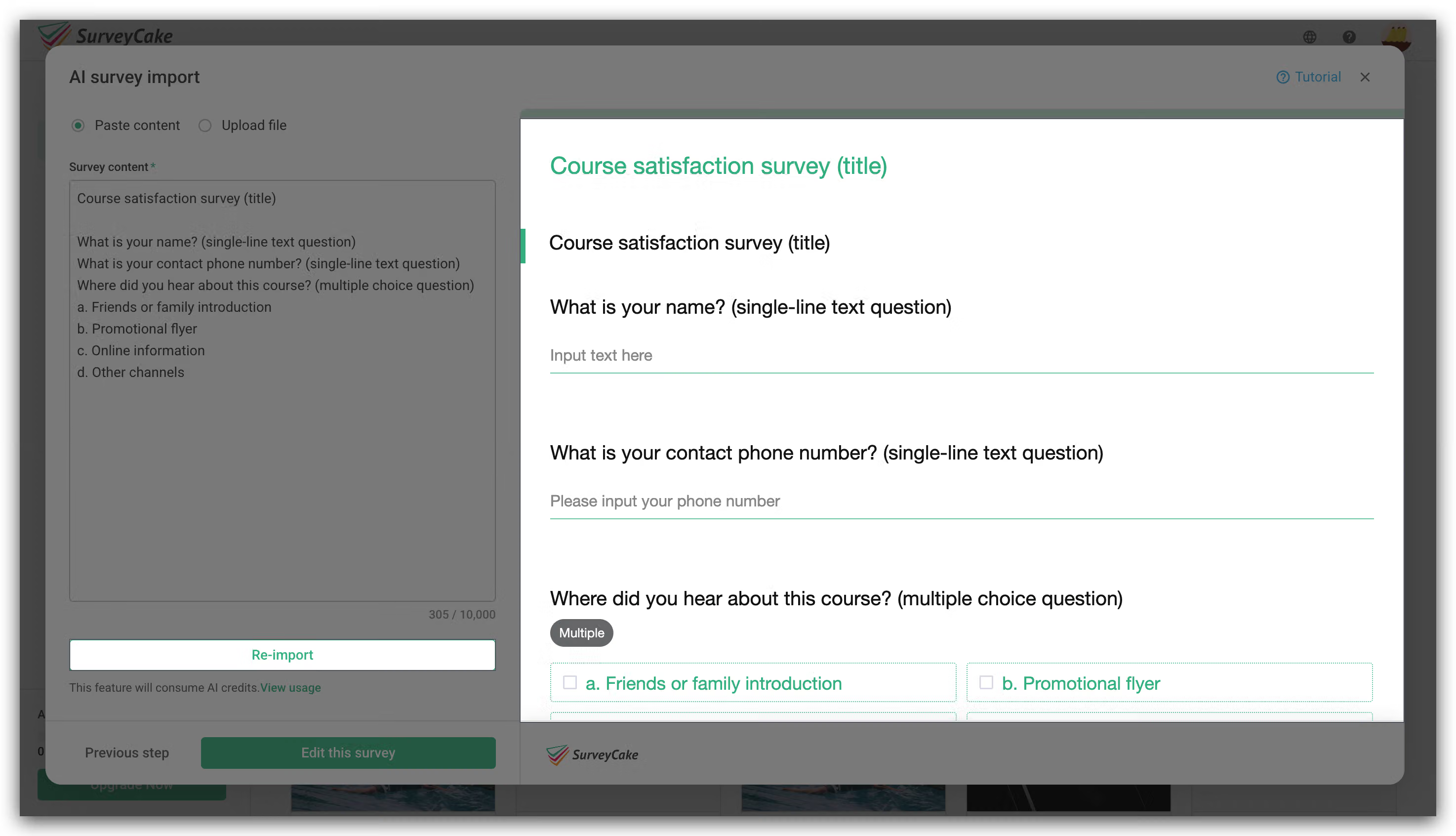
Complete Survey Creation: Once everything is confirmed, click "Edit this Survey" to start the survey editing process.

Specifications and Limitations

To ensure a smooth importing process, please refer to the following specifications:

Paste Content
Paste Text: The character limit for a single paste is 10,000 words.

Upload File
File Size Limit: The limit for a single file is 3 MB.
Supported Formats (Text parsing only):
PDF: .pdf
Word: .doc / .docx
Excel: .xlsx / .csv / .tsv (Only the first worksheet will be recognized)
Plain Text File: .txt

AI Credits Explanation
Applicable Plans: SaaS (BASIC / PRO / TEAM).
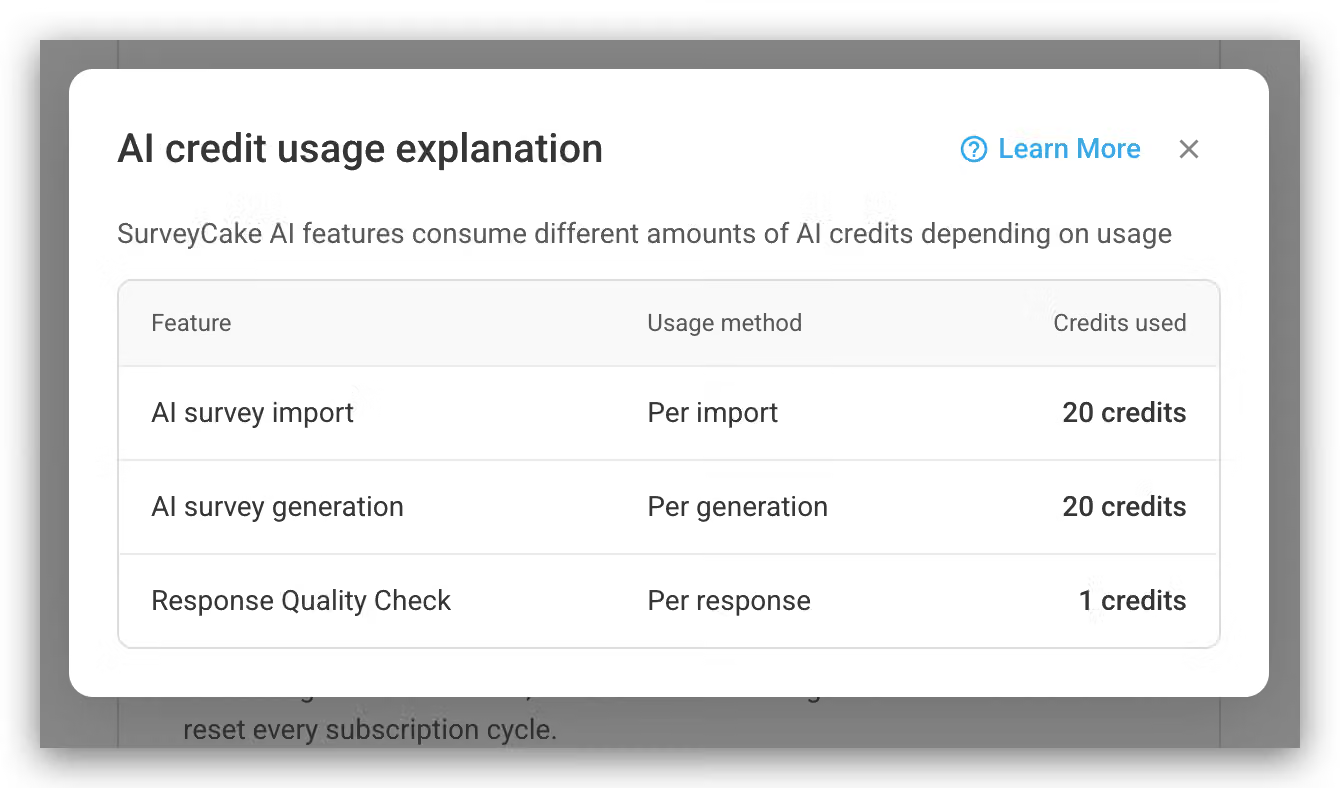
Deduction Rule: Consumes a fixed 20 credits of AI credits per successful import execution.
Credit Protection: Credits are only deducted when the AI successfully initiates the recognition process. If the recognition is not executed due to front-end interceptions like format mismatches, no credits will be deducted.
Hint: If your survey content is already finalized in Word or Excel, using the "Upload File" feature directly will help retain your original question structure more completely!

Summary
"AI Survey Import" minimizes manual operation costs, allowing you to enjoy the convenience of ultra-fast survey creation while ensuring content precision!


Master advanced
survey skills now!

Learn More
Can't find the answer you're looking for?