SPSS (Statistical Product and Service Solutions) is a widely used statistical software in the social sciences, providing robust data analysis applications. SurveyCake is committed to maximizing the value of survey data, which is why we offer various export formats. Users can export survey data as CSV or Excel files in SPSS format and analyze the data using SPSS software.
In SurveyCake Enterprise, we have gone even further! Enterprise users can export the SAV data files or SPSS syntax files needed for SPSS analysis. SAV data files are SPSS-specific binary formats that include not only the data but also metadata such as variable names, variable labels, value labels, and missing value definitions. The SPSS syntax files contain SPSS commands to ensure consistency and reproducibility in analysis.
By directly exporting SAV data files or SPSS syntax files, users can import them into SPSS without needing further complex settings, enabling a seamless transition and maximizing the value of survey data effortlessly.
How to Export "SAV Data File" or "SPSS Syntax File" in SurveyCake:
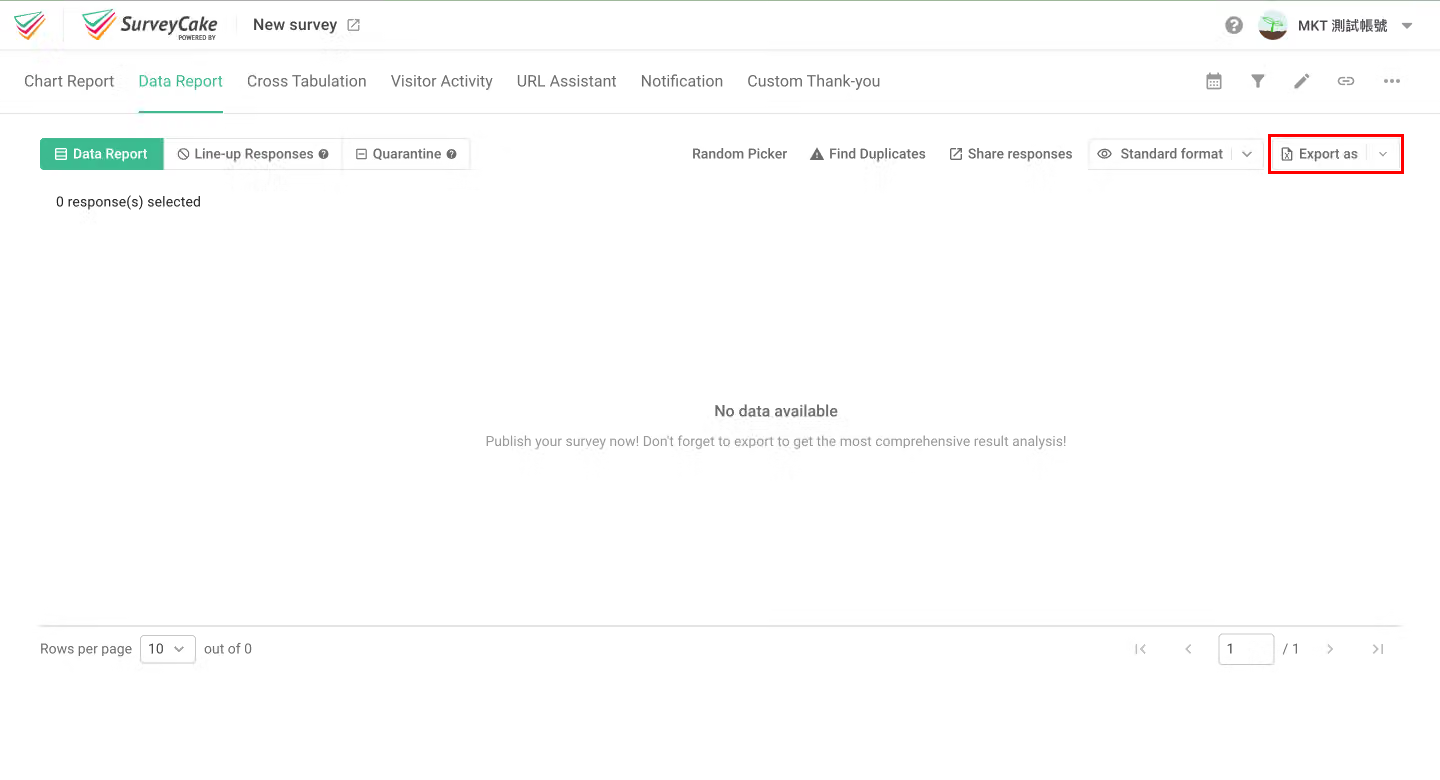
First, go to the "Data Report" page of the survey you want to export and click the "Export as" button at the top right.
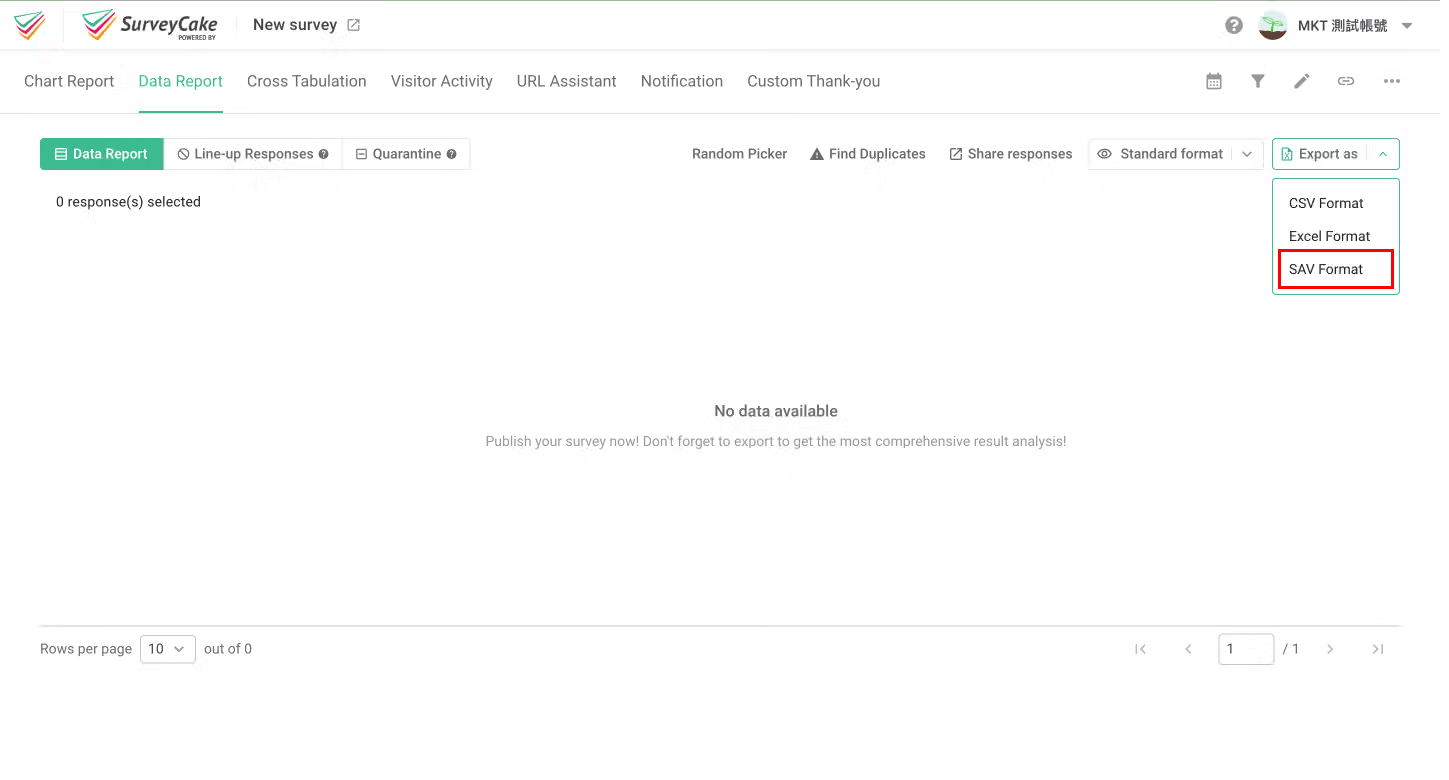
In the dropdown menu, click "SAV Format."
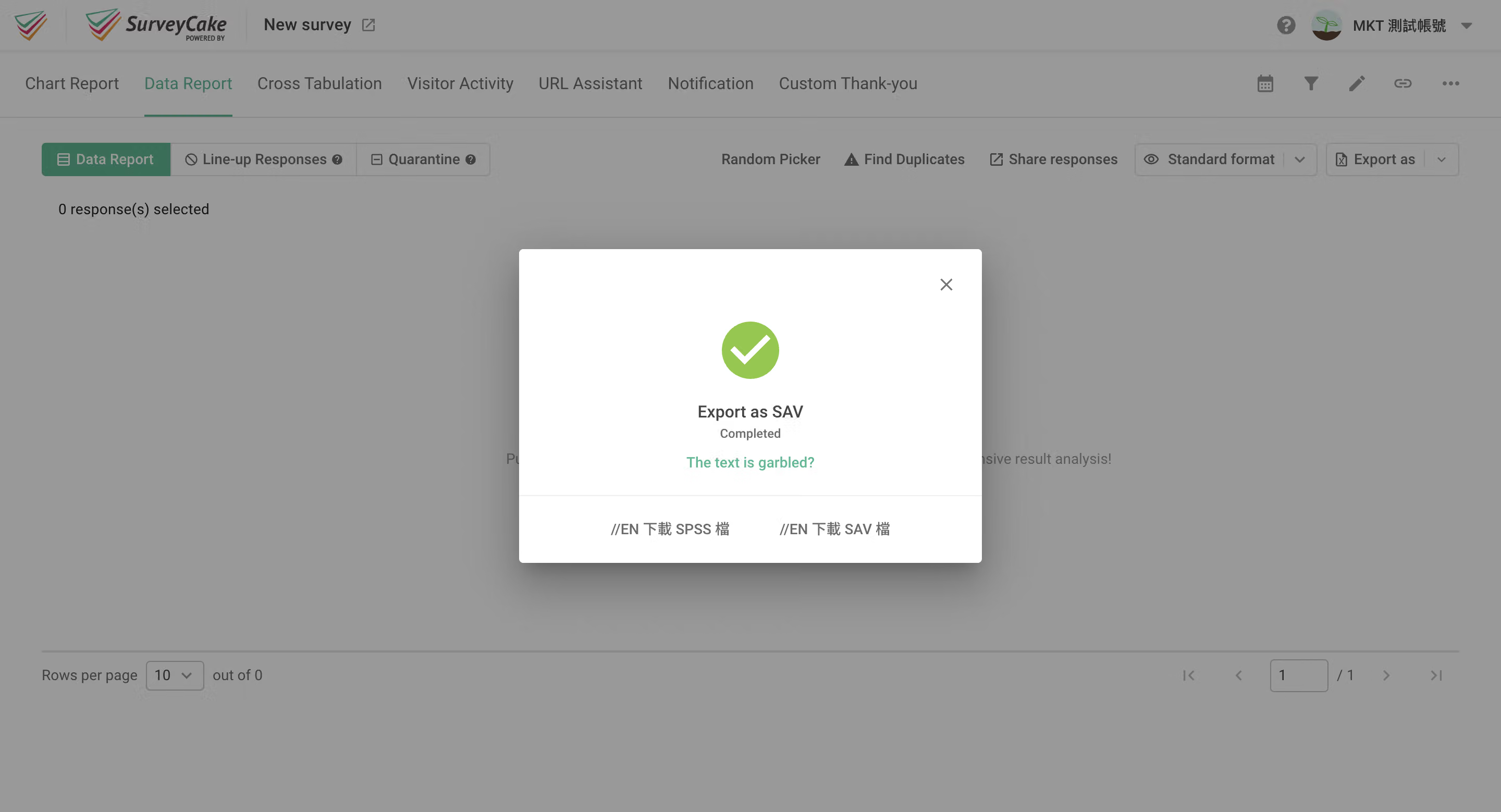
After a successful export, click "Download SPSS File" or "Download SAV File" as needed, and you’re done!
If you are interested in this feature, please Contact Us for more information.
By exporting SAV & SPSS files, you can seamlessly transfer data to SPSS software for analysis, effortlessly gaining valuable insights from your surveys!



