SurveyCake's surveys can be embedded with Meta Pixel. By configuring Meta Pixel settings, you can strategically distribute surveys to a precise audience through re-targeting!
Due to service adjustments by Facebook in response to the new privacy policy of iOS 14, SurveyCake PRO users may face the risk of incomplete or delayed performance attribution when using Pixel. We highly recommend purchasing SurveyCake ENTERPRISE and utilizing a customized domain with Conversion API (CAPI) for optimal advertising effectiveness and performance measurement. If you have such requirements, please feel free to fill out this form, our representative will contact you shortly!
How to set up Meta Pixel in a SurveyCake survey
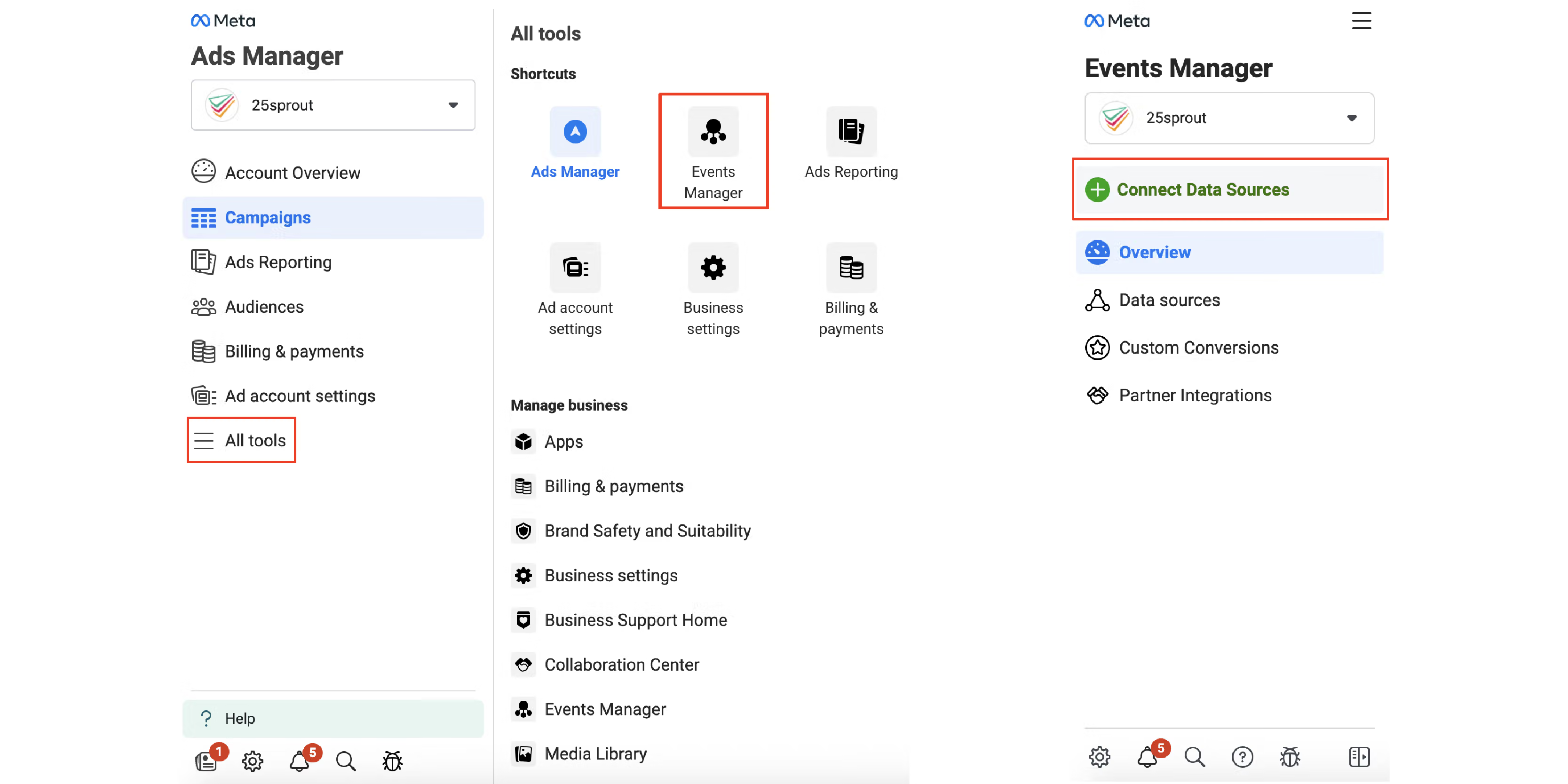
First, go to Meta Events Manager and click Connect data sources.
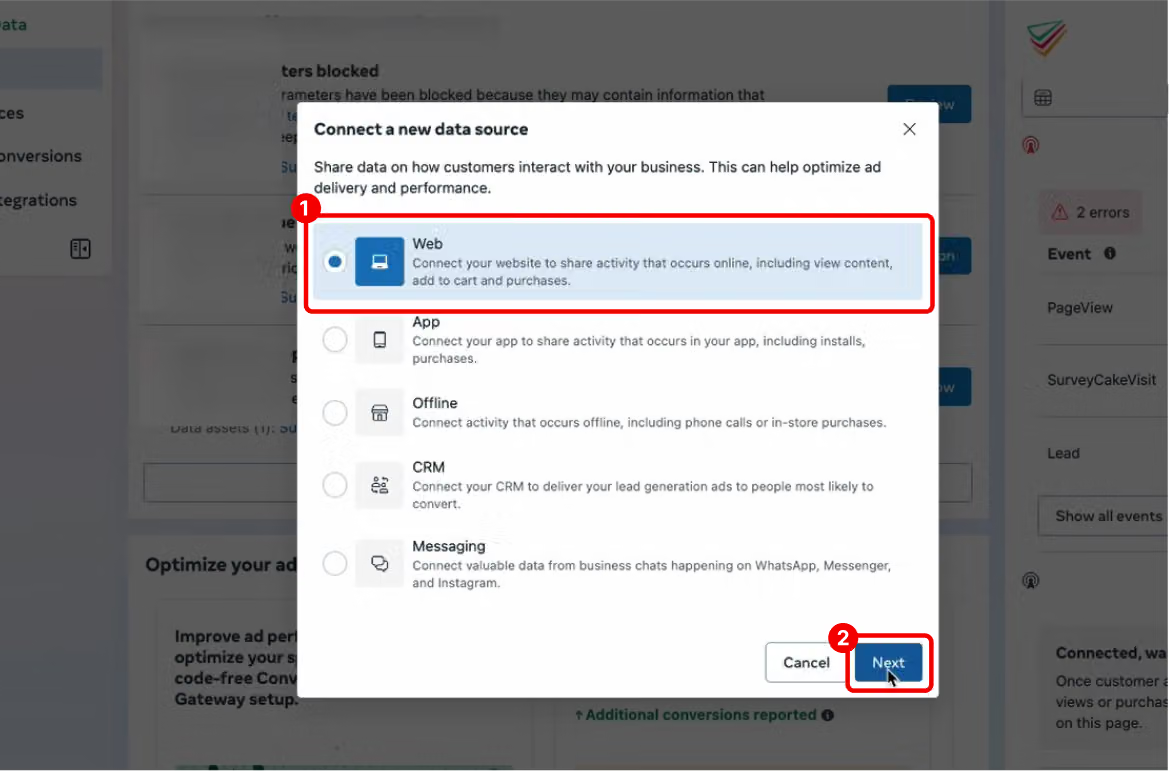
In the Connect Data window, click Create New Dataset. Next, select Web.
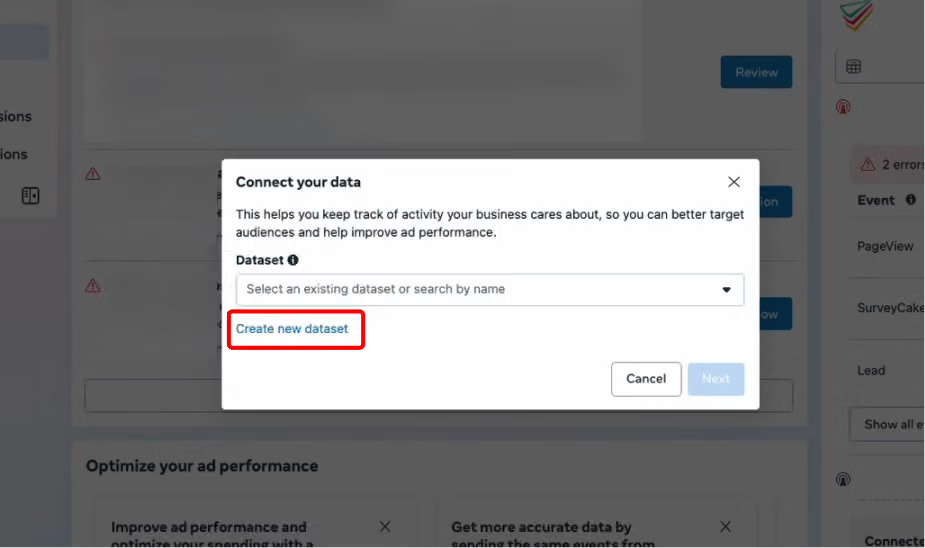
In the Connect Data window, click “Create New Dataset“.
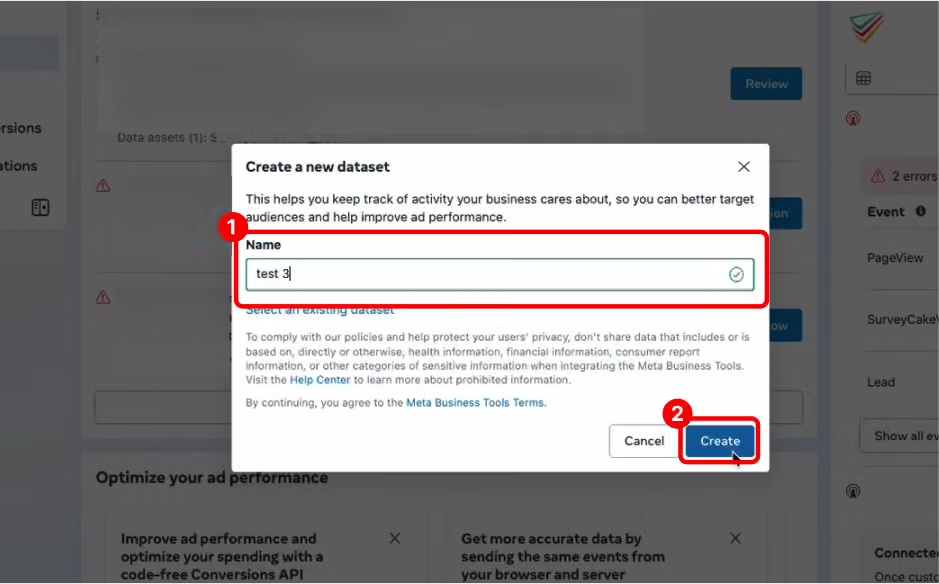
Enter a name for your pixel and click Create.
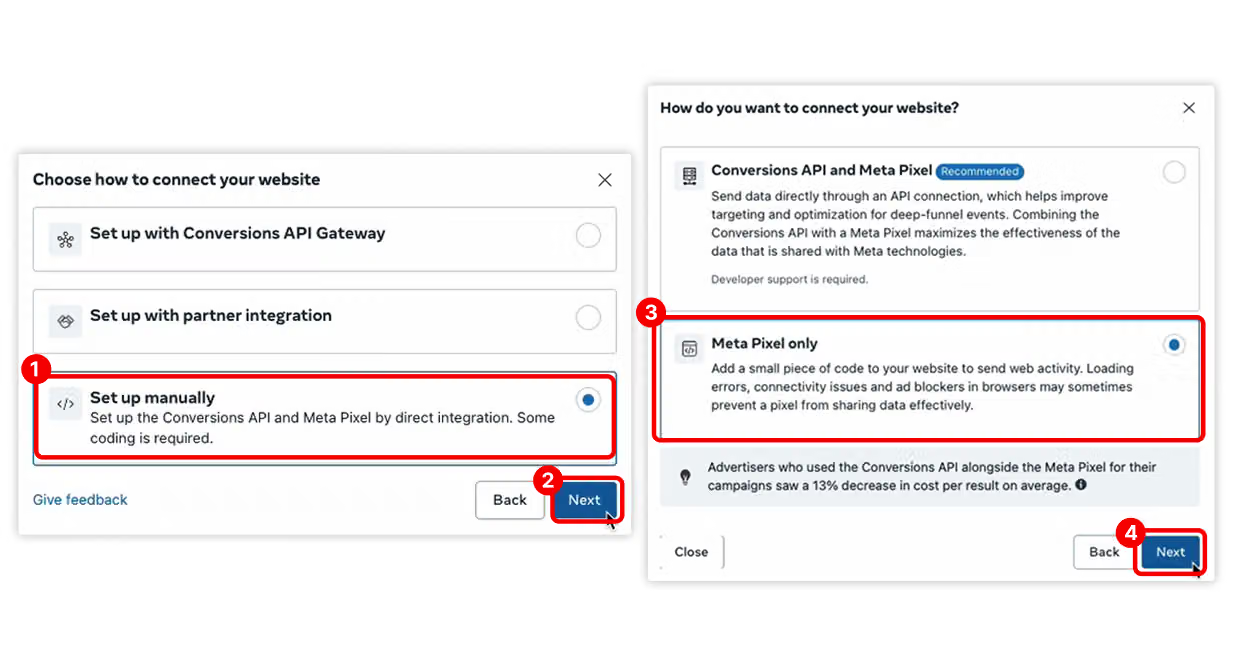
When the dialog box “Choose how you want your website” appears, select “Set Up Manually” and click Next.
Then choose “Meta Pixel Only” and click Next.
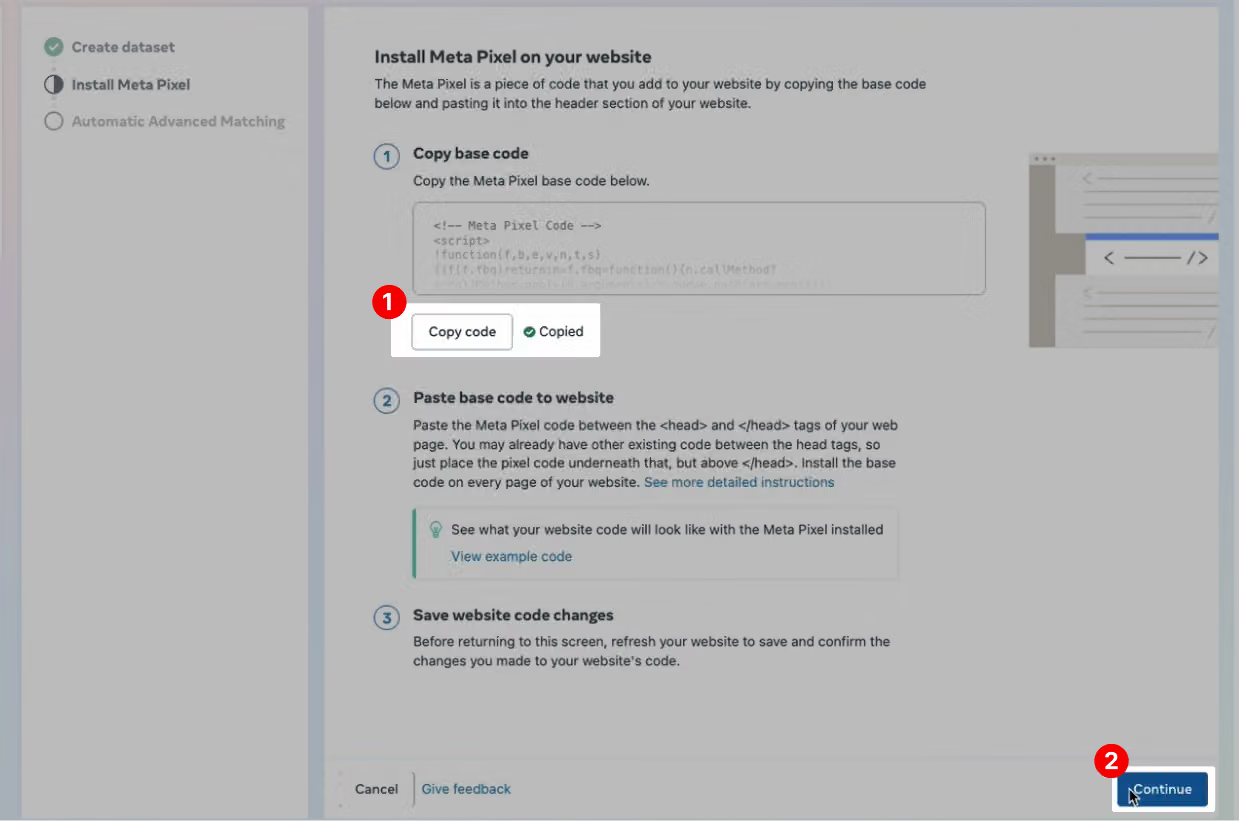
You will then be taken to the Install Meta Pixel page. Click the “Copy Code“ button, then click “Continue“.
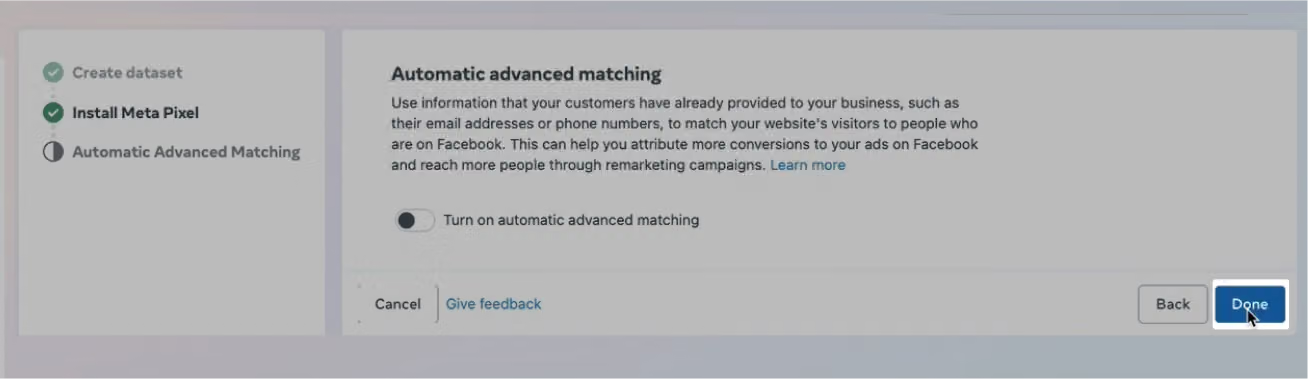
On the Automatic Advanced Matching page, click “Done“ to complete the setup.
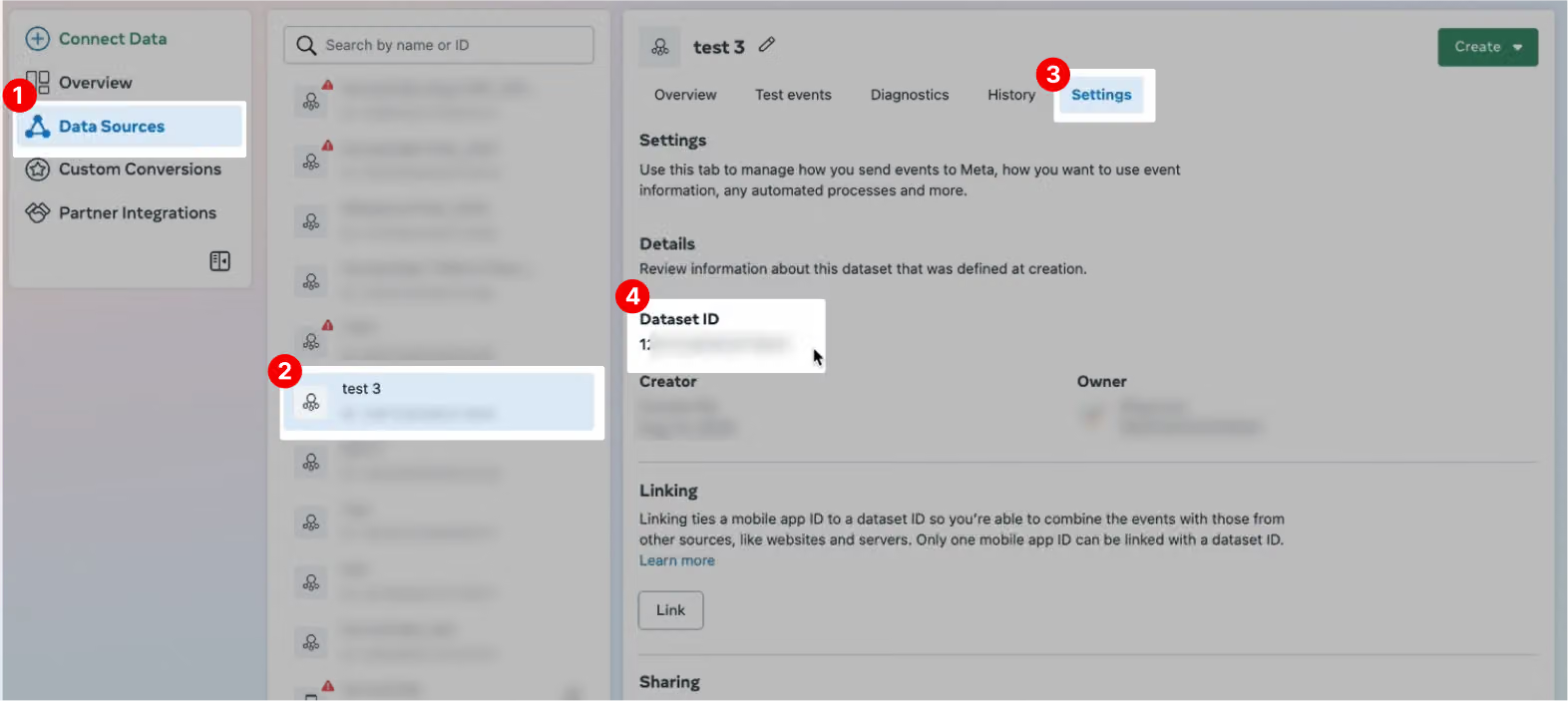
Next, navigate to the Data Sources page and locate the pixel you just created. In the pixel’s “Settings“ , copy the “Dataset ID“—this is the “Pixel ID“ you need.
After copying the pixel ID, go to the “Build“ page in the SurveyCake backend. In the Integration section at the left side, Open the “Meta Pixel“ field and enter your pixel ID!
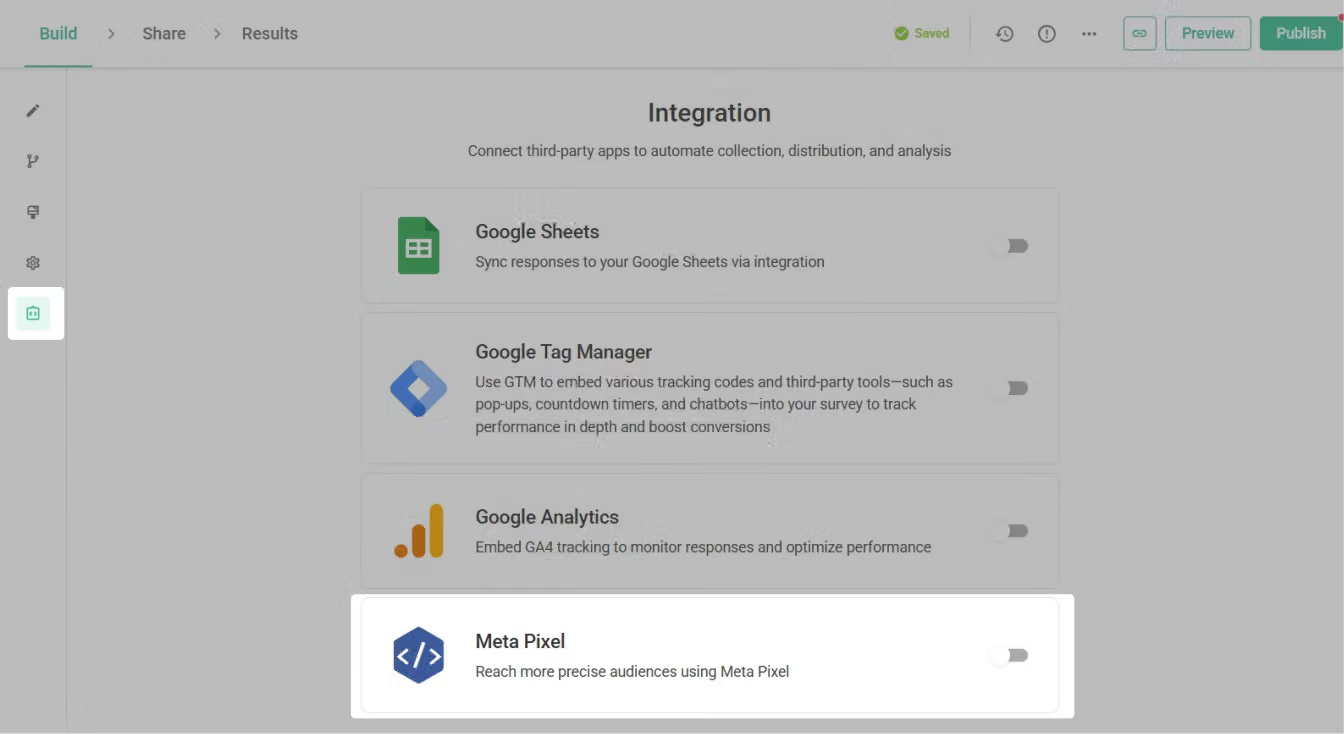
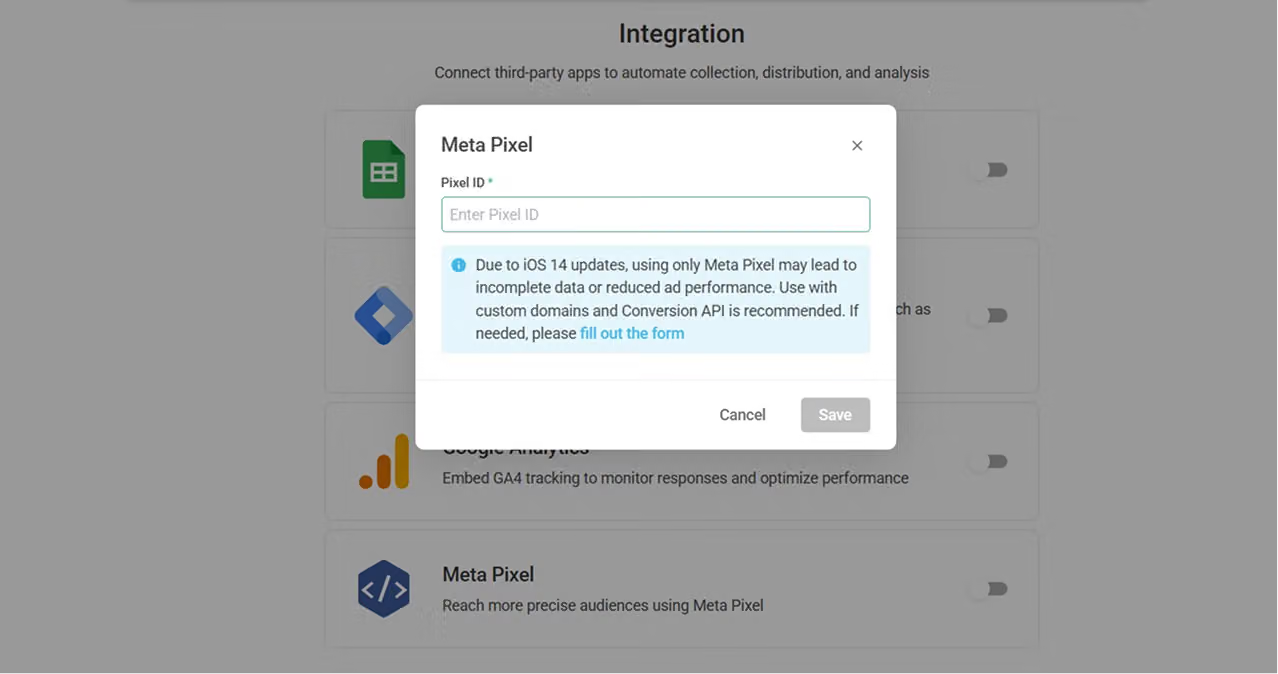
After completing these steps, the pixel ID will be successfully embedded into your survey form!
Through Meta Pixel, not only can advertisements be targeted to a more precise audience, but you can also set the survey completion rate as an advertising goal, increasing the survey completion rate!
FAQ
The following explanations are provided for SurveyCake BASIC/PRO users and SurveyCake ENTERPRISE users:
As mentioned in the introductory paragraph: Due to adjustments made by Facebook in response to the new privacy policy of iOS 14, it is necessary to use a custom domain and undergo domain verification to fully enable the Meta Pixel feature.
If you wish to run conversion ads on SurveyCake, you will need the SurveyCake ENTERPRISE version with a customizable domain. If you have such requirements, please feel free to fill out this form, our representative will contact you!
Due to service adjustments made by Facebook in response to the new privacy policy of iOS 14, if your custom domain is not verified in Meta Business Suite, you won't be able to enable the Meta Pixel feature.
You can refer to Facebook's official tutorial articles to successfully verify your domain. Once verified, you should be able to track and send events smoothly!
Summary
No need to understand coding – with SurveyCake, tracking your surveys becomes effortless!



