By customizing the "Input Settings", you can fine-tune how respondents enter their answers, ensuring that the data you collect is more precise and relevant to your research.
The input settings feature allows you to customize the input fields for Single Line Text, Paragraph Text, and Encrypted Question Enterprise-Only to ensure that respondents provide answers in the correct format and content. This helps you gather more accurate and reliable data.
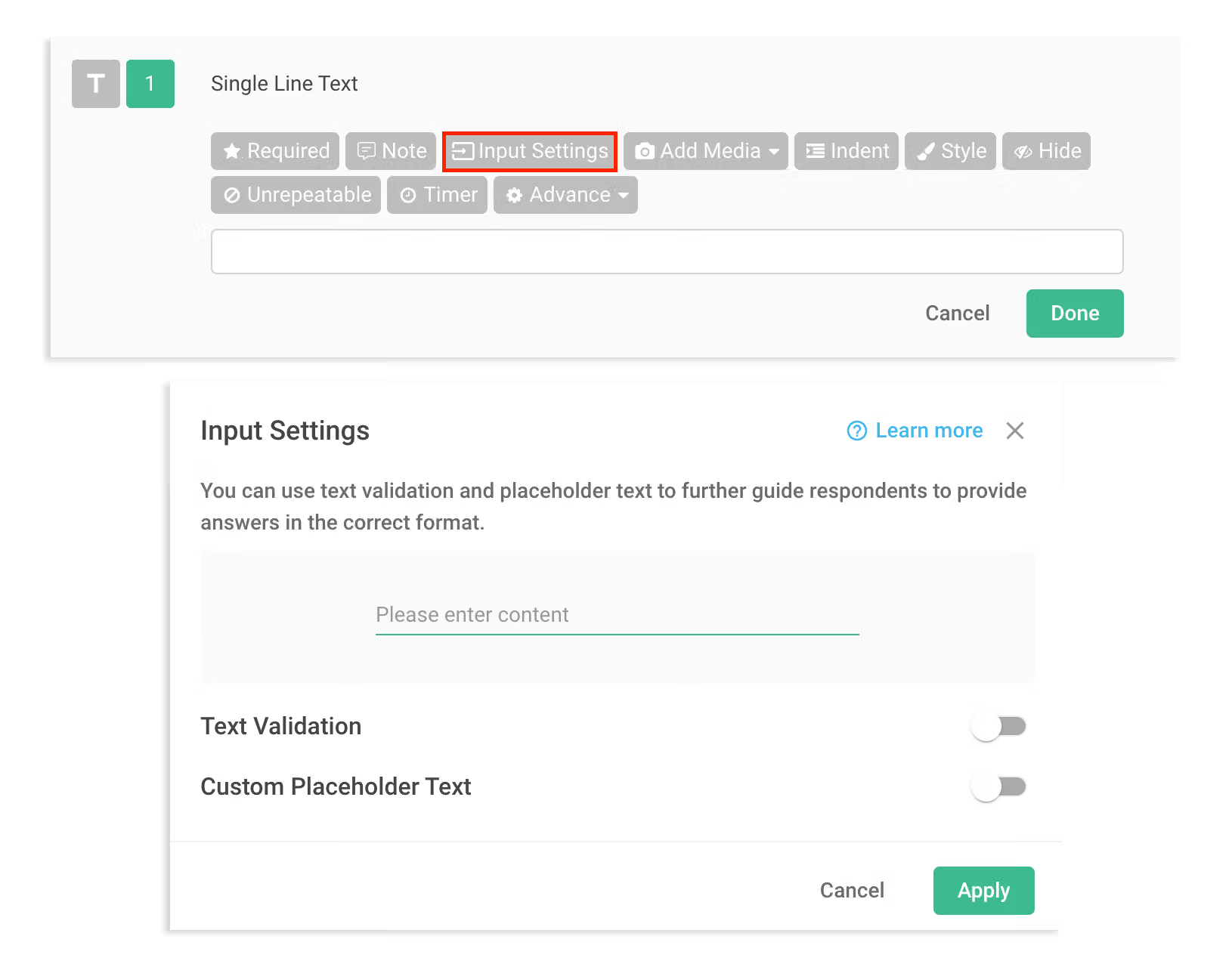
Text Validation
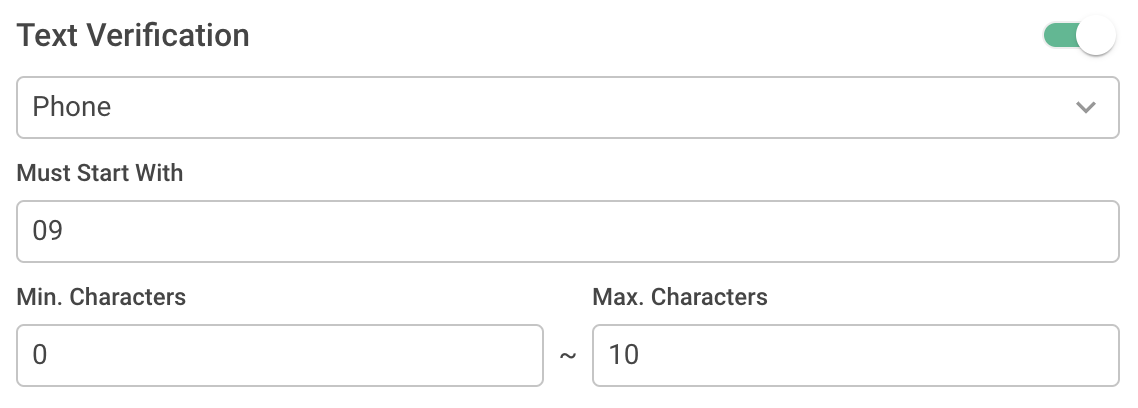
By enabling the "Text Validation" option, you can customize input restrictions for other fields, such as text type, length, format, and API to improve data accuracy and meet your specific analysis needs.
Custom Placeholder Text
When questions are abstract or complex, providing clear instructions through Custom Placeholder Text can help respondents understand how to answer more effectively.

Guide respondents to provide more accurate answers with Input Settings!



