Number restricts answer format to number to avoid entry errors. Other than the basic functions shared by all question types: Required, Note, Image/Video, Invisible, Timer, Indent and Style, Range of digits can be set to put more limits on acceptable answers.
Let's say you are a math teacher and you would like to test your students' math ability with an online survey.
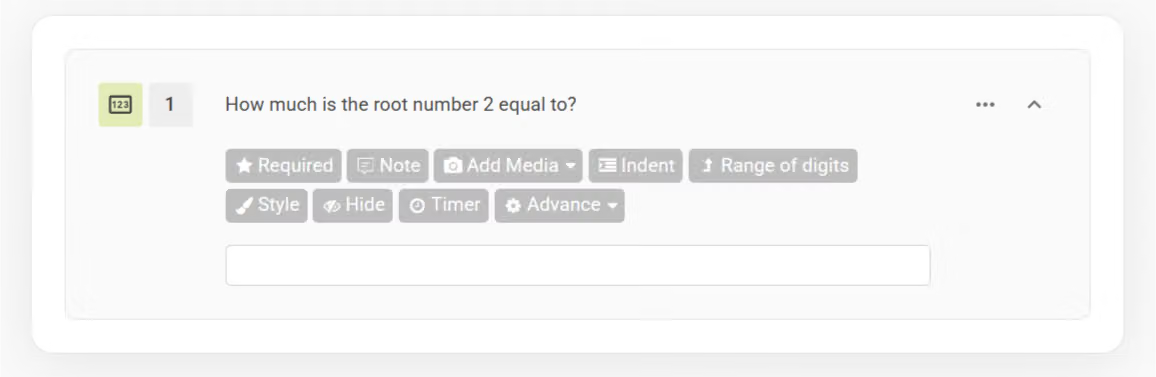
When designing this survey, you set the Numerical Range to limit the range of numbers that can be put down as answers. By doing so, it gives some degree of flexibility while making it easier for students to answer the questions.
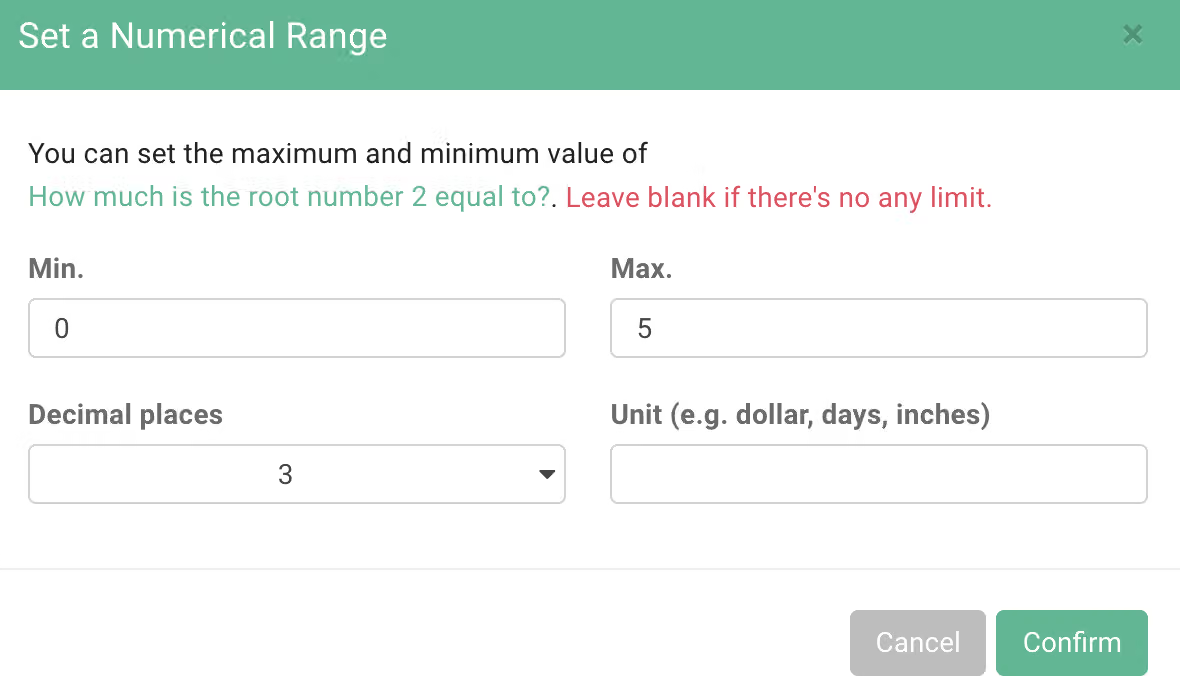
Under the condition that only numbers can be filled in this survey, it prevents typos.

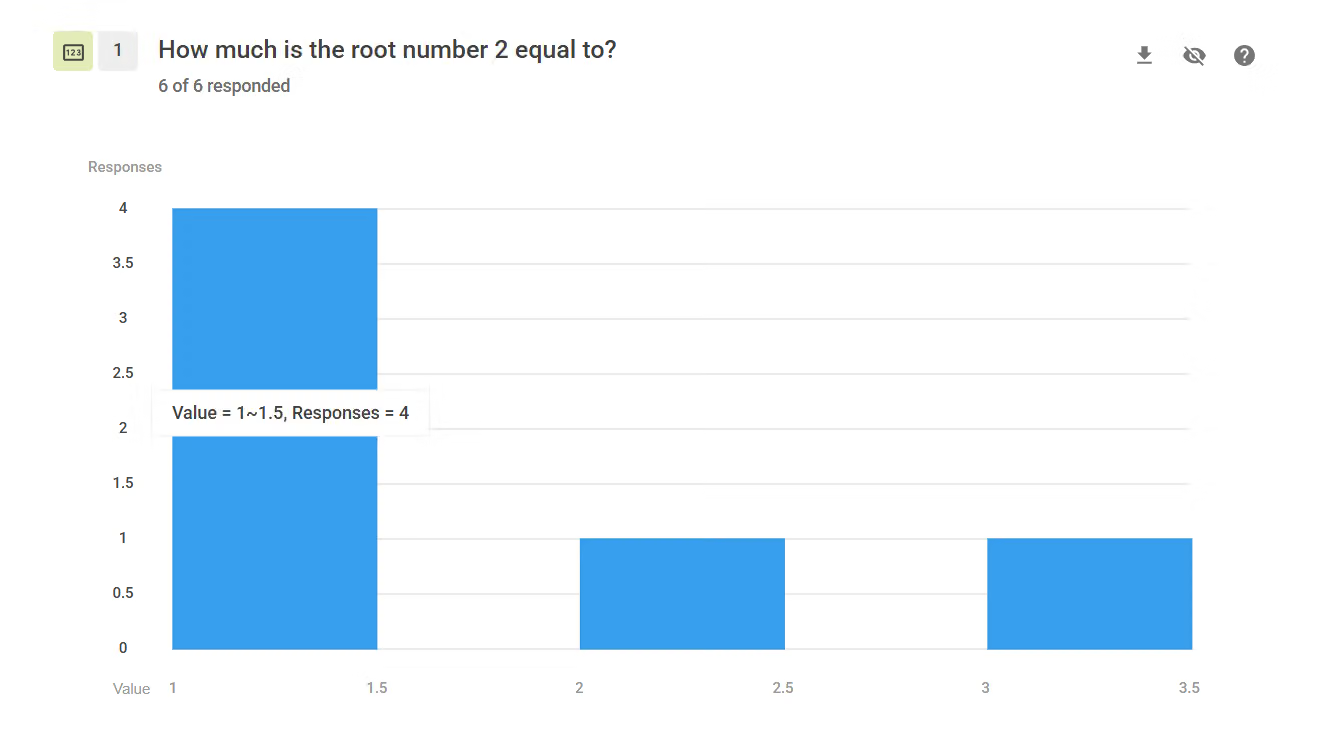
The backend will display a bar chart with numbers, and when you hover your mouse over the chart, it will display detailed response information.
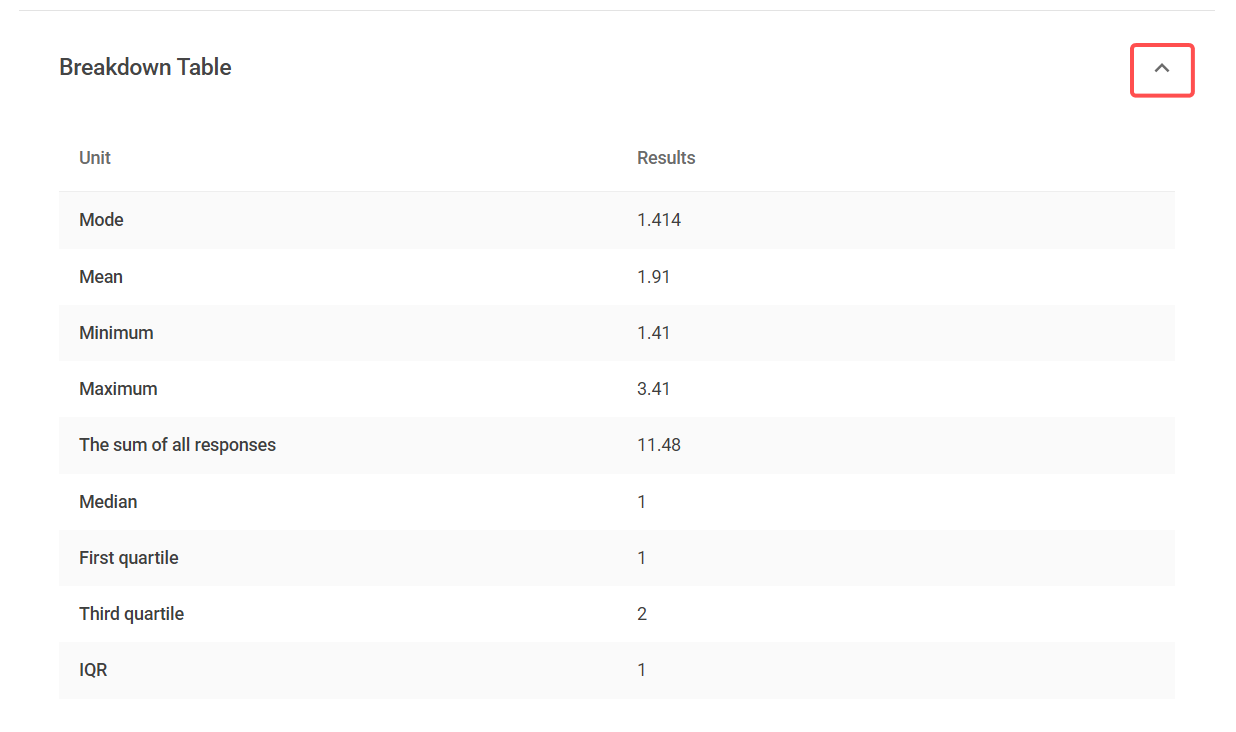
If you click the collapse icon to the right of the data table, it will also display various calculation results of the response data (e.g., mean, median, etc.).
FAQs
This is because when the SurveyCake system determines the answer to a number question, if the answer starts with 0, the system will automatically remove the 0 to conform to the numeric format, which is why the 0 disappears.
If you want to preserve numbers starting with 0 in their entirety (e.g., phone numbers), we recommend using the "Single Line Text" question type, which will fully display the entire string of numbers starting with 0!
This issue is related to Excel's own limitations.
Because Excel automatically converts digits after 15 characters to 0 when processing numbers exceeding 15 characters (refer to this explanation for more details), we recommend you use one of the following methods to resolve this issue:
Number allows only numbers to be entered as answers. Combine this type of question with the Range of digits function to make filling out surveys easier and to standardize the answer format.



