Coupons: Can be exchanged for free N-day plans, such as 14 days of PRO or 7 days of TEAM plan.
Promo codes: Allow subscription to plans at discounted prices, such as 10% off for first-time subscribers.
This article will introduce you to the usage and important notes of "Promo Codes".
If you want to learn about Coupon Codes, please refer to the Coupon Codes article.
How to Use
Redeem and apply it during the subscription checkout process; or
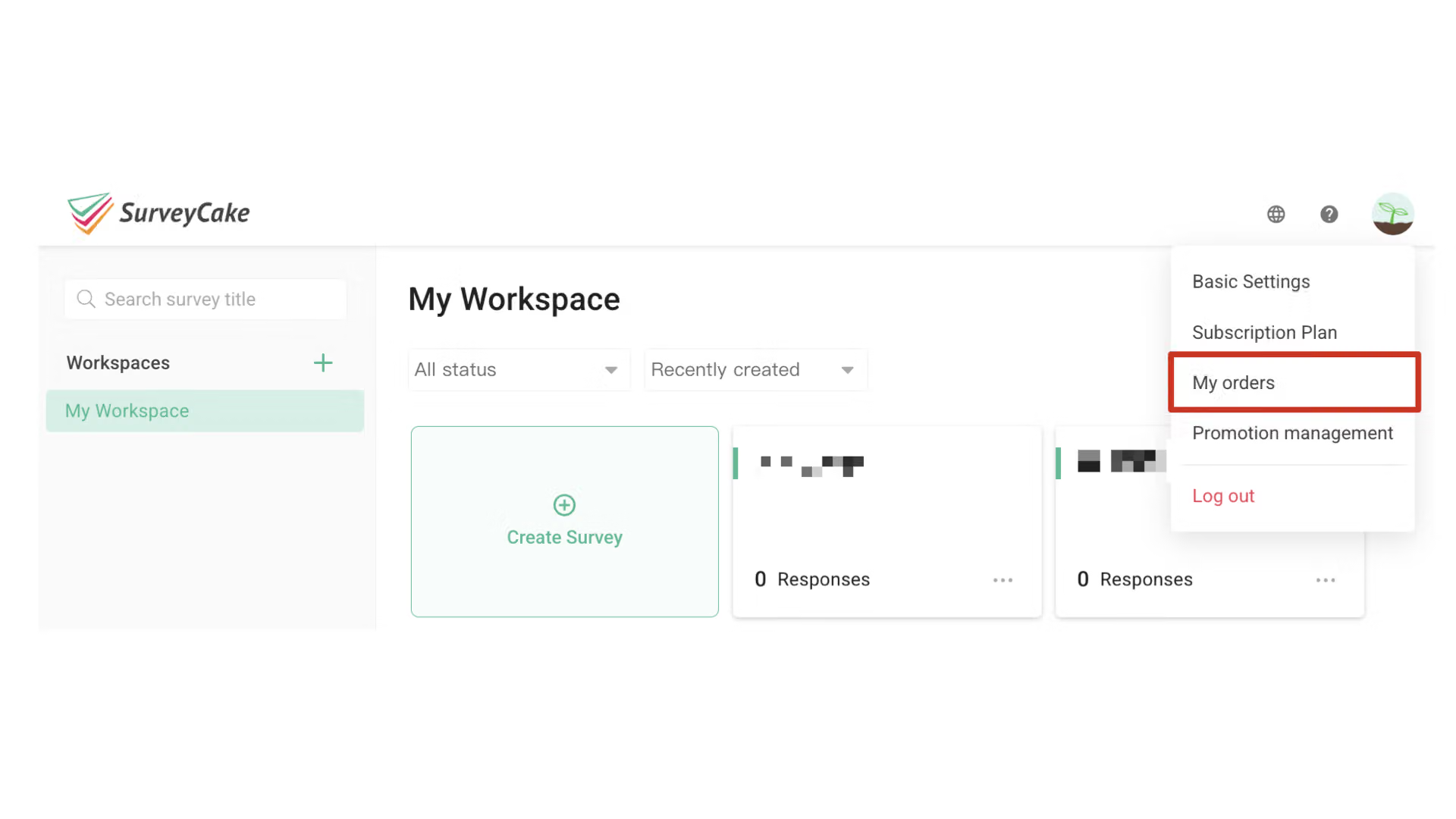
Enter the discount code on the “My Orders” page and save it as a coupon for use on your next order or subscription.
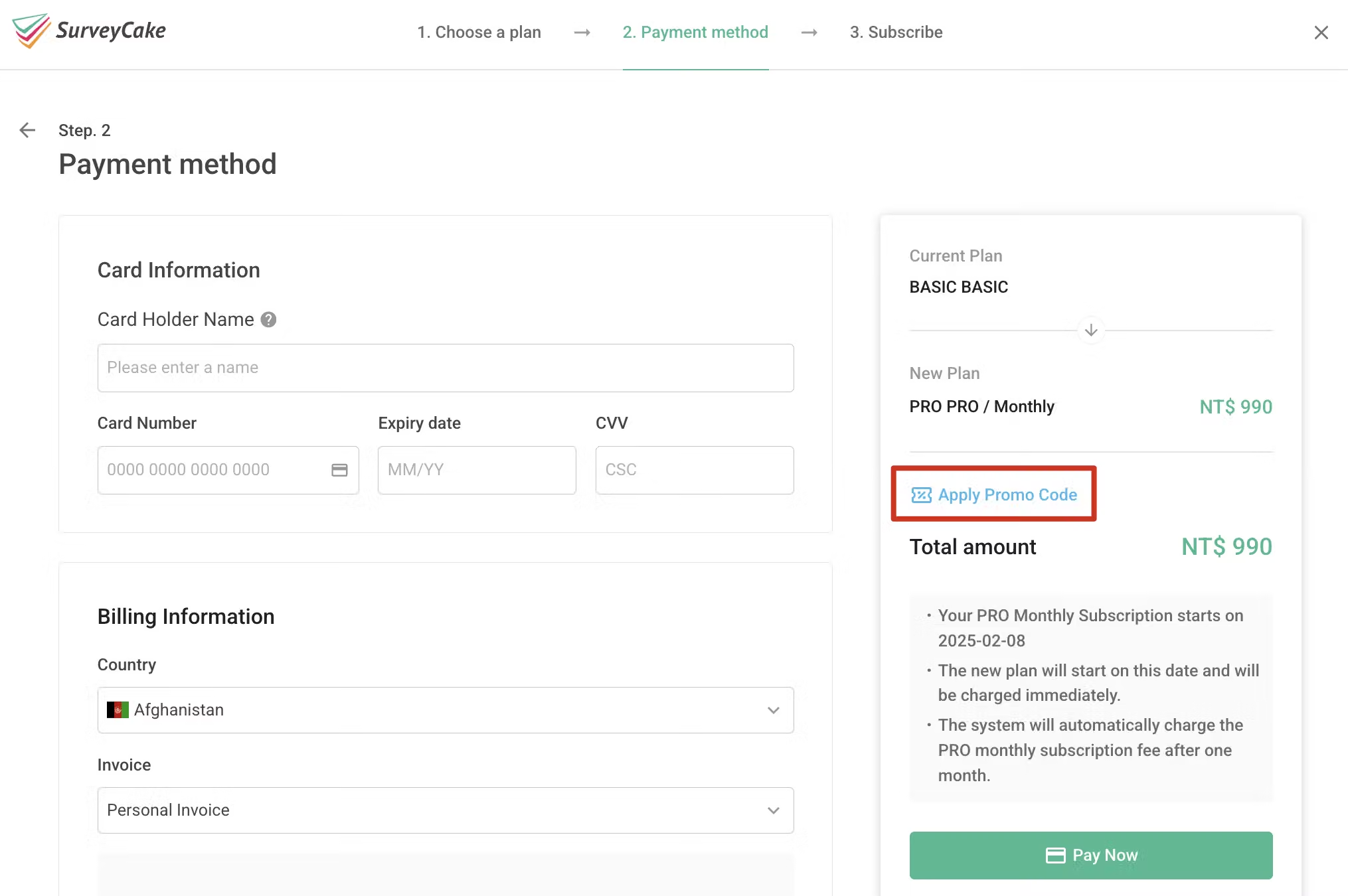
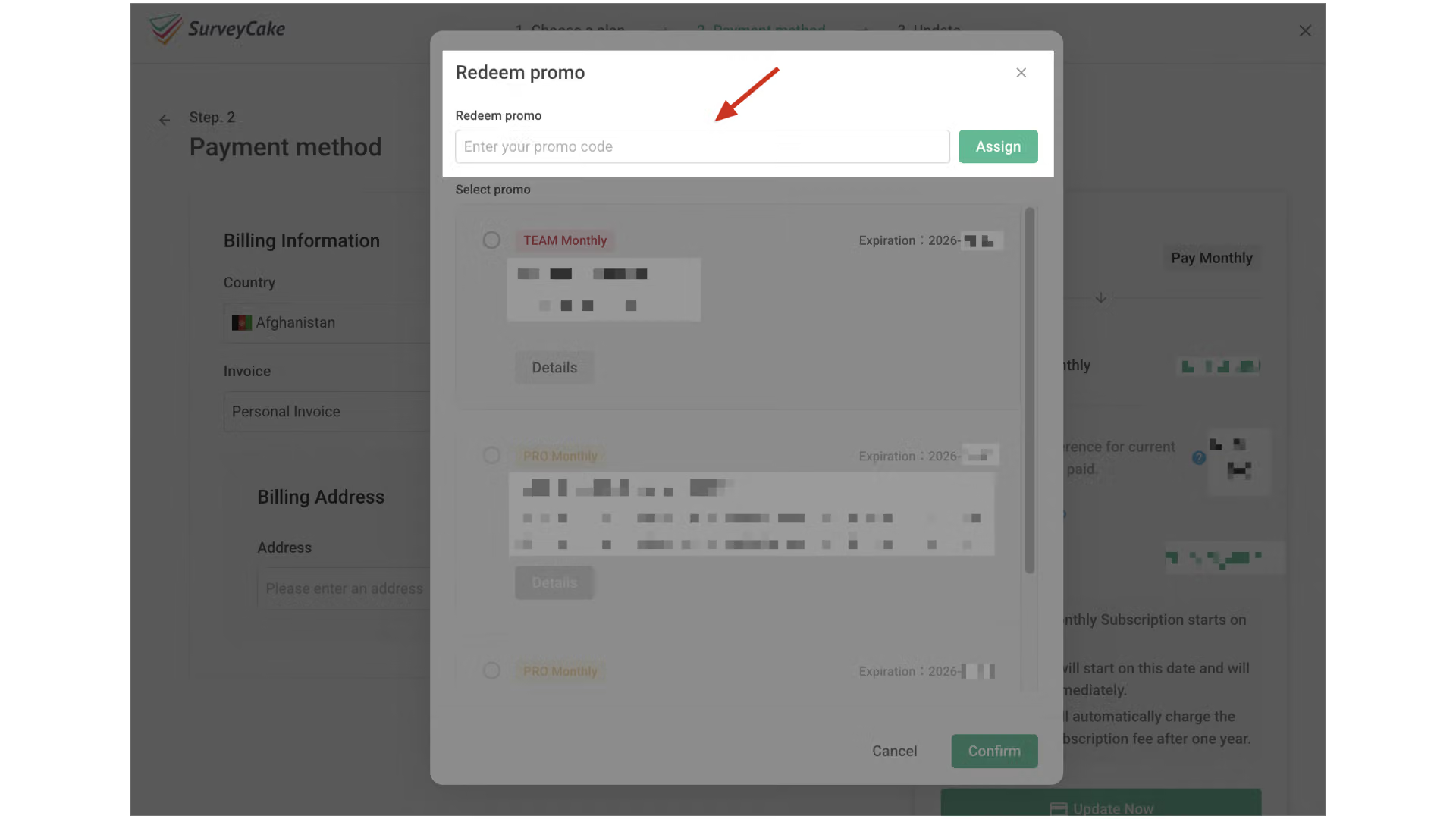
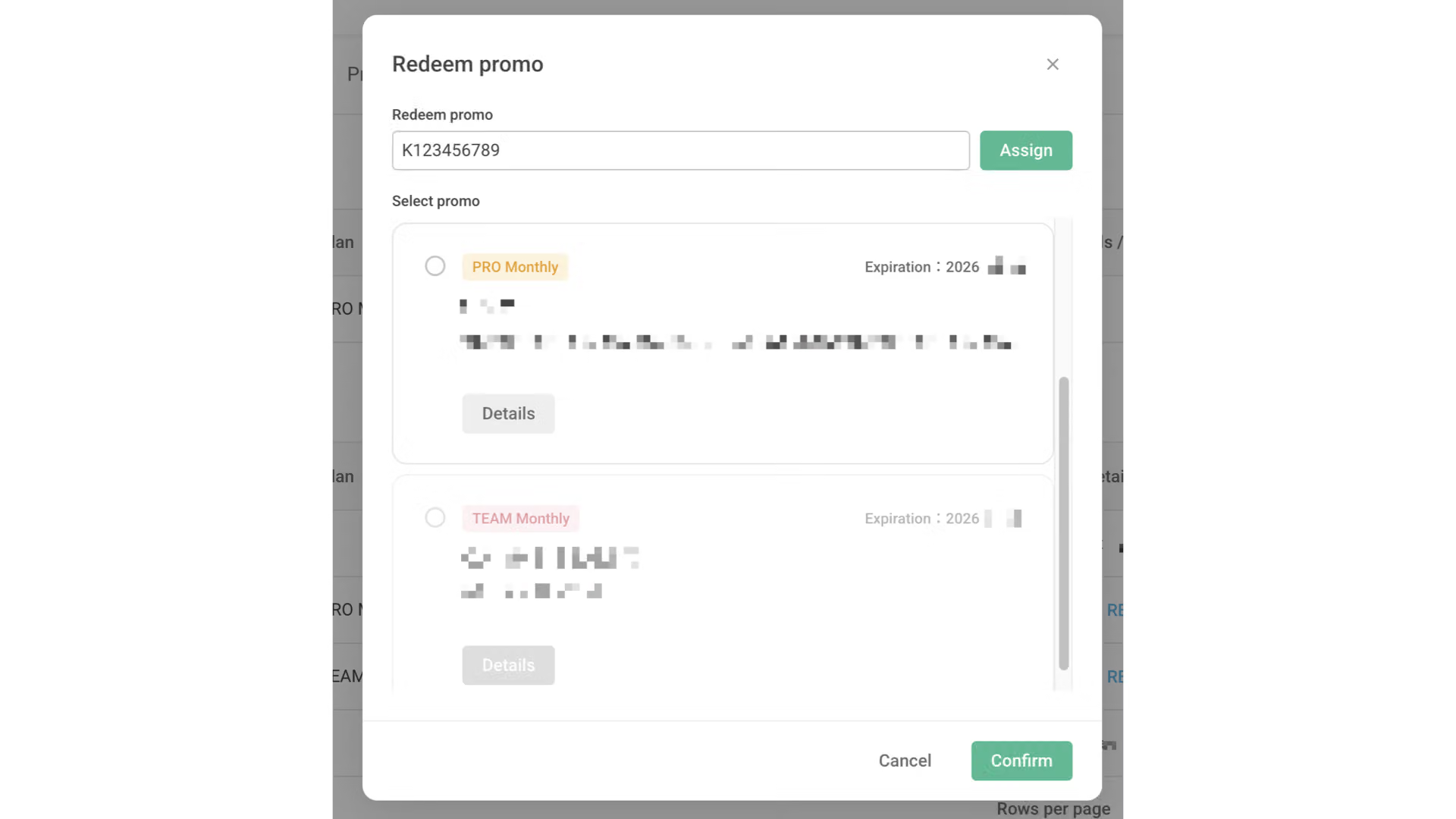
You can click the “Redeem promo” button on the credit card payment page for your subscription plan, enter the promo code, and click “Assign” to successfully redeem the coupon.
After a successful redemption, you can select promo to apply in the section below.
Once your subscription payment is completed, you may visit the My Orders page to view the details of the discount code.
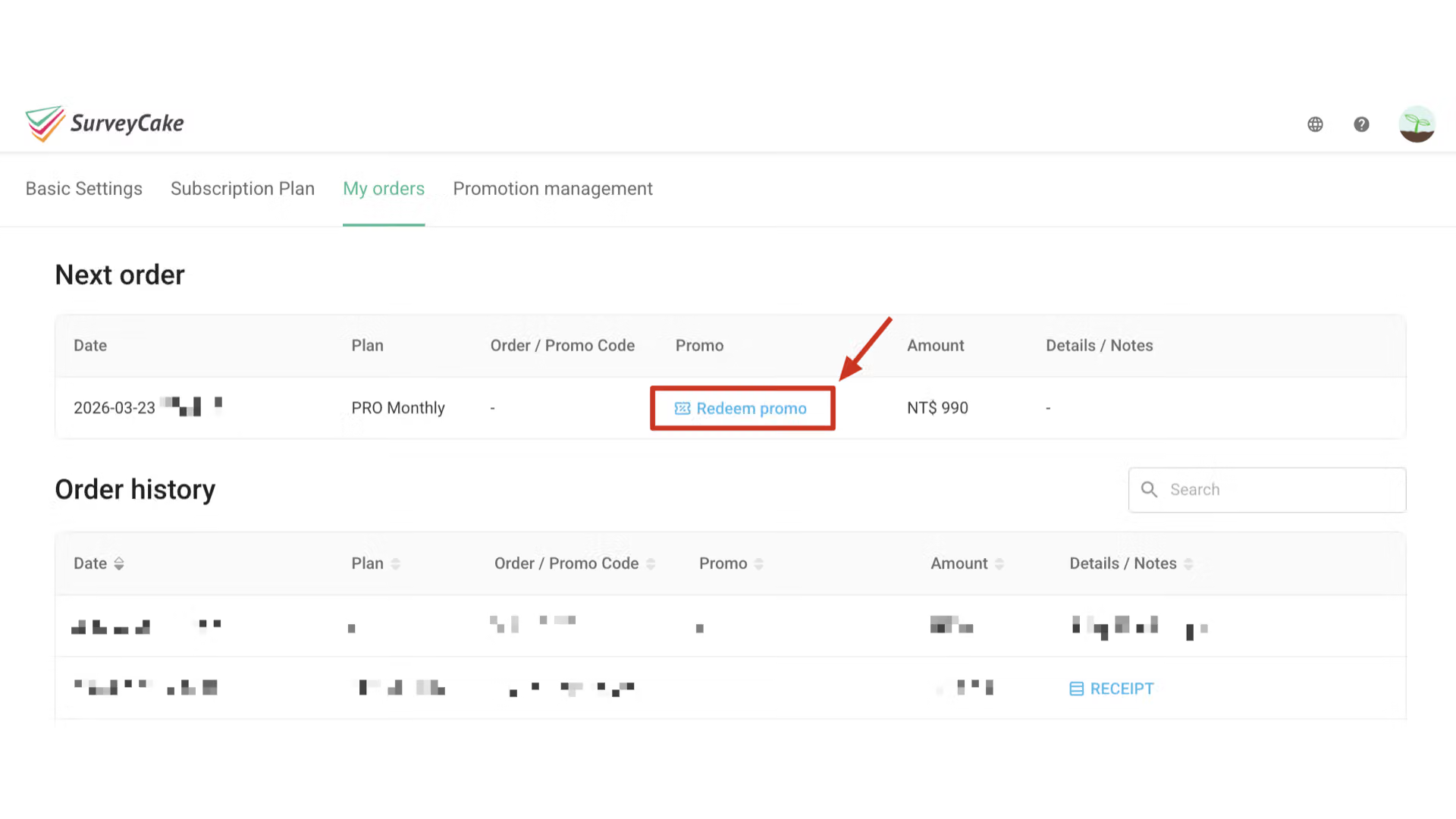
On the “My Orders” page, you can also choose to apply the promo in advance to your next order.
Click the “Redeem Promo” button, enter the promo code, and it will be redeemed as a coupon for use.
Usage Rules
If you are subscribing to the Pro plan for the first time and using a promo code, you will be charged "immediately", and the free trial period will be extended by 14 days after the subscription cycle ends.
If the "Use Promo Code" button does not appear on the credit card payment page, you may still be in an active subscription status. Please cancel your subscription first and wait for the subscription to end before using the promo code to subscribe.
If you need to transfer surveys, the receiving party should not use promo codes for upgrades. The receiving account will not be able to receive surveys transferred from other accounts during the promo code plan validity period.
FAQs
Unable to redeem the code?
If you encounter issues when redeeming a promotion, please refer to the following common problems:
Ensure you've entered the code correctly. Do not use spaces or hyphens.
Make sure the code hasn't expired.
Confirm that the code was issued by SurveyCake.
Your account may not be eligible for this promotion.
Some codes can only be redeemed once. You can check if you've already redeemed a code in your account under “My orders".
Some codes have a redemption limit, and that limit may have been reached.
If you've confirmed that the code is valid but still receive an error message, please contact us at [email protected] for assistance.