Ranking is useful when you want respondents to do more than just choose multiple answers. Use Ranking when you want to know the ranking or the order of preference of the answers.
Moreover, Ranking also has the common functions shared by all question types: Required, Note, Add Media, Hide, Timer, Indent and Style. You can also add images and videos to individual options to make the options more visually appealing. Set"Ranking Options" to control the number of answers respondents rank. Or add "Other" options to allow respondents to enter their own answer and rank them. You can also use the “Add Options in Bulk” function to type and paste a group of options. Use “Shuffle Option Order” to randomize the order of the options.
For example, if you want to know the current top 3 ranking comics of your target audience, Ranking is just right for you.
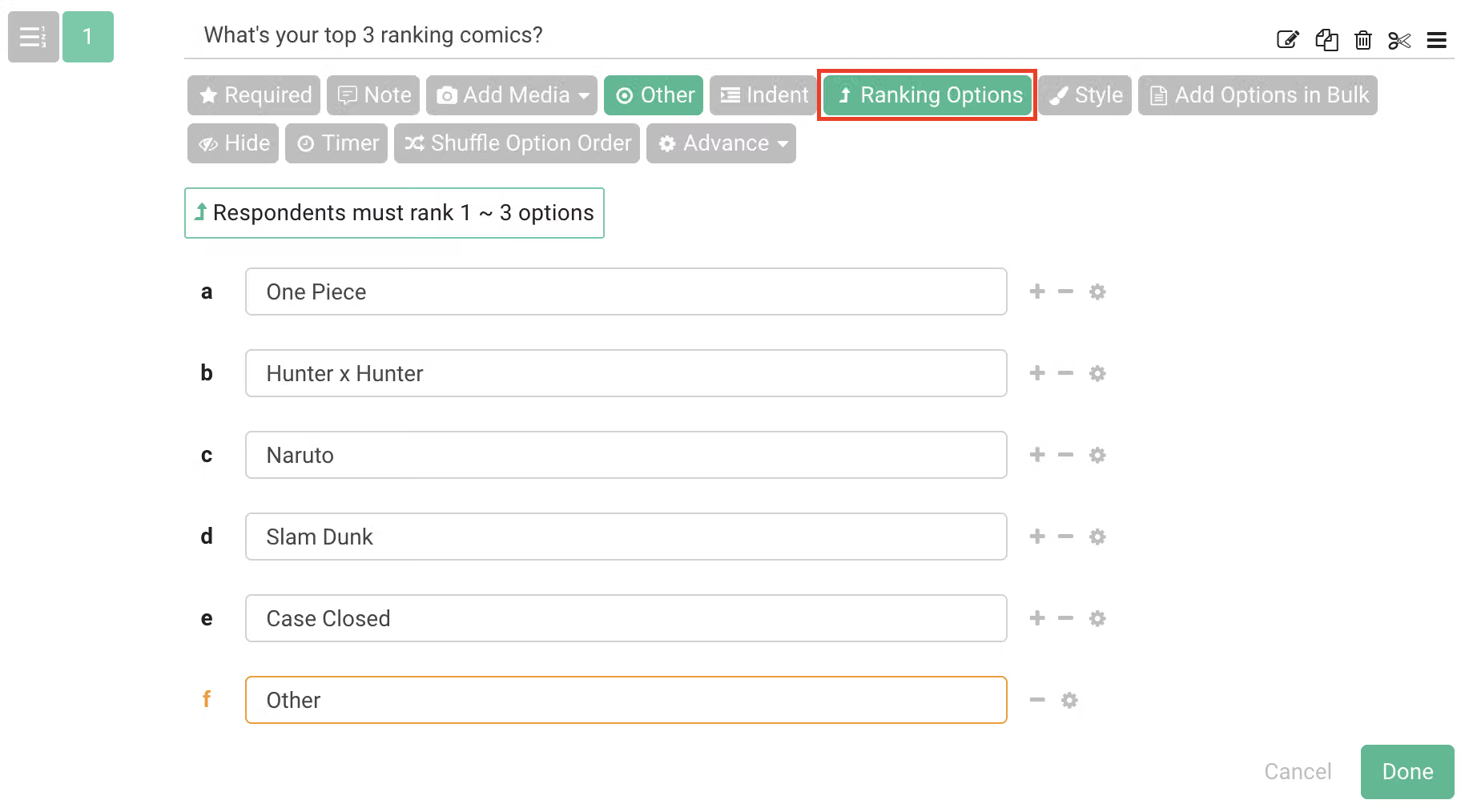
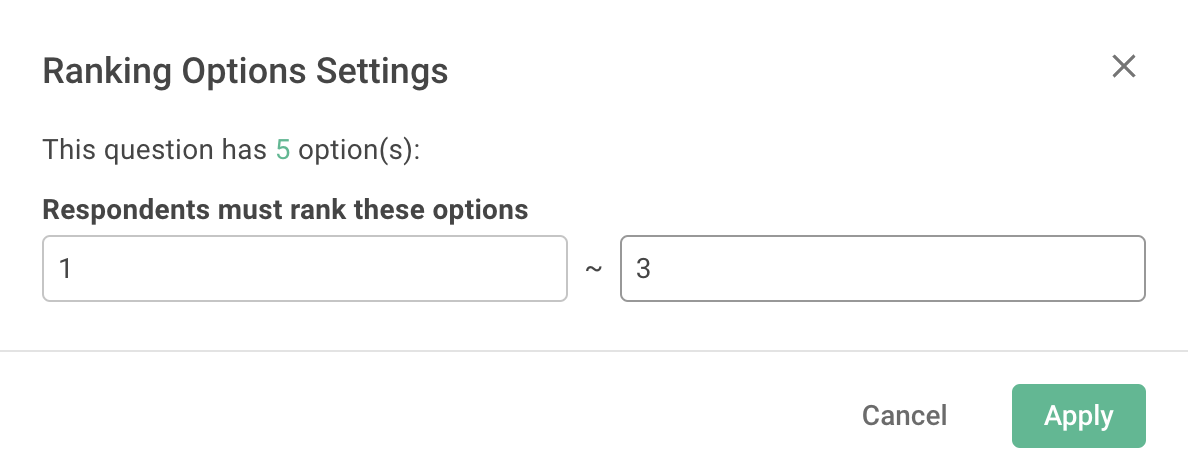
You can select "Ranking Options" to set the number of options you want a respondent to rank. The default value is 1.
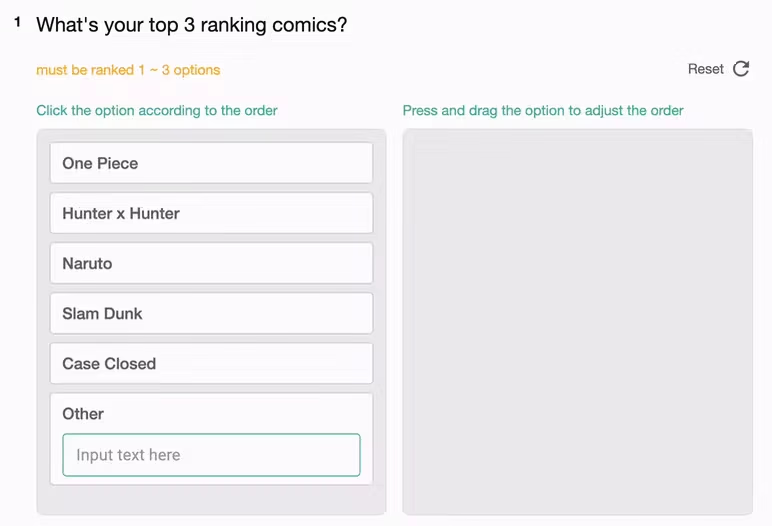
Not only can respondents see the number of options when filling out the survey, but they can also click and drag to select or sort their answers.
Real time survey results and graphical analysis are available in the chart report.. There are bar charts and breakdown table available for each Ranking question to present a detailed understanding of priorities and preferences.
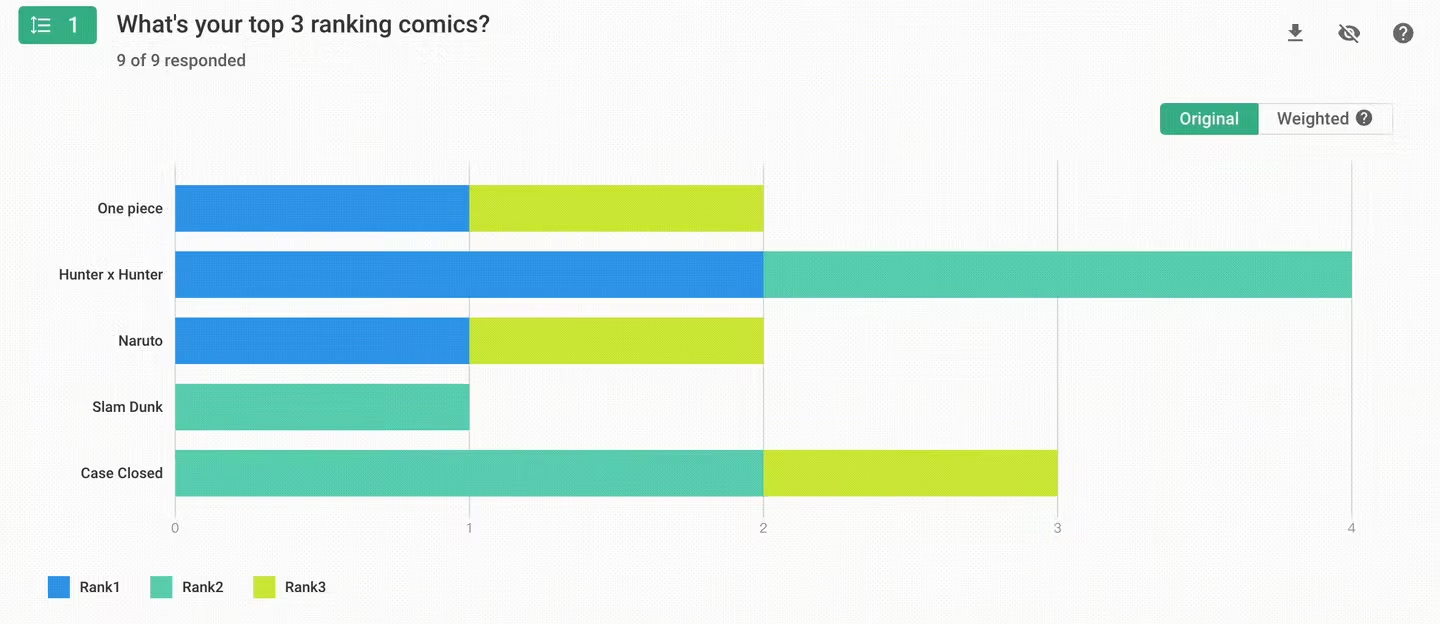
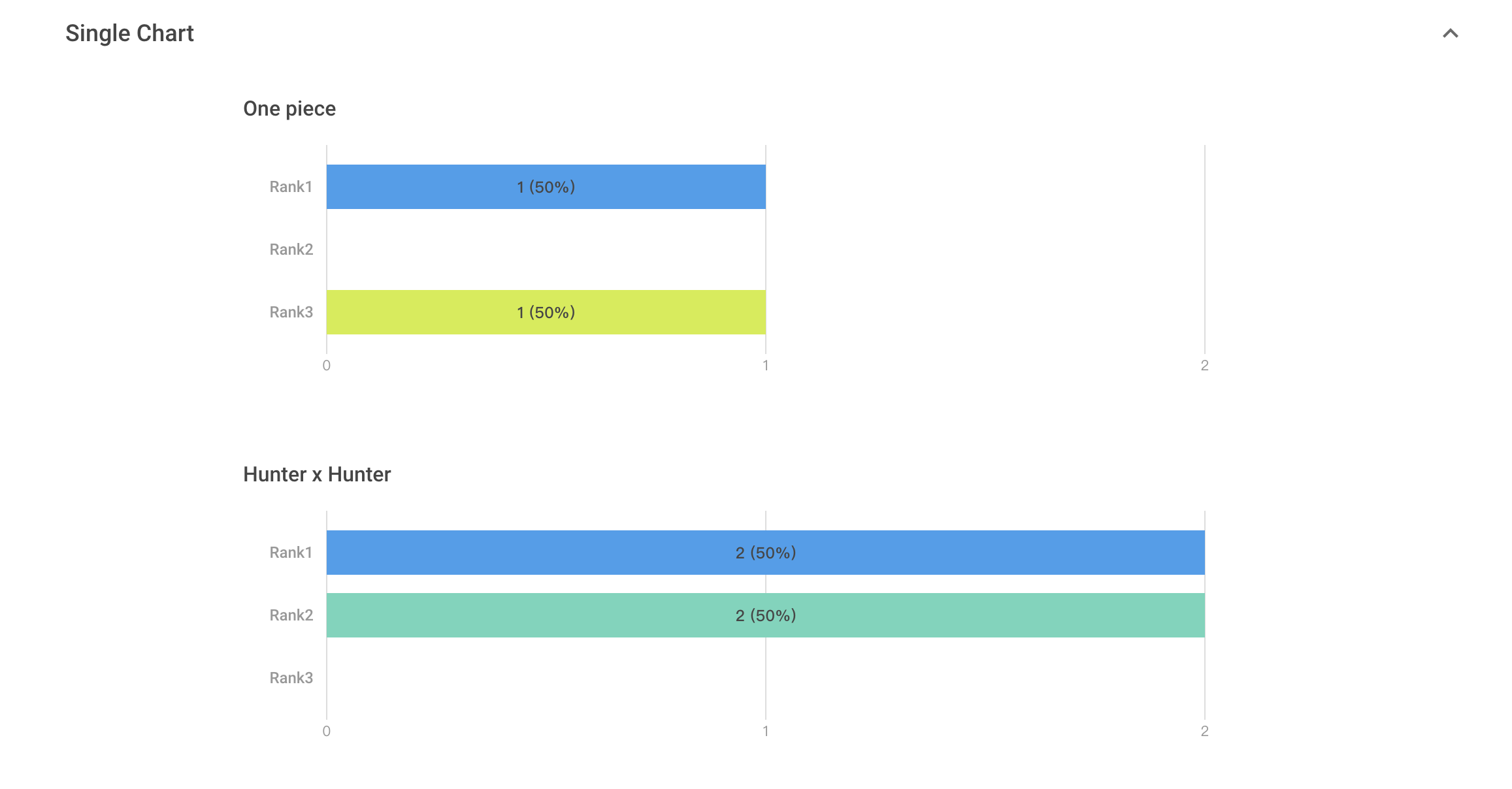
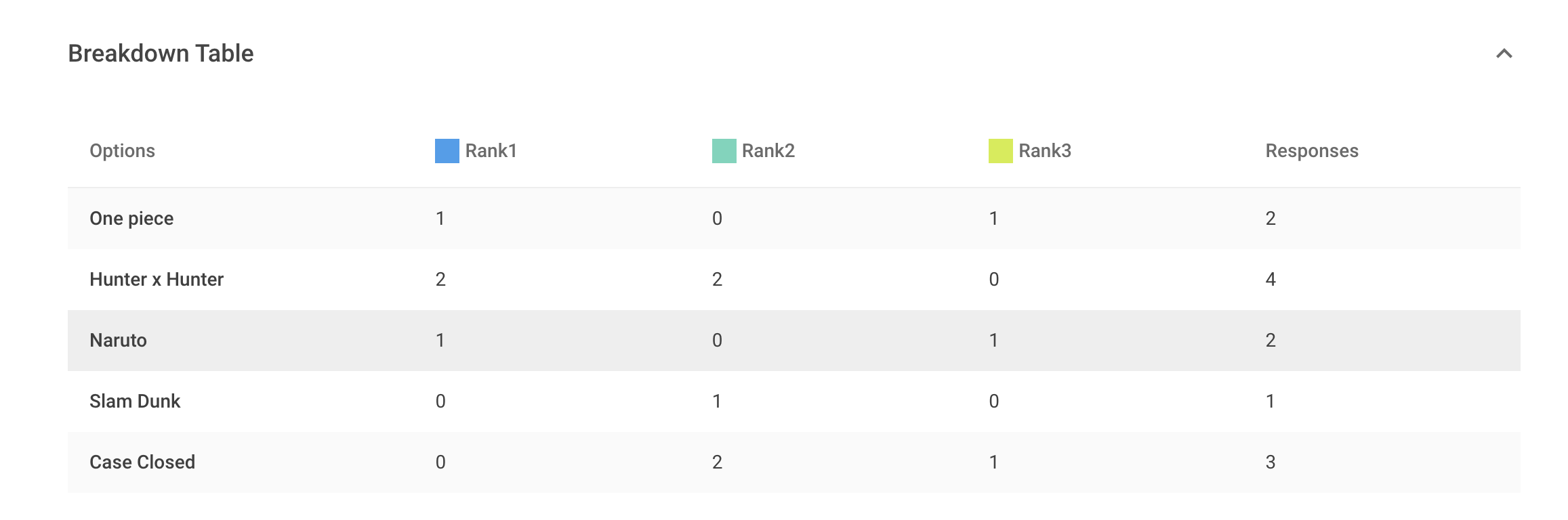
Ranking enables options to be presented in respondents' order of preference for a comprehensive analysis. Don't forget Ranking when designing your surveys!
截圖文字內容
What's your top 3 ranking comics?
One Piece
Hunter x Hunter
Naruto
Slam Dunk
Case Closed



