The Anomaly Detection section in the survey settings consists of three features: Isolate By Response Time, Isolate Duplicates, and reCAPTCHA.
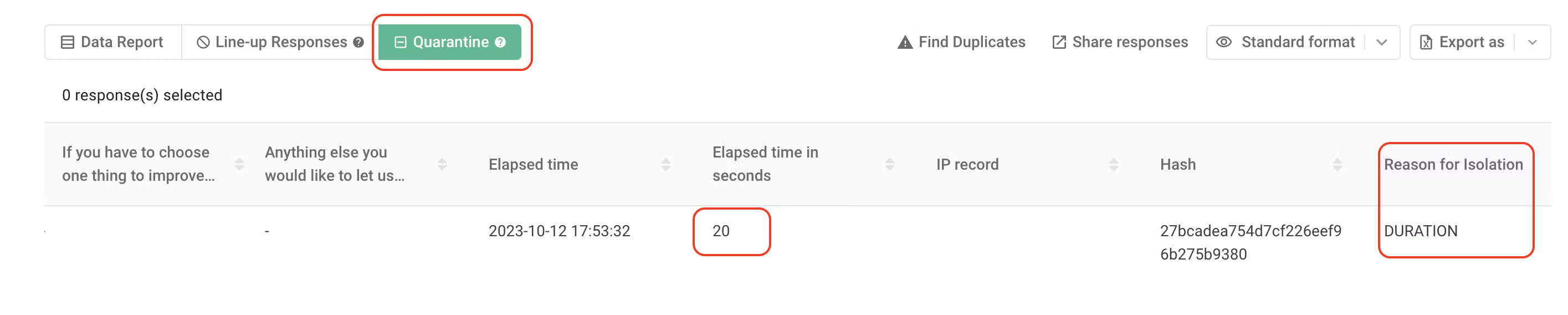
reCAPTCHA will automatically block malicious programs from submitting a large number of responses. Isolate By Response Time and Isolate Duplicates help to put non-eligible responses into the Quarantine in the data report.
Isolate By Response Time can be set to filter out the replies less than a certain number of seconds and transfer the replies to the Quarantine. Remove the rushed samples to keep the data accurate. You are free to set the number of seconds you want to filter.
Isolate Duplicates is to filter out the replies from the same browser for more than one time. You can also freely set whether to recalculate after a certain interval.
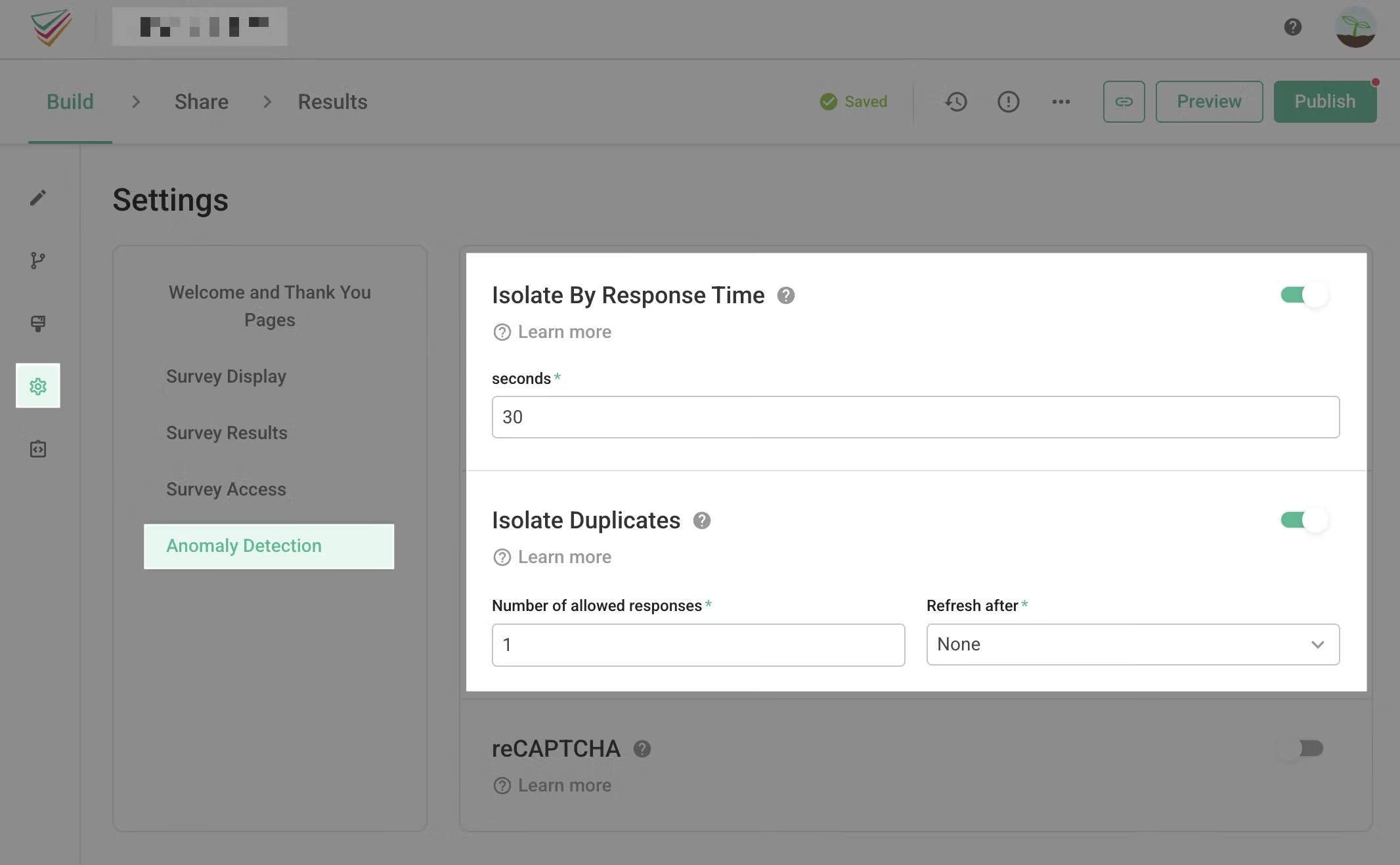
After the setting is completed, the responses collected in the future will be automatically placed in the Quarantine as long as they do not meet any of the conditions above and will be isolated from other responses.
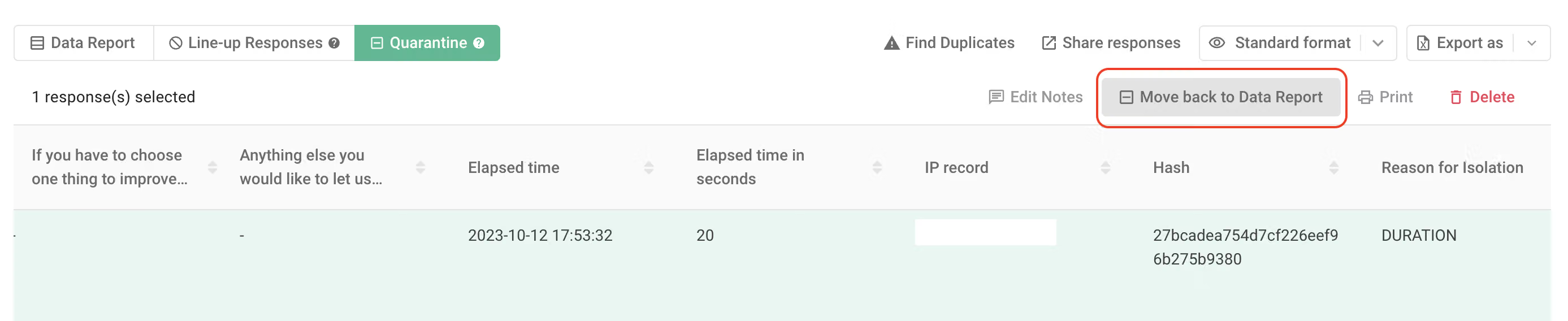
You can also handpick these replies from the quarantine and move them back into the data report, merging them with other replies.
FAQs
You can first check if the survey has enabled any of the "Anomaly Detection" features. If so, you have actually received the data, but it's likely that your data has been recognized as invalid response and isolated in the "Quarantine" by the system!
The "Isolate Duplicates Responses" feature relies on the browser cookies of the respondents to determine if the data is a duplicate. Therefore, if different respondents use the same device and the same browser cookies to submit the survey (e.g., both John and Jane use the same phone's Chrome browser to submit the survey), SurveyCake's system will detect the duplicate browser cookies, and this data will be placed in the Quarantine zone.
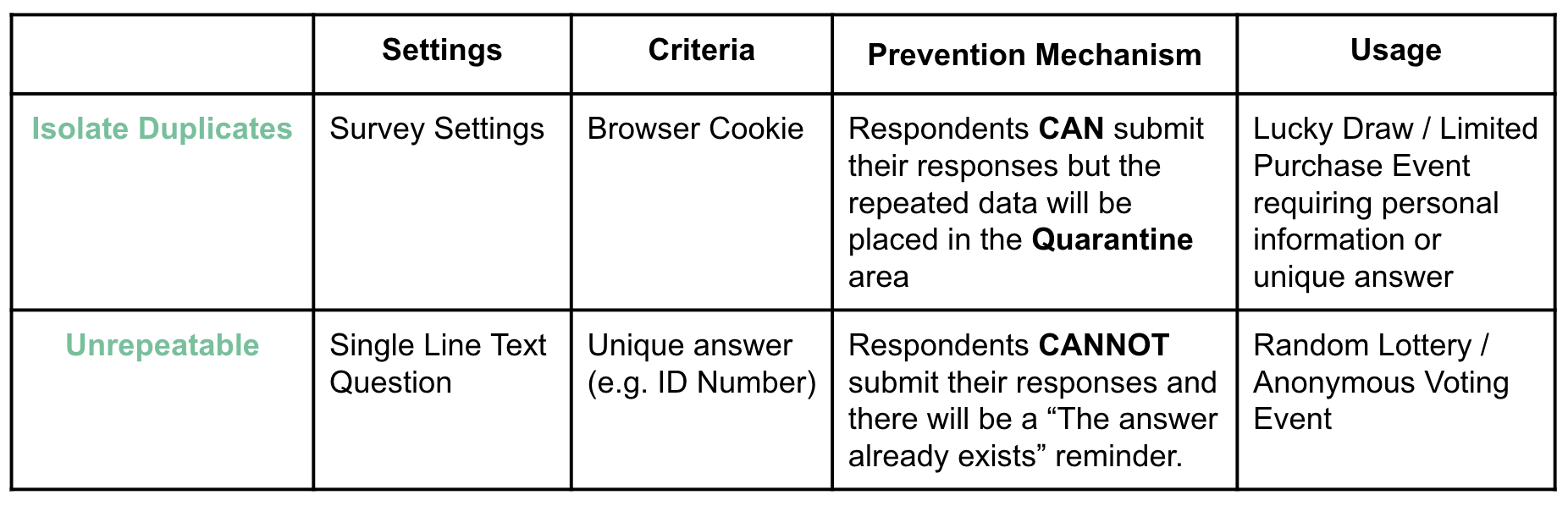
Isolate Duplicate feature in SurveyCake relies on capturing the browser cookies of the respondents to determine if the data is a duplicate. Meanwhile, "Unrepeatable" feature is a system check that evaluates whether unique values or answers provided by the respondents are duplicated.
Below are the differences of Isolate Duplicates and Unrepeatable features :
Automatically screen out non-conforming responses through the mechanism of Anomaly Detection and Quarantine to maintain the data quality!



