When creating a survey form, facing a blank interface can be a bit confusing, and the diverse features can leave you unsure of where to start.
Don't worry! SurveyCake provides hundreds of survey templates. The questions and images in the templates can be modified and edited. Simply choose the template that best fits your needs, apply it with a click, and then make detailed modifications. This way, you can easily and quickly complete your survey!
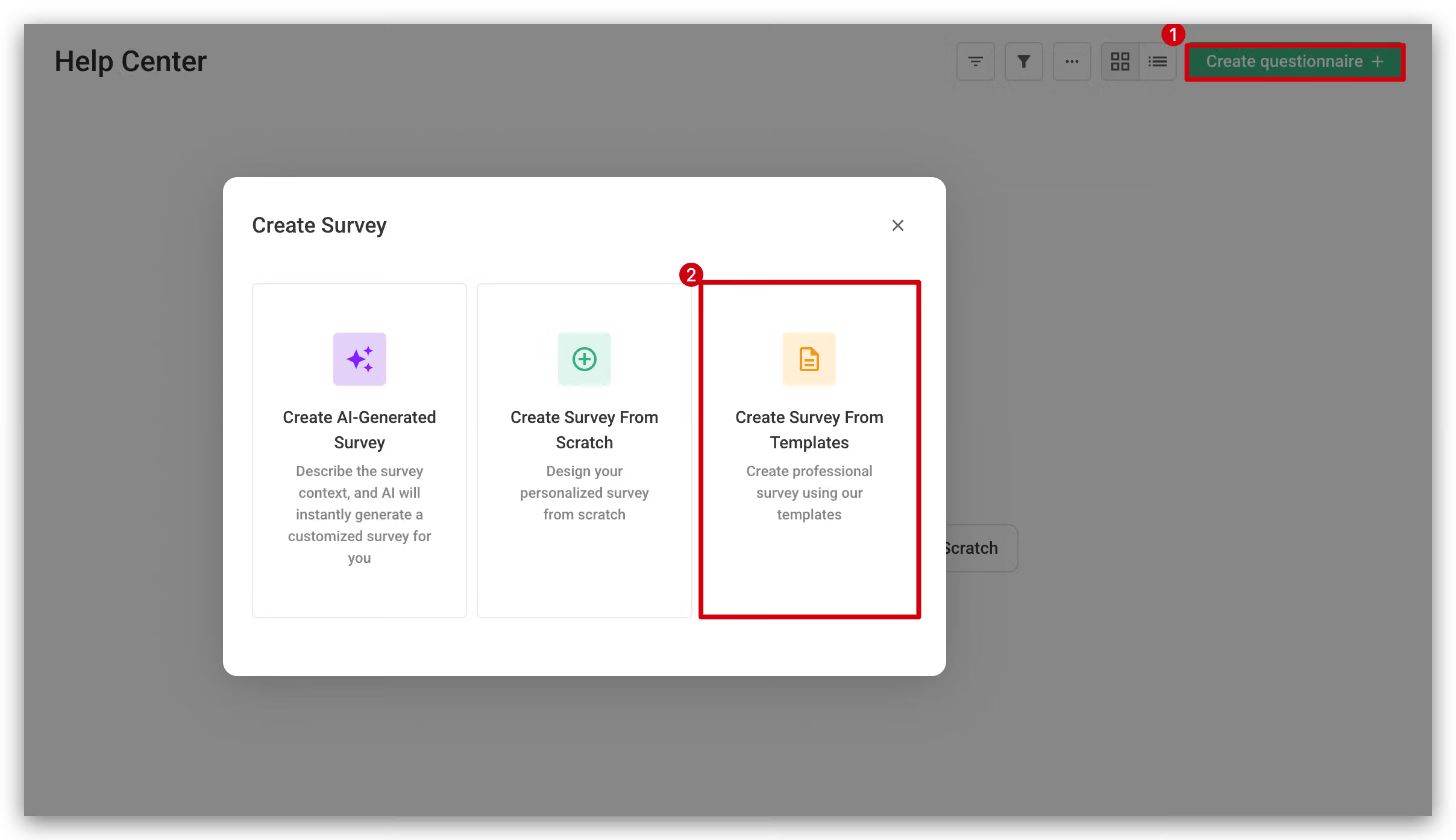
1. Click “Create Survey”
Go to the dashboard and select "Create Survey" at the top right, then choose "Create Survey From Templates".
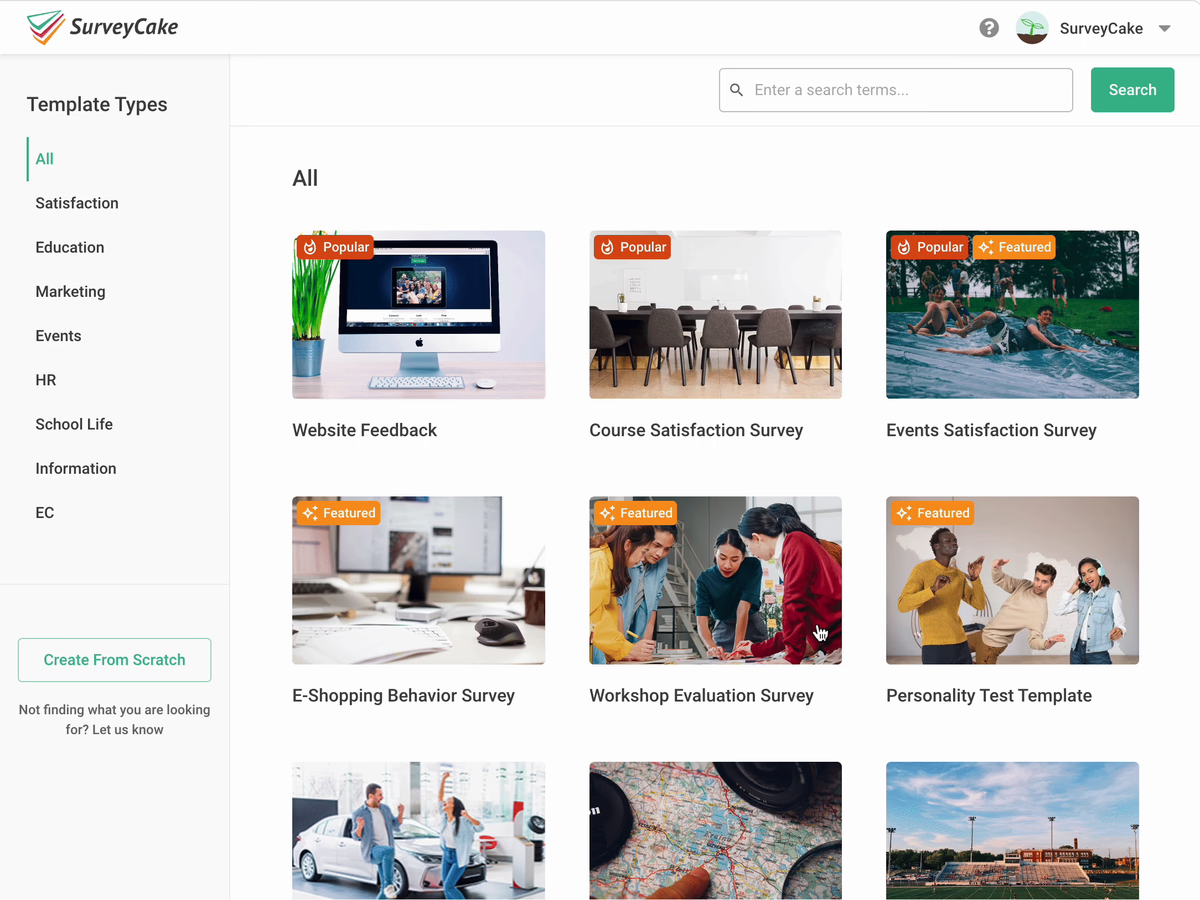
2. Enter the template name or keyword
Enter the template name or relevant keywords in the top-right search bar to search for templates.
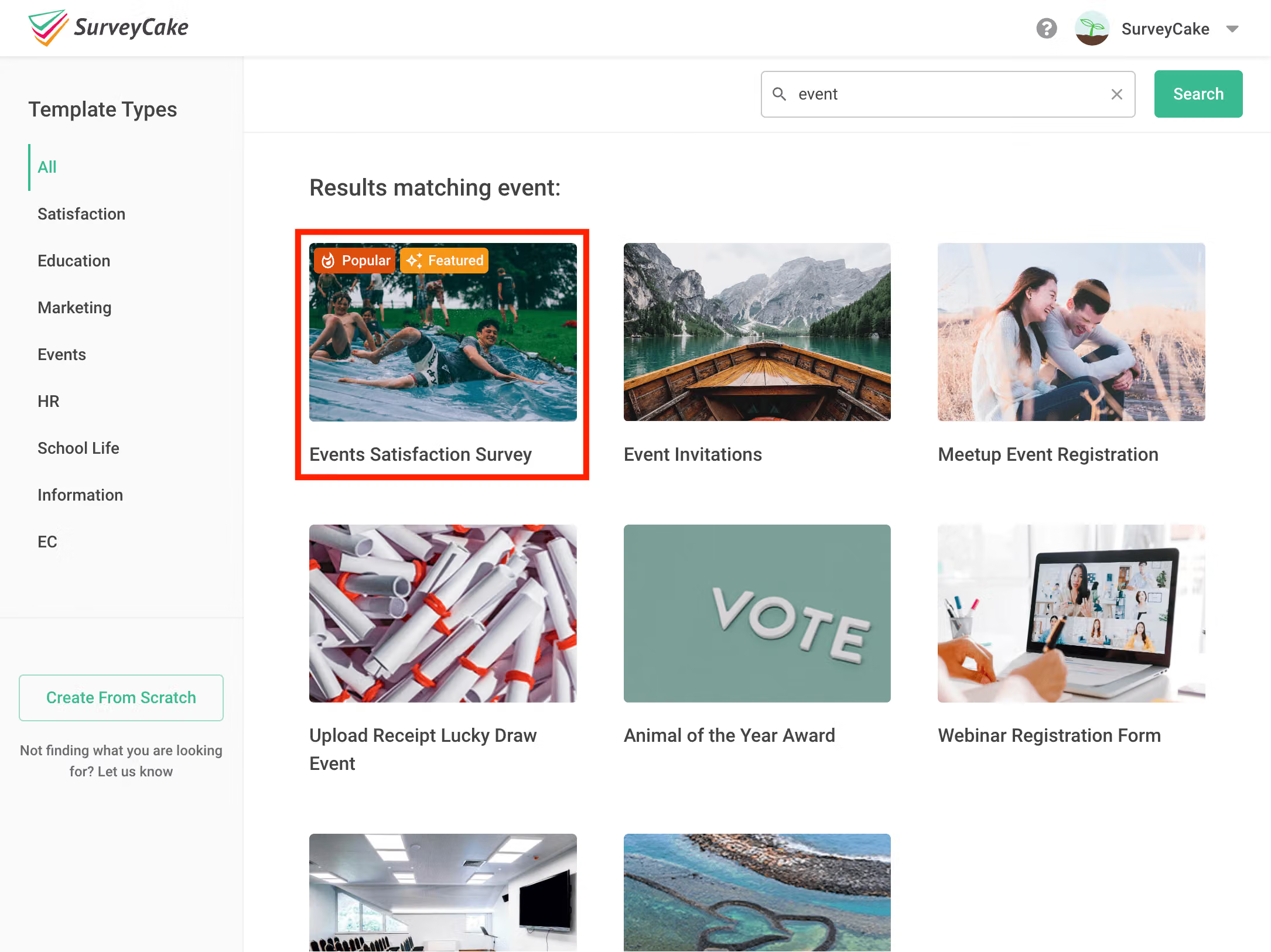
3. Find the template
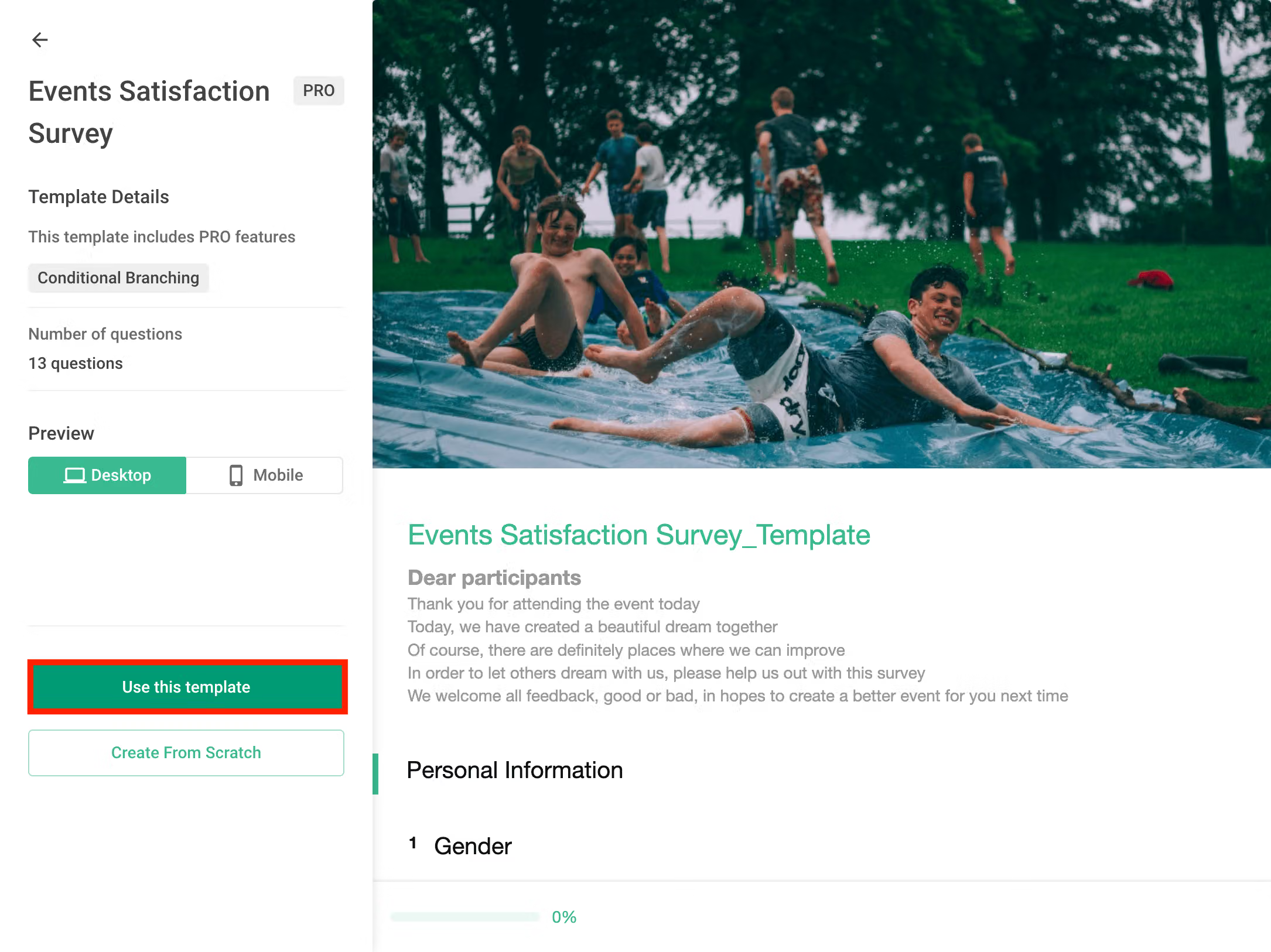
4. Click "Use this template" to apply the template
FAQs
SurveyCake will continuously provide new templates. If you haven't found the template you need, feel free to make a wish with us here!
After successfully applying the template, you can modify the text, questions, and images within the template to suit your specific needs. This allows you to ensure that the survey content aligns perfectly with your goals and requirements.
SurveyCake provides a variety of customizable survey templates, making survey creation easier and more convenient!



