To adjust the Survey Status, please click the "Settings" button in the sidebar of the "Build" page, and find the "Status" field on the "Survey Access" page. Three status options are provided: Public, Password-protected, and Closed. You can adjust according to your survey usage requirements.
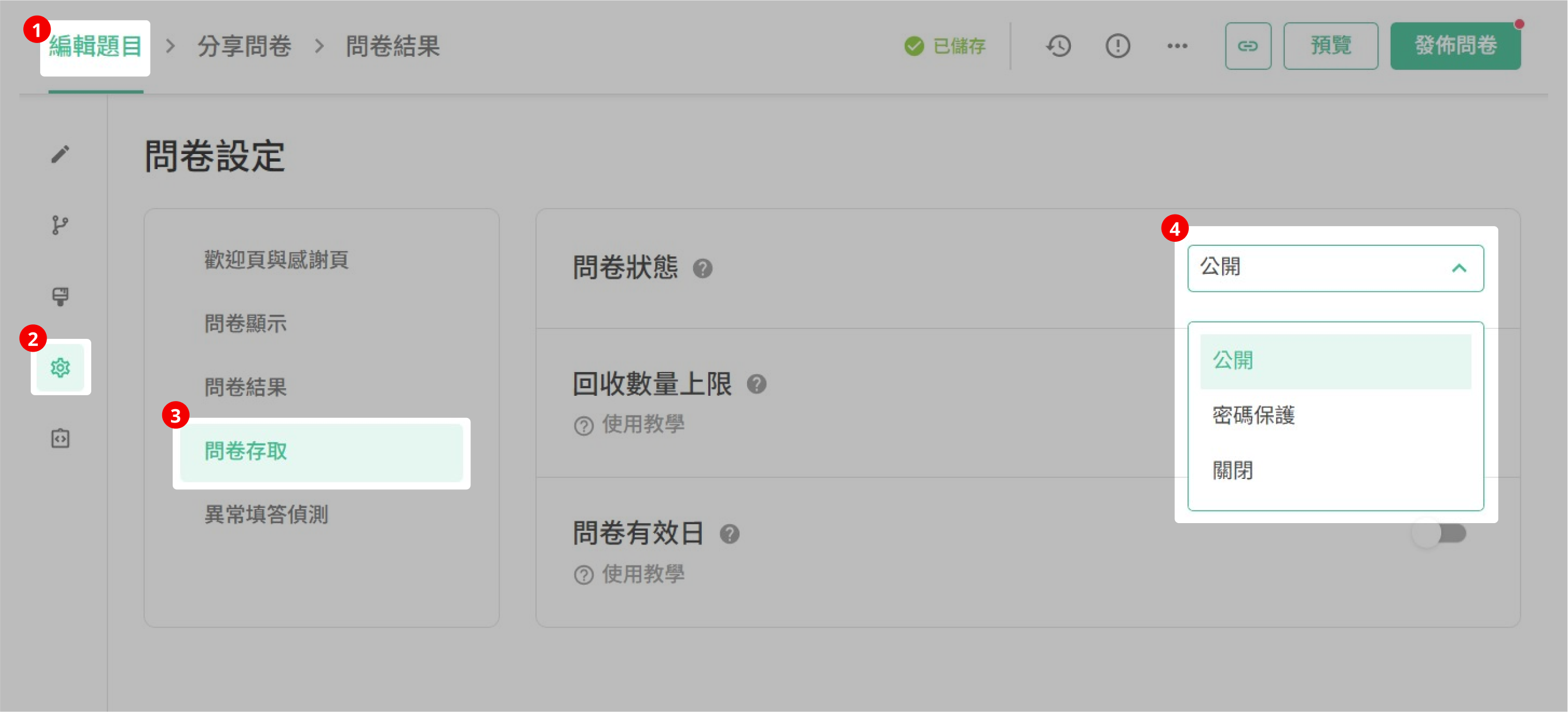
Public: The default status of each survey is public. Public survey could be accessed and filled out by any respondent.
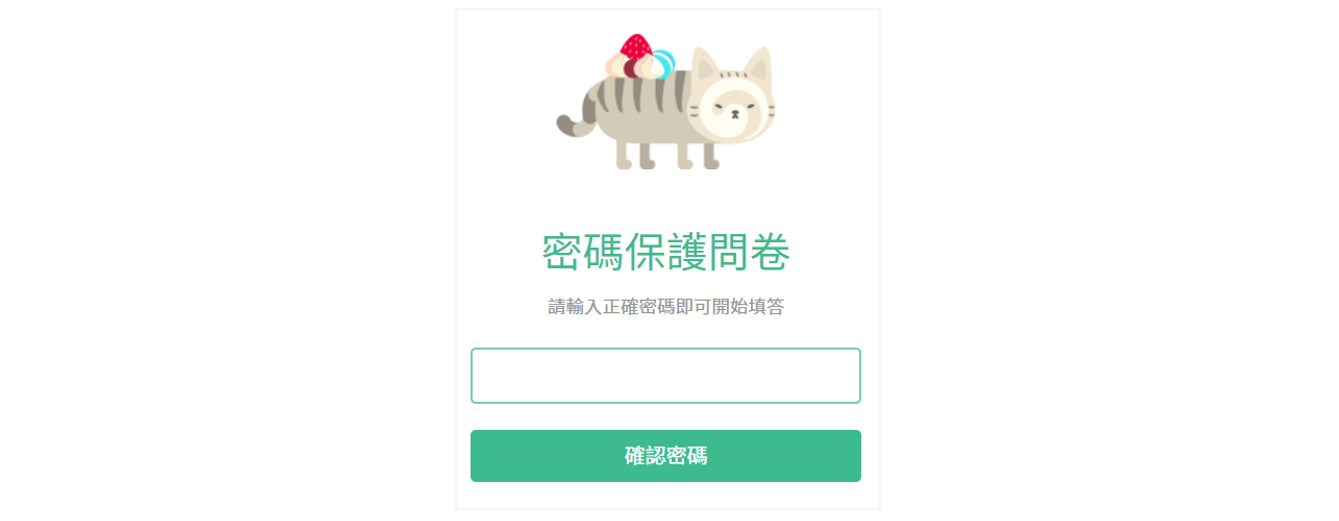
Password -protected: Set a password for the survey, and each respondent needs to enter the correct password to access and fill out the survey.
Password must be around 6~14 characters and contains capital letters, small letters and numbers.
The screen after the respondent enters the Password-protected survey
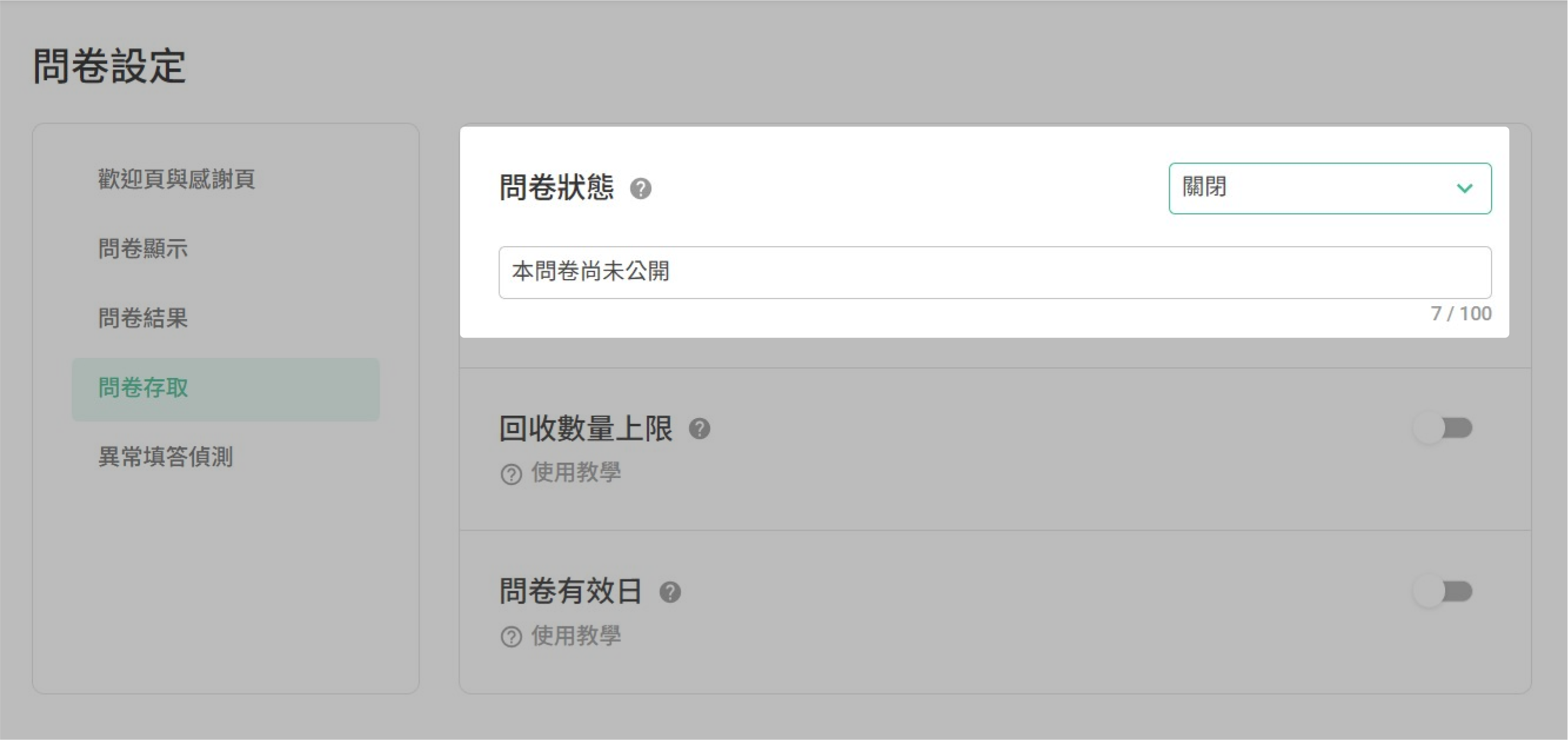
Closed: Close your survey. Respondents who try to enter the survey will see the Closed message and can not fill out your survey.
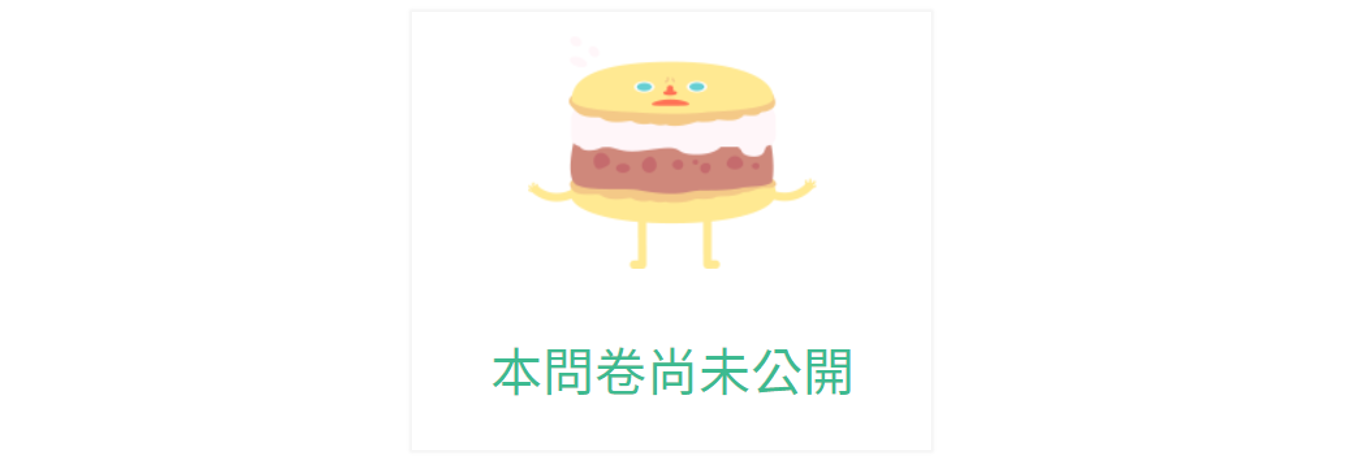
The default Closed Message is “The survey is unpublished.”. You could customize the message in the Closed Message field, provide more information or relevant instructions for people trying to enter the survey.
Summary
Flexibly adjust survey status based on different needs to help you effectively manage survey data quality



