During survey design, putting certain questions aside may disrupt the layout of your survey's arrangement. Deleting them also means starting over again. Draft is located on the right side under the survey setting and is specifically designed to store these types of questions!
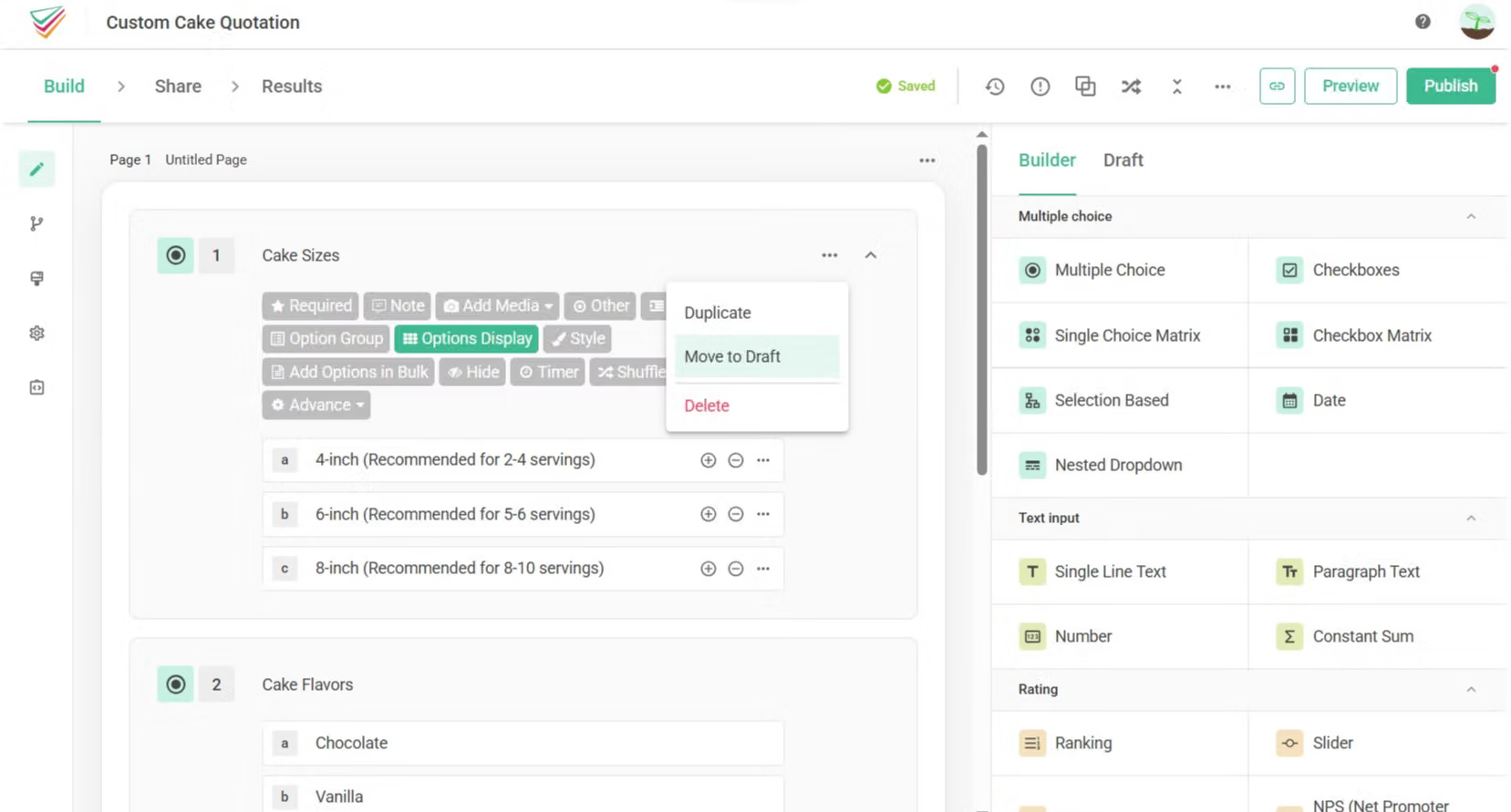
On the survey editing page, simply select Move to Draft and drag questions to the box on the right side under the survey design heading.
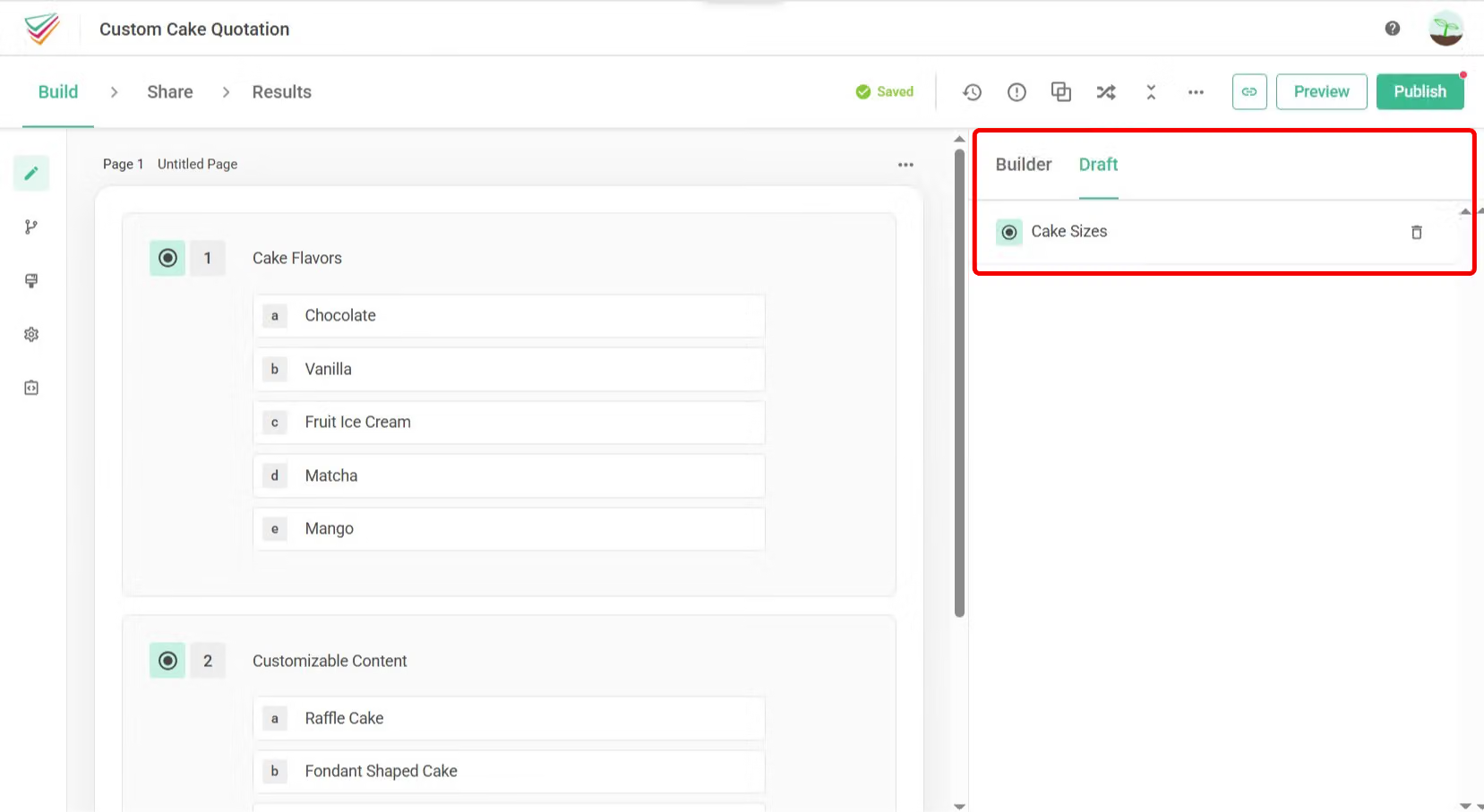
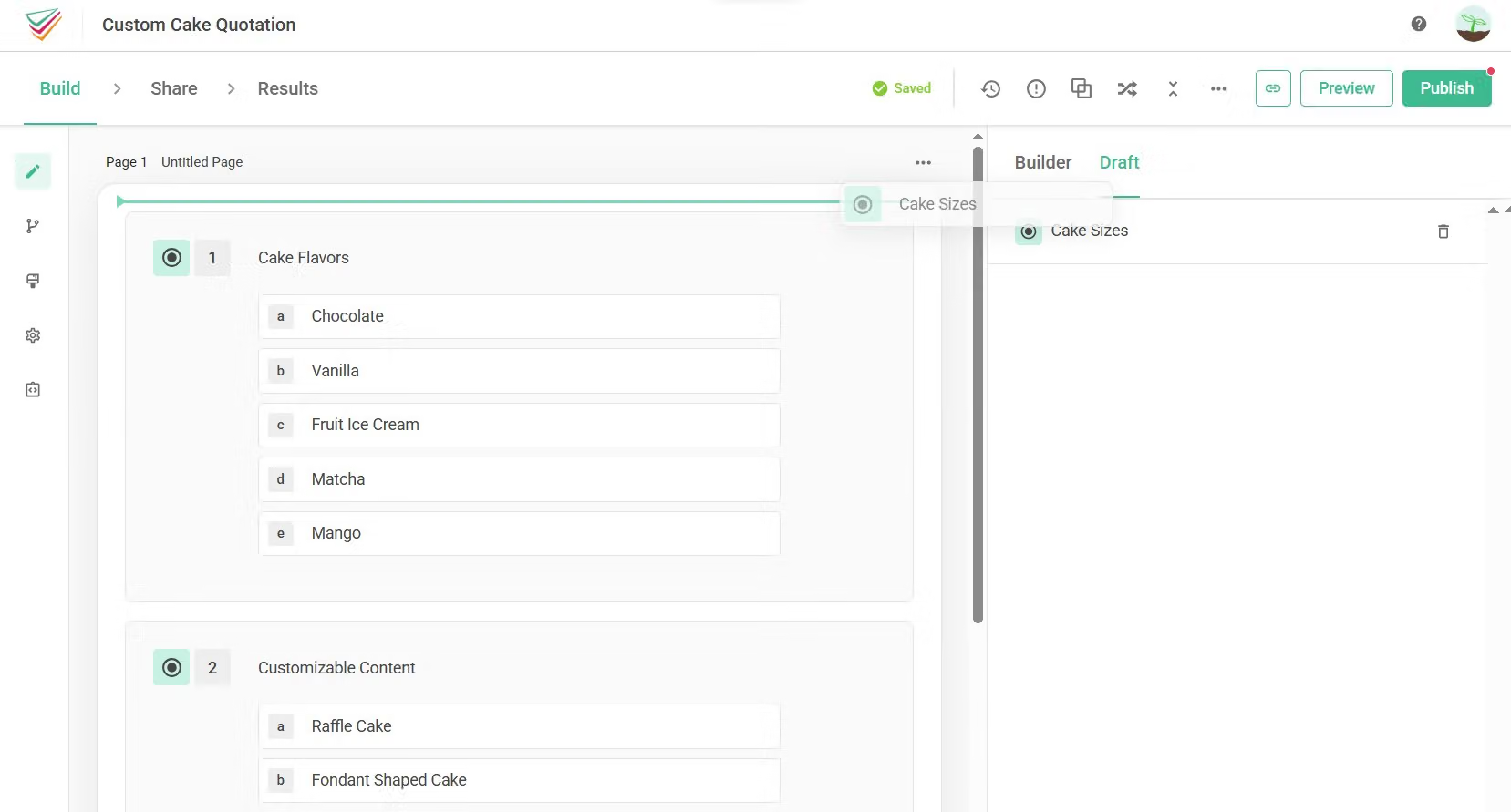
Select the gray box of a question in Draft to place it back in the survey.
Please note that Draft can only be used during the initial survey design.
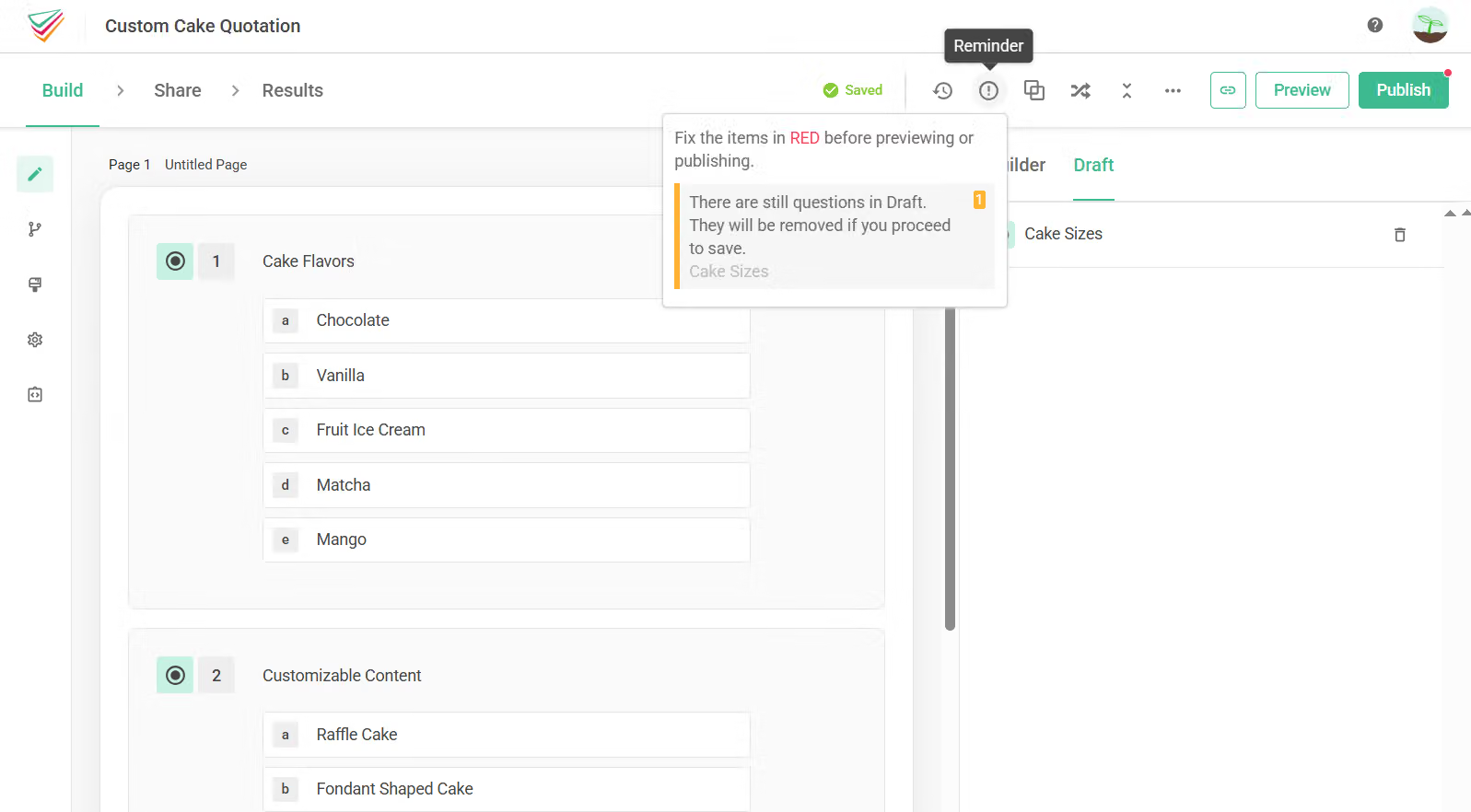
If you click “Publish” while there are still questions in the Draft Area, those questions will be cleared. SurveyCake will remind you which questions are still in the Draft and need to be handled.
FAQ
Unfortunately, SurveyCake could NOT assist you in recovering the deleted questions in Draft since it is temporary storage merely efficient in editing the survey. Therefore, please make sure Draft is empty before you save the survey in case you delete the area accidentally.
Draft is a box located on the right side to place the undone questions under the survey design heading. It can help eliminate time spent deleting and adding questions!



