Survey designers may conduct information analysis from the survey backend system by using Date Filter to access samples from selected time periods. Y

You can set the Date Selection to Today, Yesterday, Last 7 days, or Last 30 days for filter.
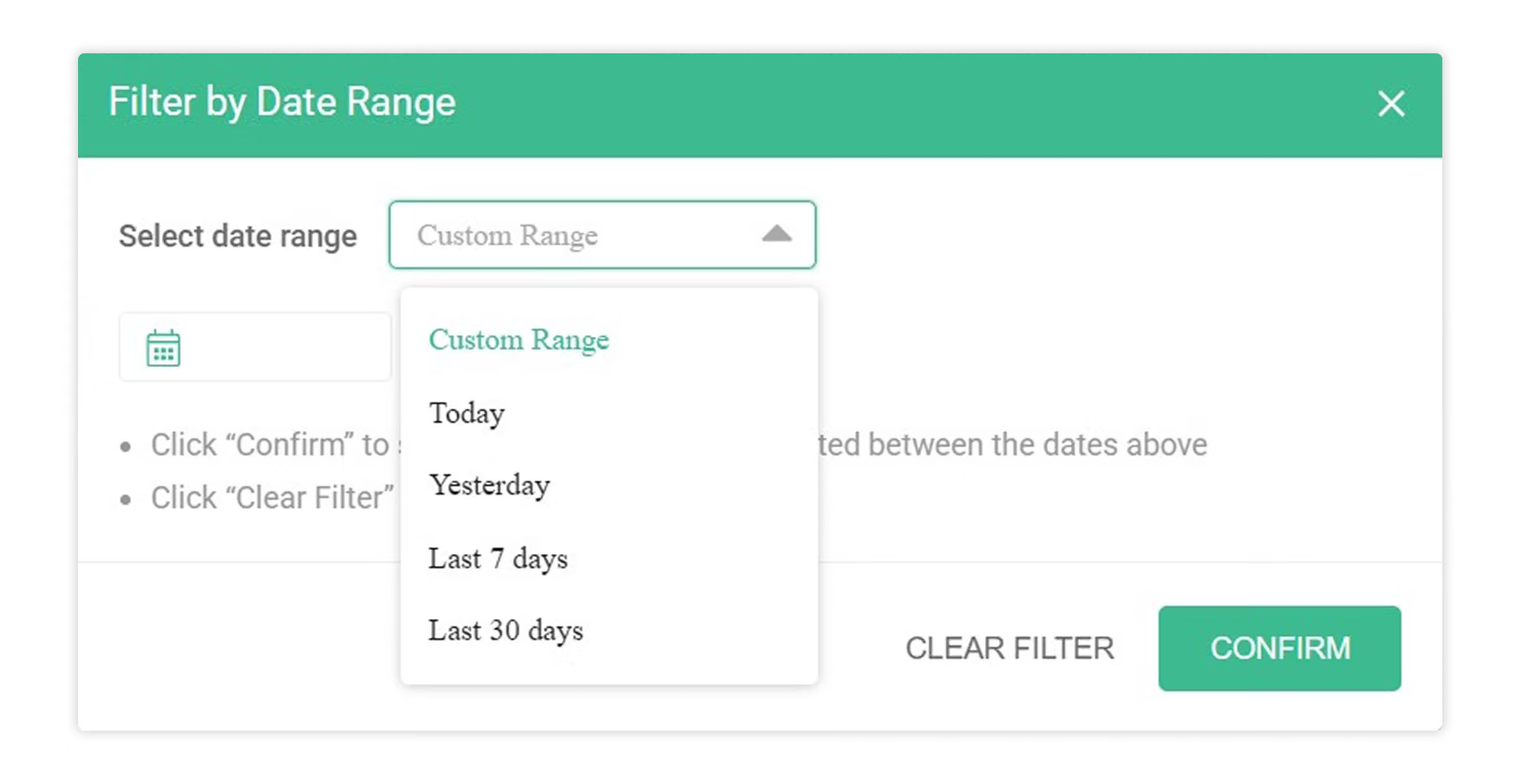
You can also filter by specifying the start and end dates. For example, you want to query the performance of sample statistics during the period from 8/15 to 8/31.
Select the specified dates in the In the date range area.
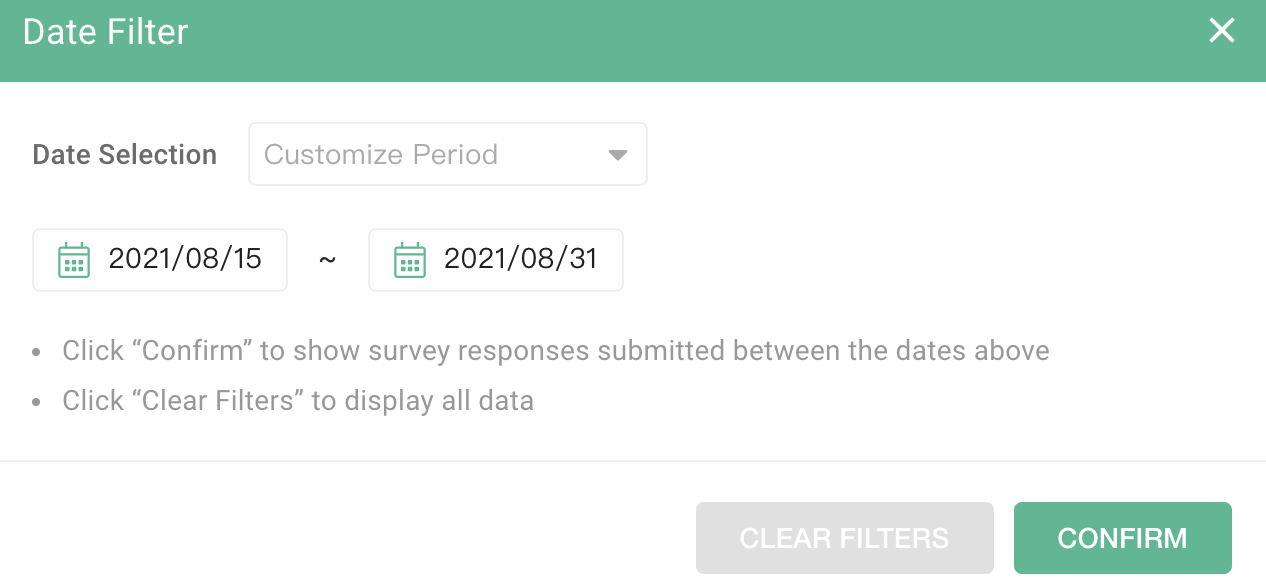
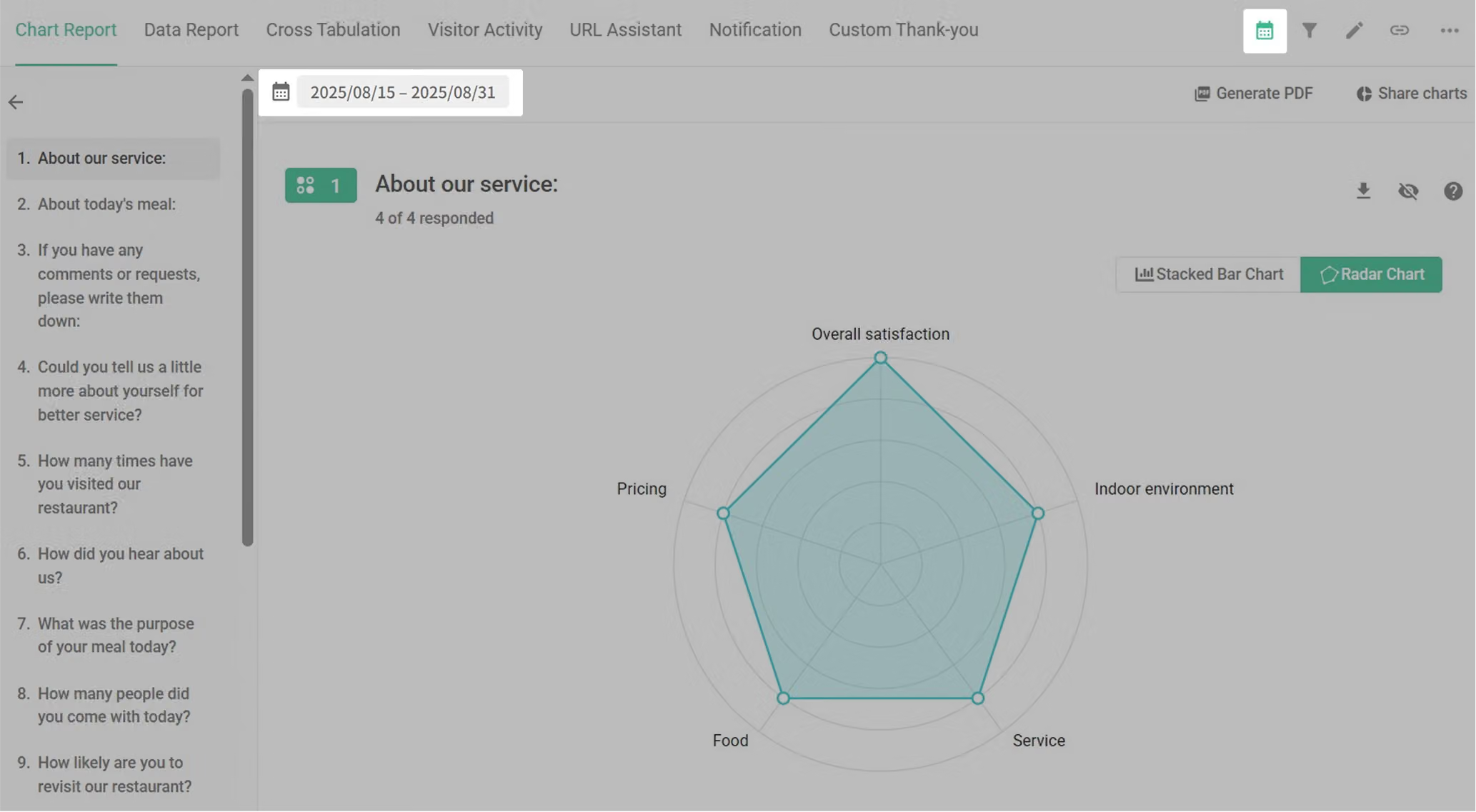
Click Confirm and you can conduct statistical analysis on the specified period windows!
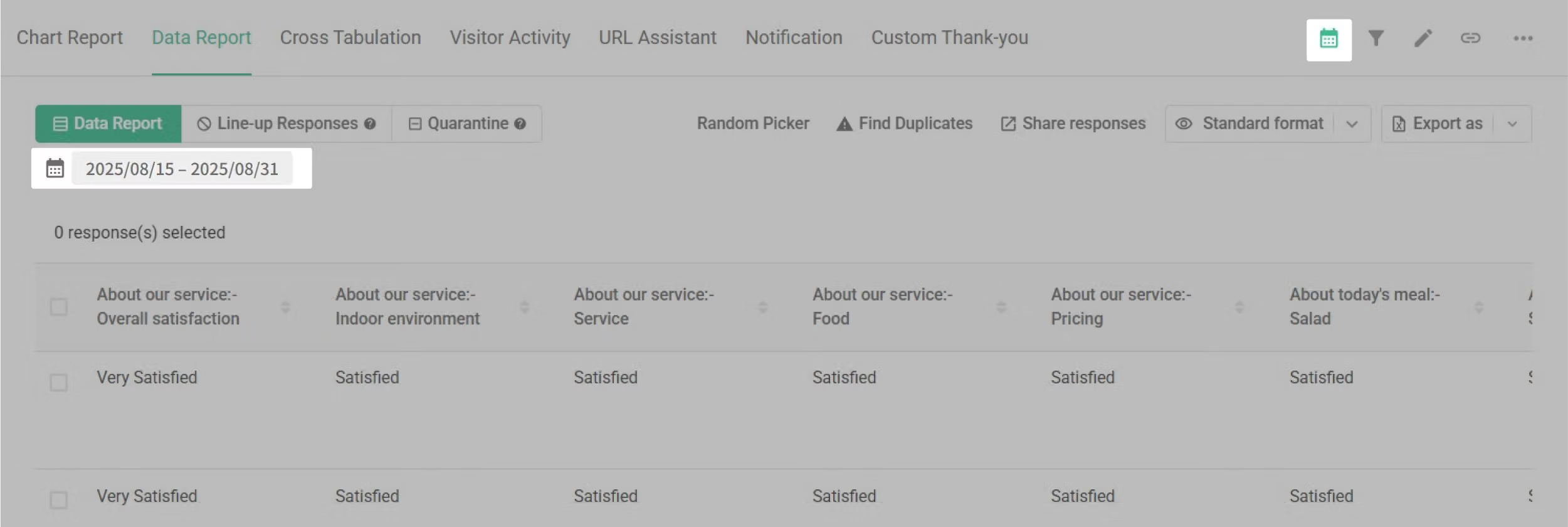
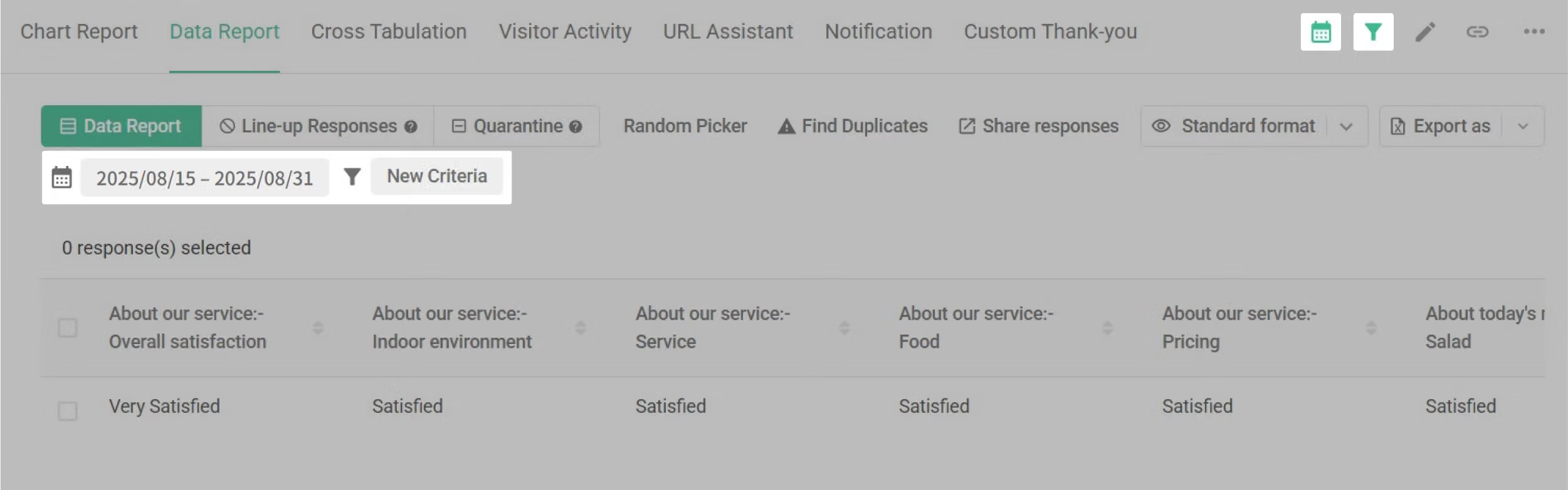
After applying the Date Filter, the "Data Report" tab will be also applied, the same data sample will also appear for the selected time period. Survey designers may choose the output format of these data.
In addition, by combining the Filter function with the funnel icon, you can increase additional analysis criteria and cross compare data! This will increase the accuracy of your data gathering and analysis!
For example, by adding the "Female" option as a filter criterion.
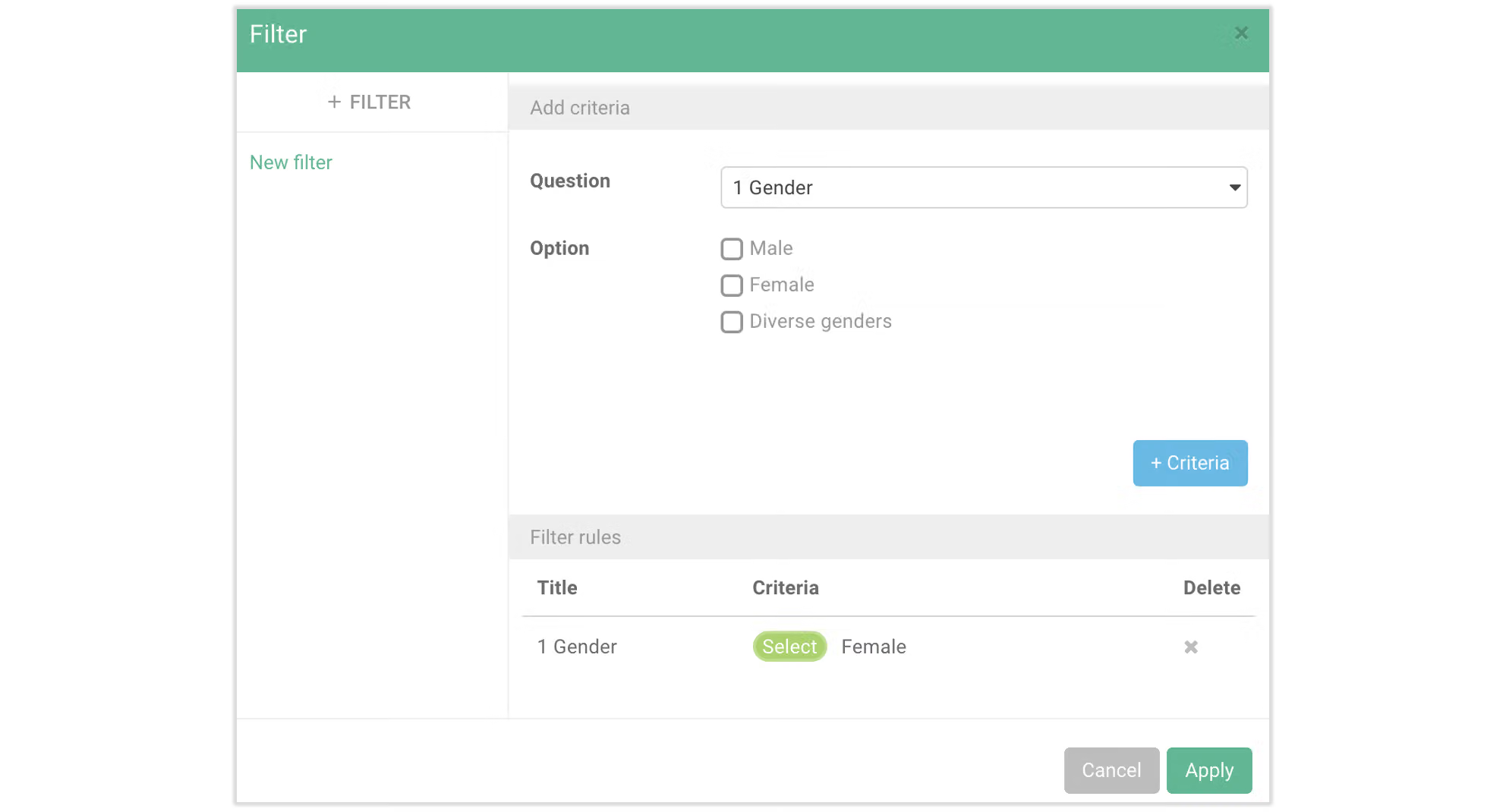
You will receive data samples from 8/15 - 8/31 with all-female in the sample.
FAQ
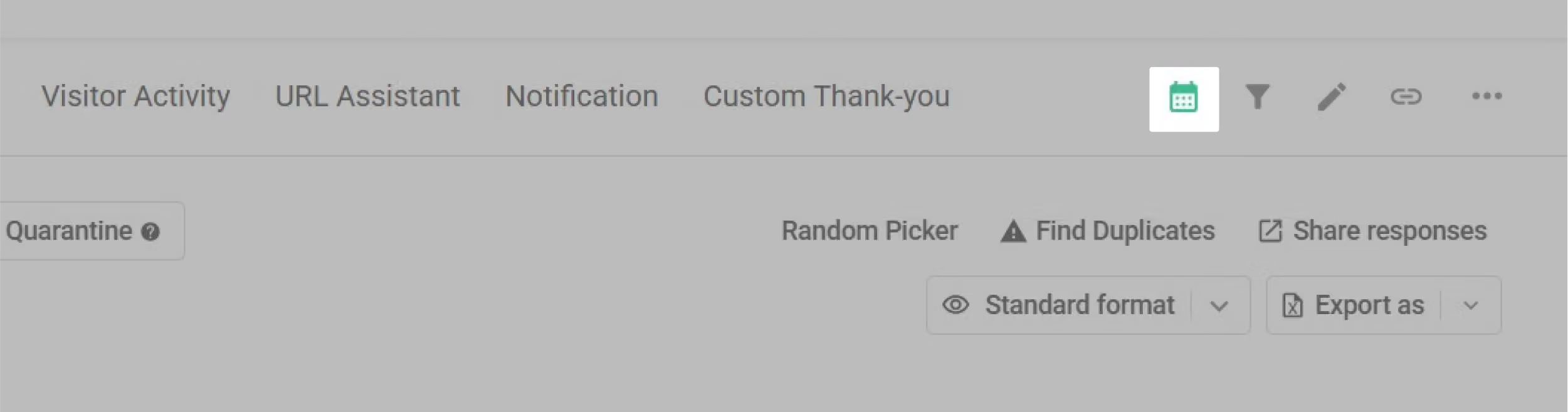
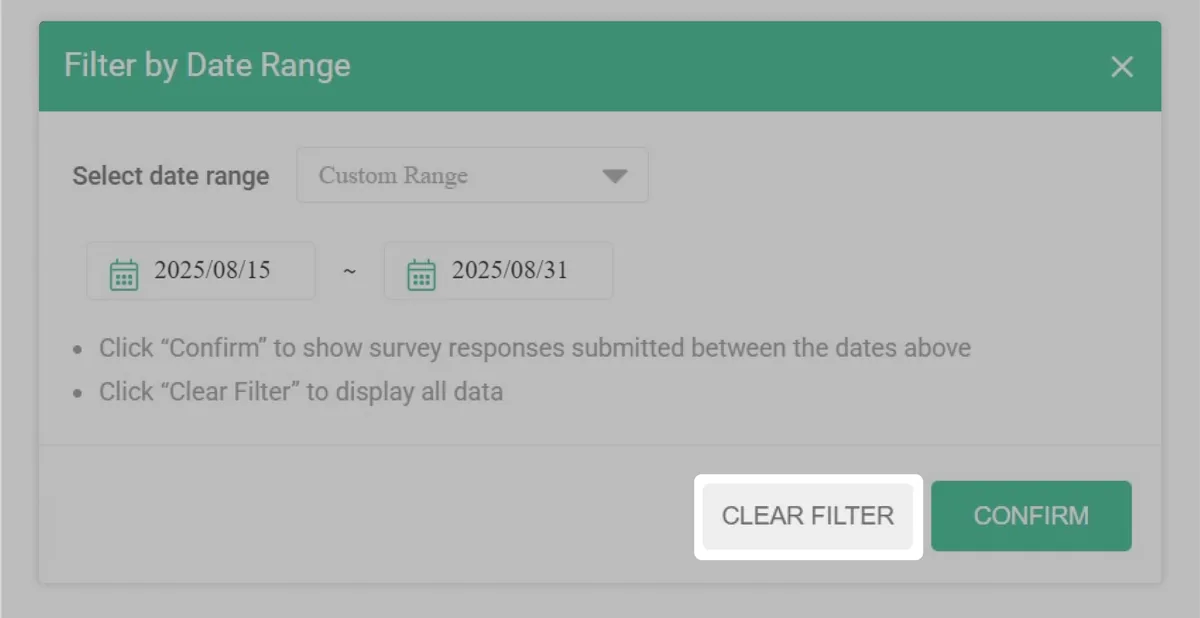
After entering the survey results page, if the date filter icon is highlighted in green, it means that a previously set date filter has not been cleared. To clear the filter, click the icon and then click "Clear Filter".
No. Currently, the date filter is based on the time the respondent submitted the survey. If you want to filter by the date a respondent entered in the survey, we recommend using the Filter feature.
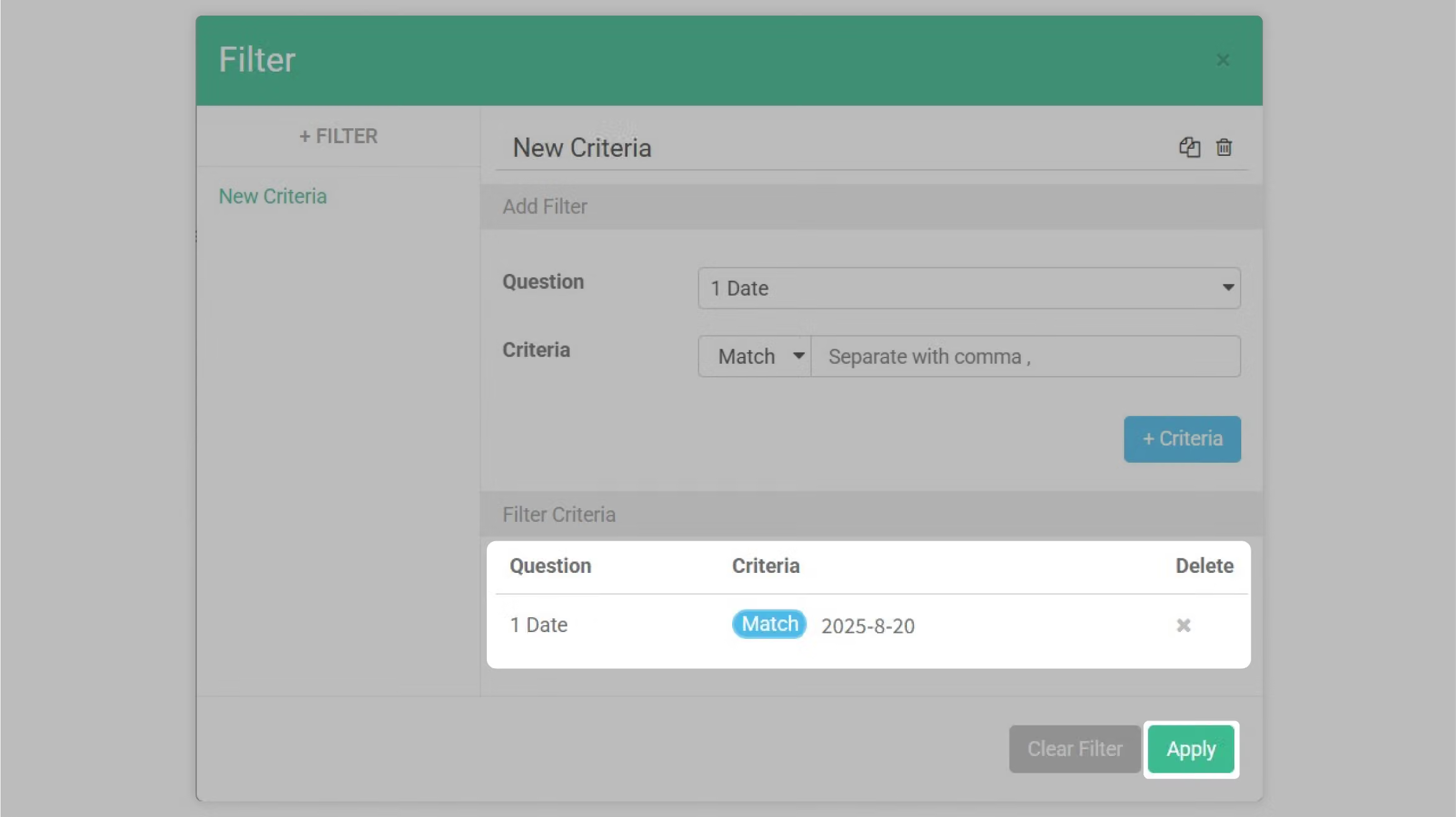
As shown in the image below, you can add a new filter combination to filter out all data where "2025/8/20" was entered in the date question.
Designers may get a better understanding of sample performance during specific time period by using the Date Filter. Not only is searching for data more convenient, but the technique can be applied to analyze samples from different time periods! With Filter function, samples may be further filtered by additional criteria and increase the accuracy of data collection and analysis!
問卷內容
Restaurant Dining Satisfaction Survey
❗Feel free to use this template - you can edit all content and images in this template.
Besides its attractive interface and ease of completion, this survey primarily helps business owners understand their restaurant's operating conditions and gain deeper insights into customers who dine at their establishment.
For more details, please refer to the SurveyCake Blog introduction.
Your satisfaction level with today's dining experience:
| Very Unsatisfied | Unsatisfied | Average | Satisfied | Very Satisfied | |
|---|---|---|---|---|---|
| Overall | |||||
| Environment | |||||
| Service | |||||
| Food | |||||
| Pricing |
Your satisfaction level with today's dishes:
| Very Unsatisfied | Unsatisfied | Average | Satisfied | Very Satisfied | |
|---|---|---|---|---|---|
| Salad | |||||
| Soup | |||||
| Main Course | |||||
| Dessert | |||||
| Beverage |
Suggestions for our restaurant or service staff:
To provide better service, please let us know more about you!
The information collected from this survey will only be used for internal service improvement purposes.
It will never be disclosed or used for any other purposes. Please feel free to fill it out!
How many times have you visited our restaurant?
1st time
2 - 3 times
4 - 6 times
More than 6 times
Visited before, but forgot how many times
How did you learn about our restaurant? (Multiple choice)
Friend recommendation Promotional flyer Online information Saw it while passing by Other channels
What was the purpose of your dining today? (Multiple choice)
Casual dining Friend gathering Family gathering Couple dining Birthday celebration Holiday celebration Business dinner Wedding banquet Company party Product launch Press conference Other purpose
How many people dined today?
people
Your willingness to visit our restaurant again:
On a scale of 0 to 10, how high is your willingness?
0 10
Current rating: 5
Personal Information
The information collected from this survey will only be used for internal service improvement purposes. It will never be disclosed or used for any other purposes. Please feel free to fill it out!
Name:
Gender:
Male
Female
Birthday:
Phone:
Email:
Would you like to receive our latest activities and promotional information?
If you don't wish to, your email will only receive important member-related messages.
Yes
No
Thank you for your patience in filling out this survey. We look forward to your next visit!
Please remember to click the "Submit Survey" button below and show it to our service staff to receive your "Complimentary Dessert of the Day"!
Submit Survey
Privacy Policy Text



