To ensure objectivity and accuracy for your surveys, Randomization is particularly helpful because it prevents the order of questions or options from influencing overall survey results.
1. Random Order
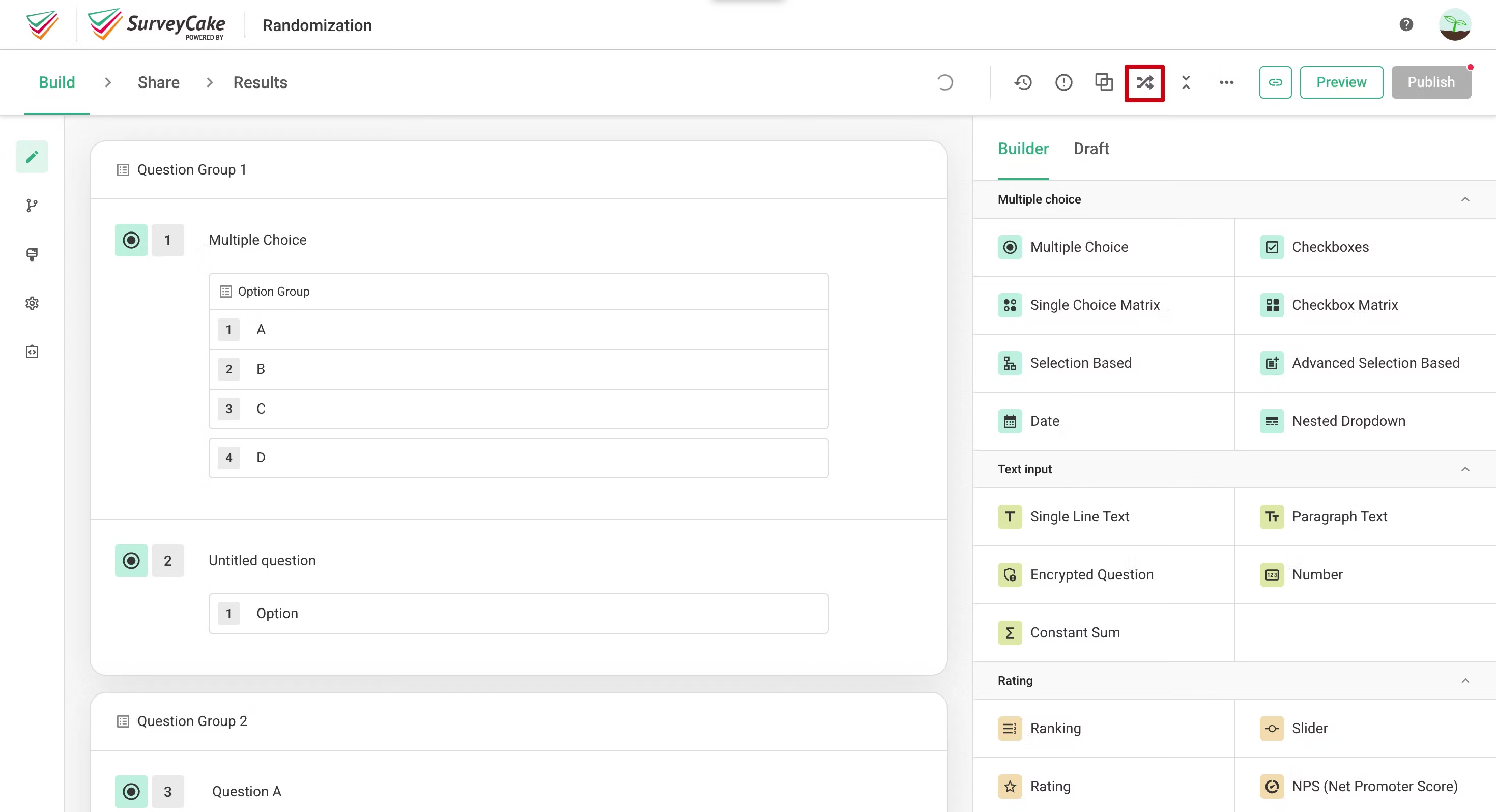
You can simply click on the “Random Order” button in order to enable this feature.
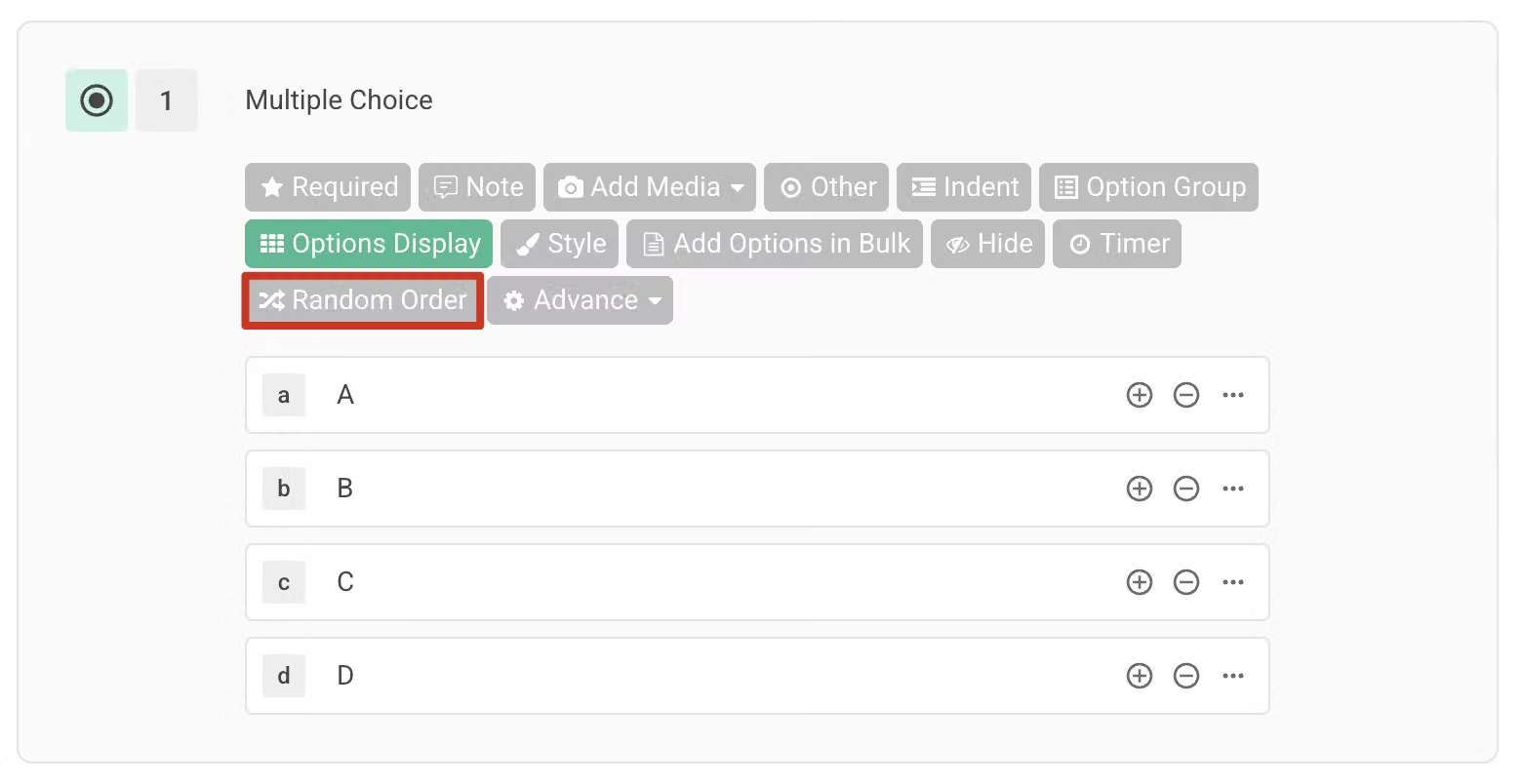
There are two different sorting modes you can choose from based on your requirements:
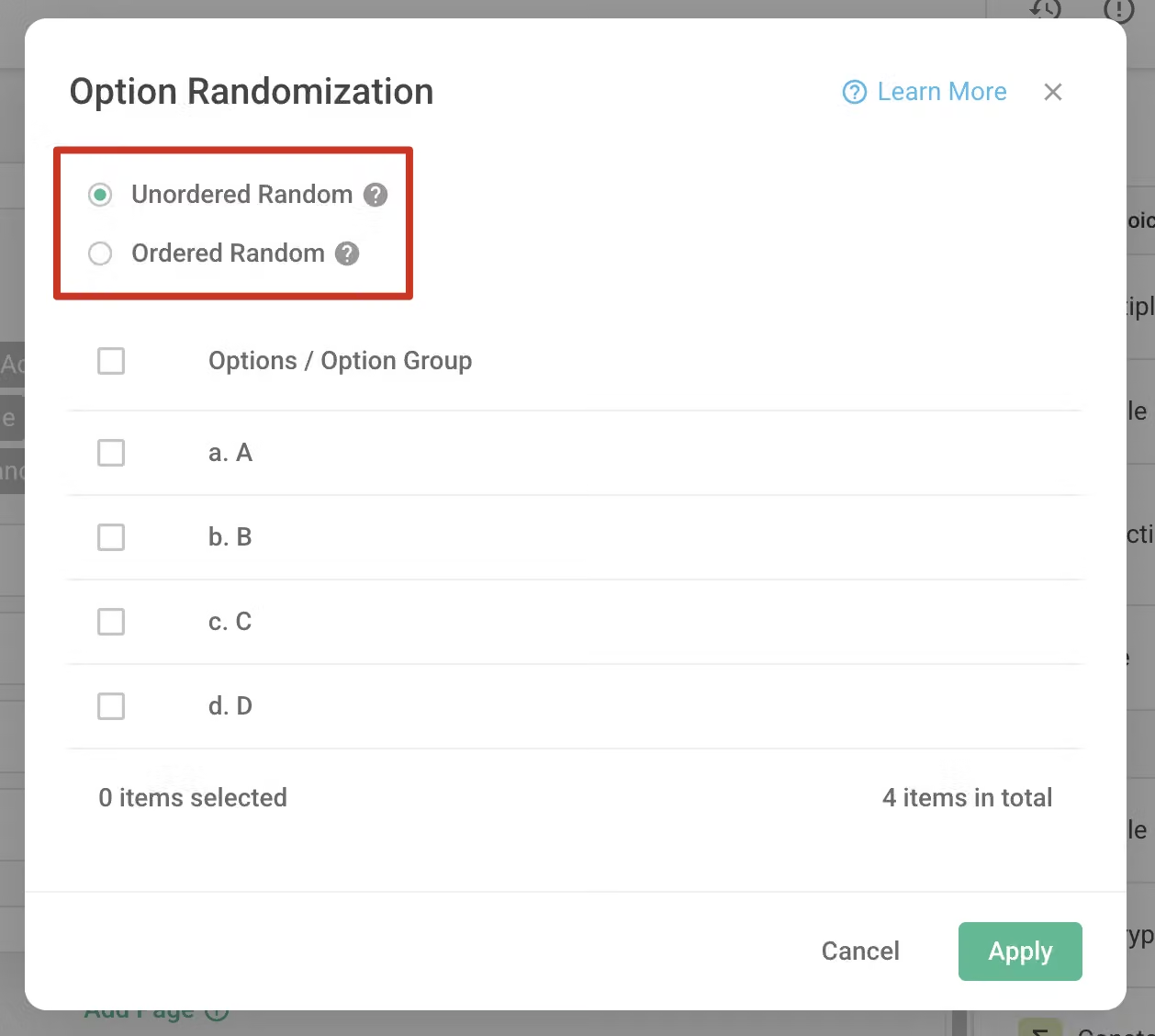
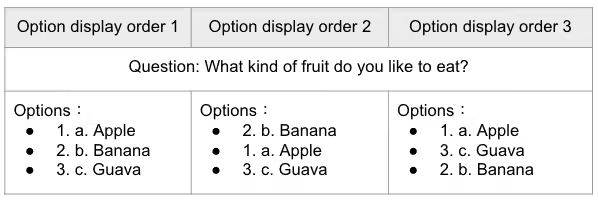
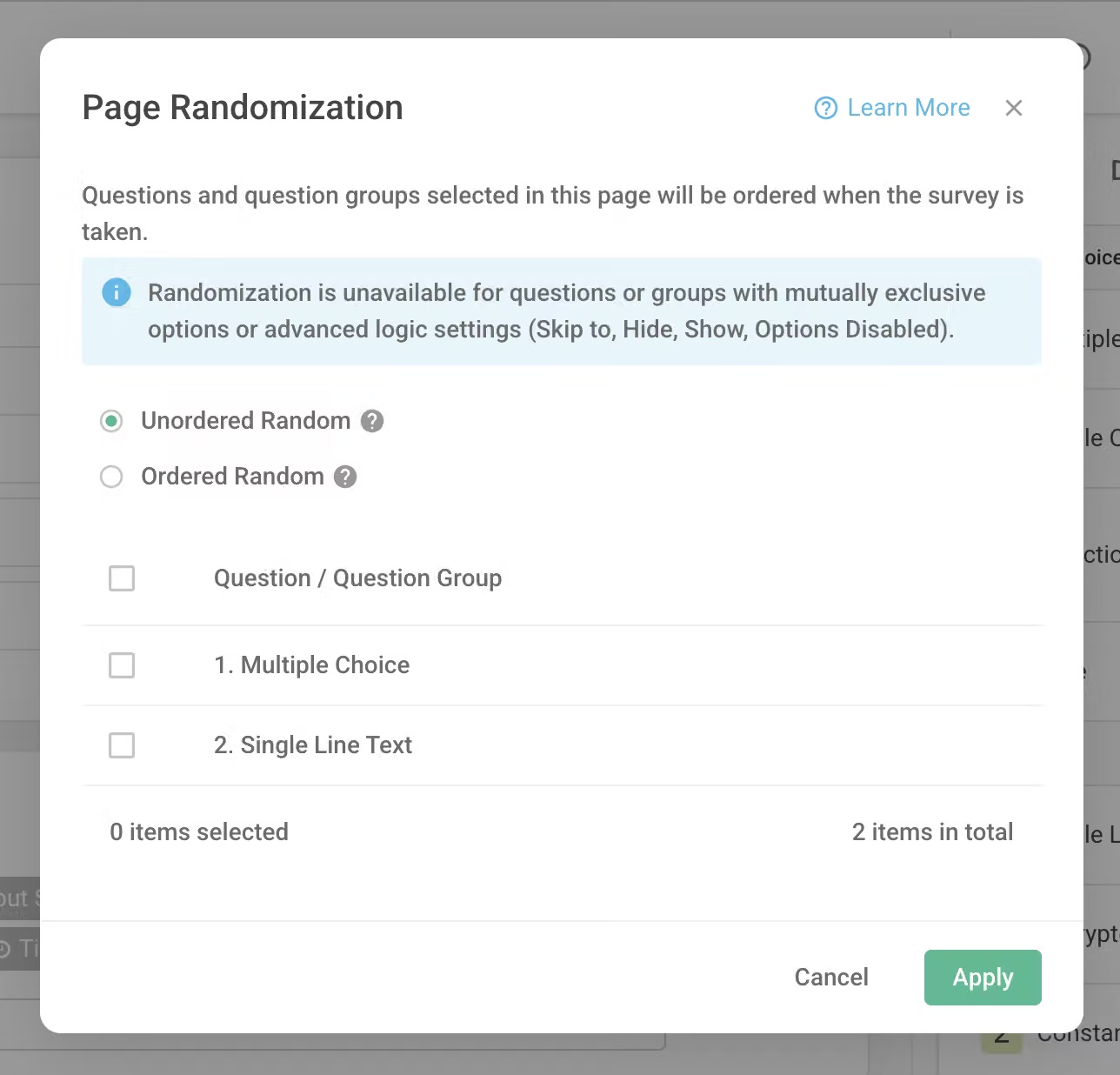
"Unordered Random" means that options will be arranged in a completely random order each time the survey is accessed. This method helps avoid potential response biases caused by fixed option positions.
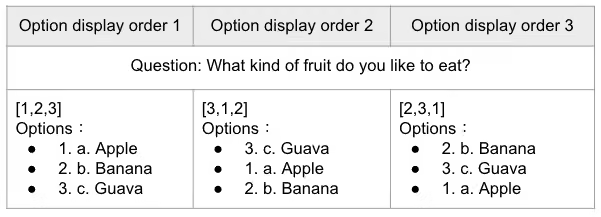
Available in Team Plan and above"Ordered Random" means the relative order between options remains fixed, but will start displaying from different options randomly. This approach maintains some logical order while reducing the impact of a fixed sequence.
2. Randomize within Option GroupTeam Plan and above
Click the "Option Group" button in the question feature bar to create an "Option Group". For detailed instructions on creating an option group, please refer to the Option Group article. 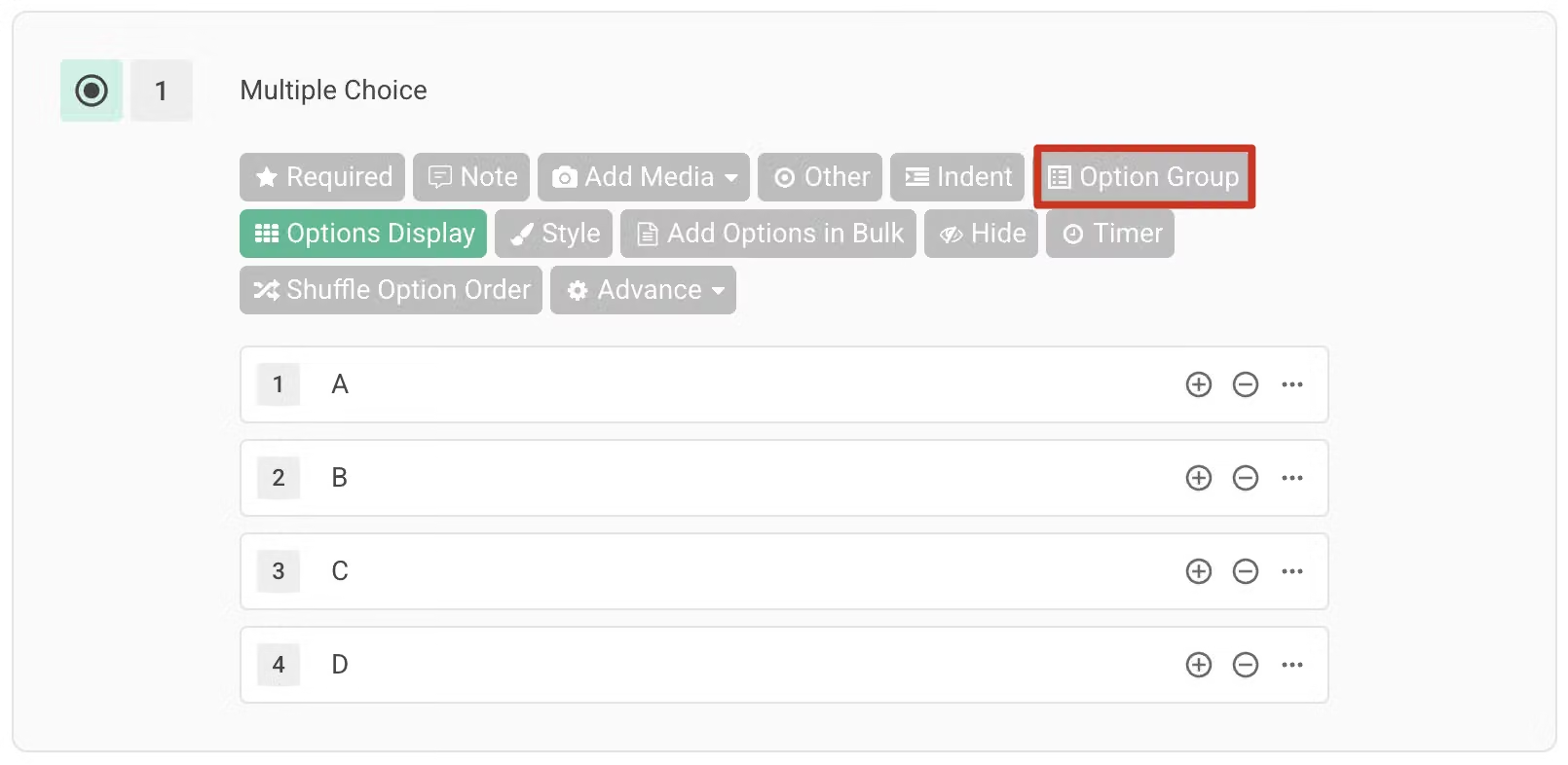
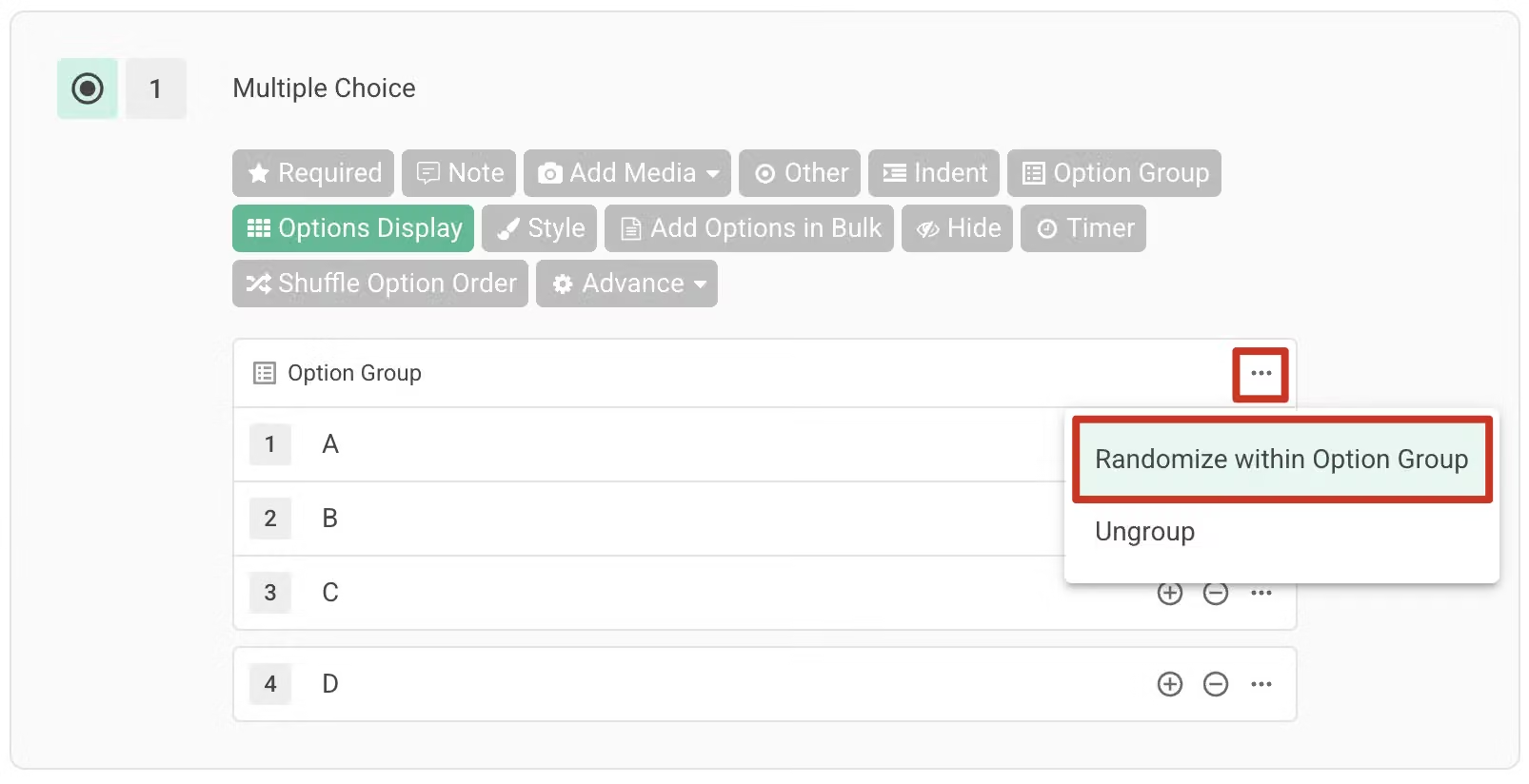
Click the "..." next to the option group, select "Randomize Within Option Group"
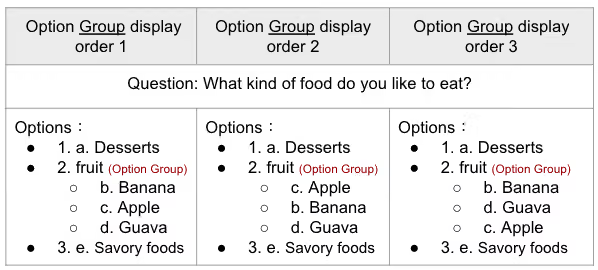
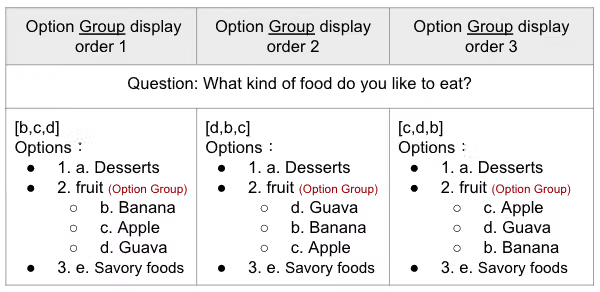
Two sorting modes are available:
3. Randomization within Question Group
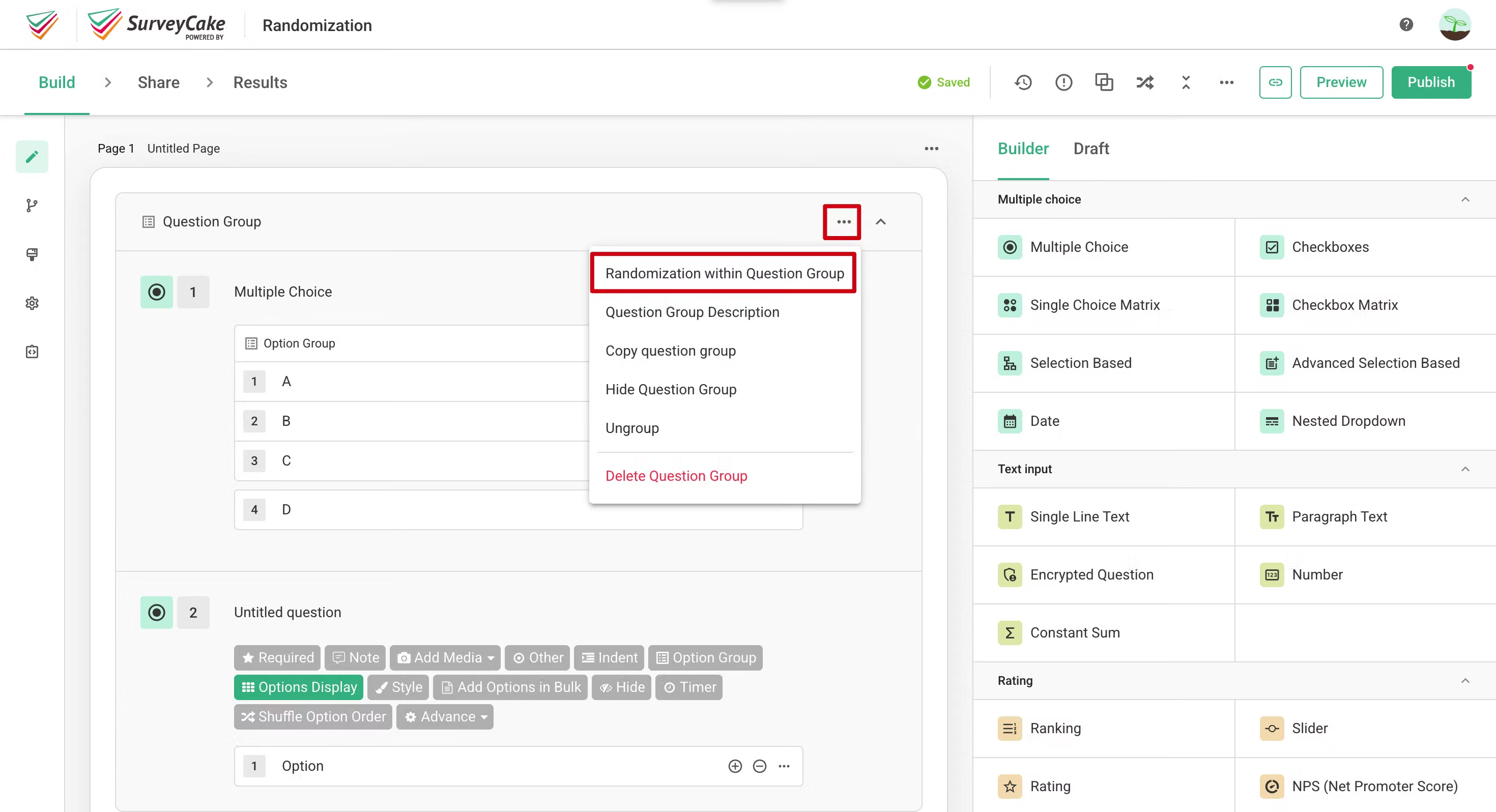
The Randomization within Question Group feature allows the questions within a specified question group to be randomized each time the survey is opened.
Click on "Randomization within Question Group" in the group function menu, select the questions you want to randomize, and then click the "Apply" button to complete the setup.
4. In-page Randomization
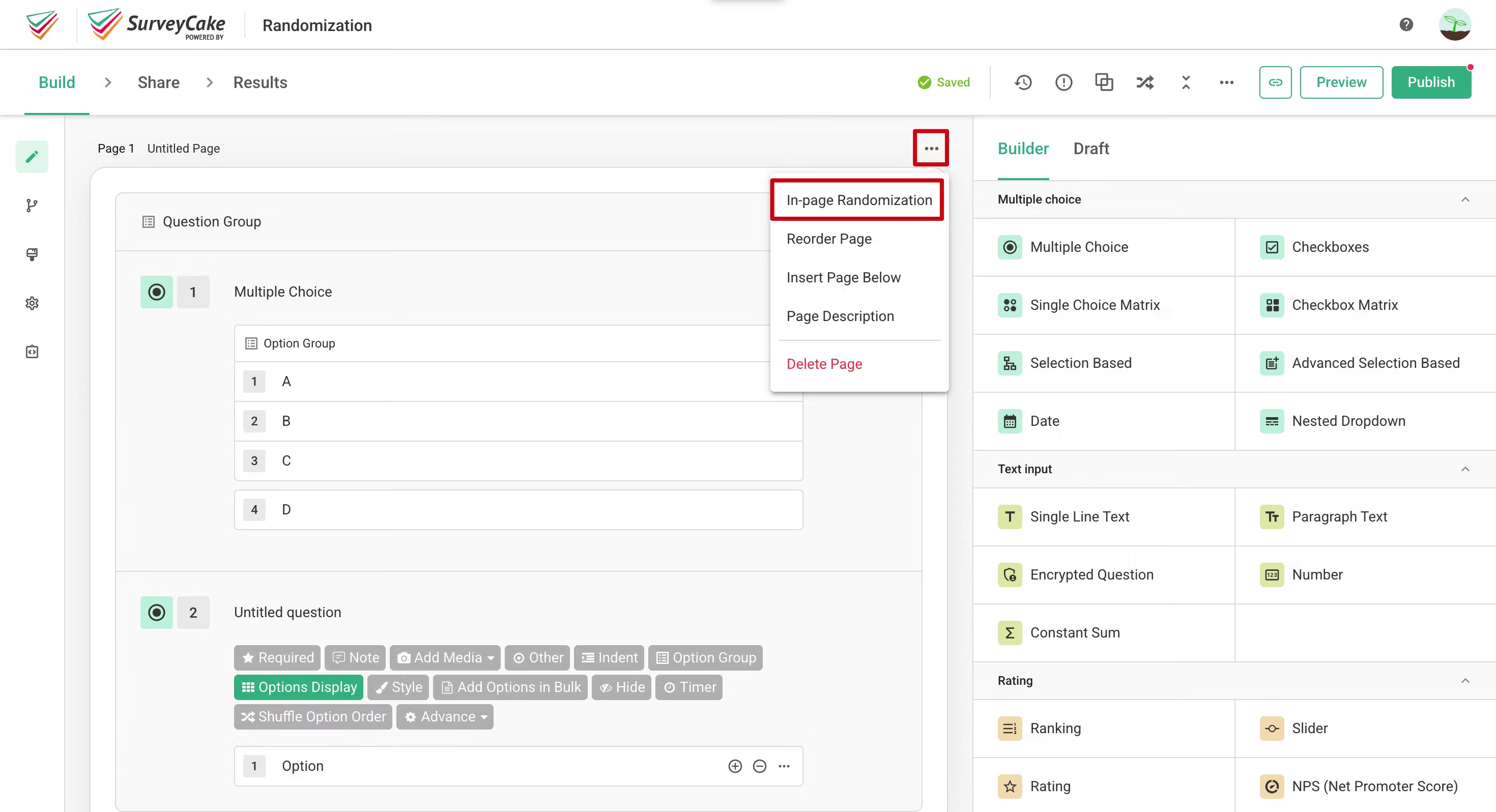
The In-page Randomization feature can only be used in the default custom paging mode (when One Question Per Page mode is turned off). This feature allows questions or question groups within a specified page to be randomized each time the survey is opened.
Click on "In-page Randomization" in the page function menu, select the questions or question groups you want to randomize, and then click the "Apply" button to complete the setup.
5. Randomize Pages
In the default custom paging mode, the Randomize Pages feature allows the specified pages in the survey to be randomized each time the survey is opened.
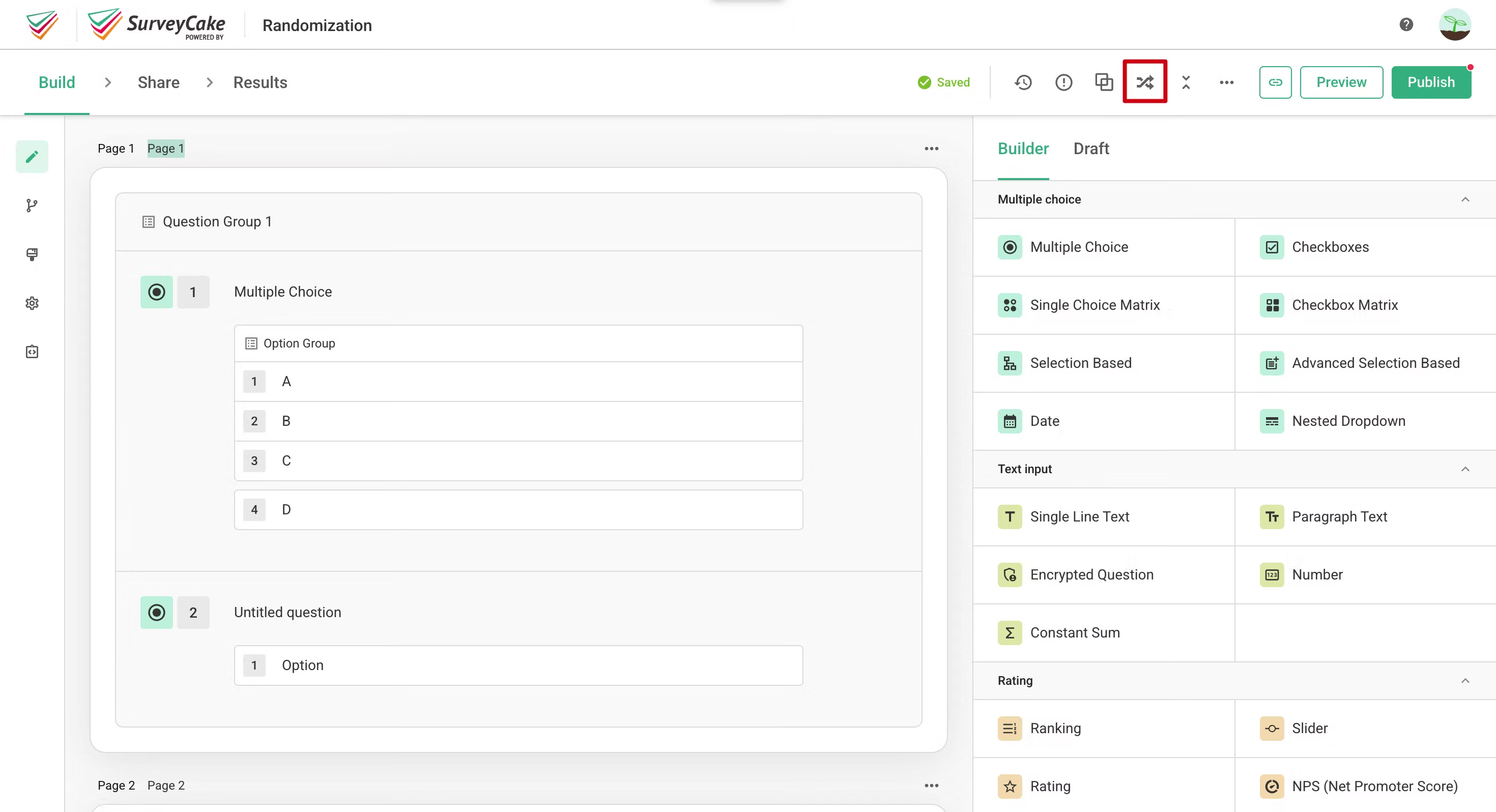
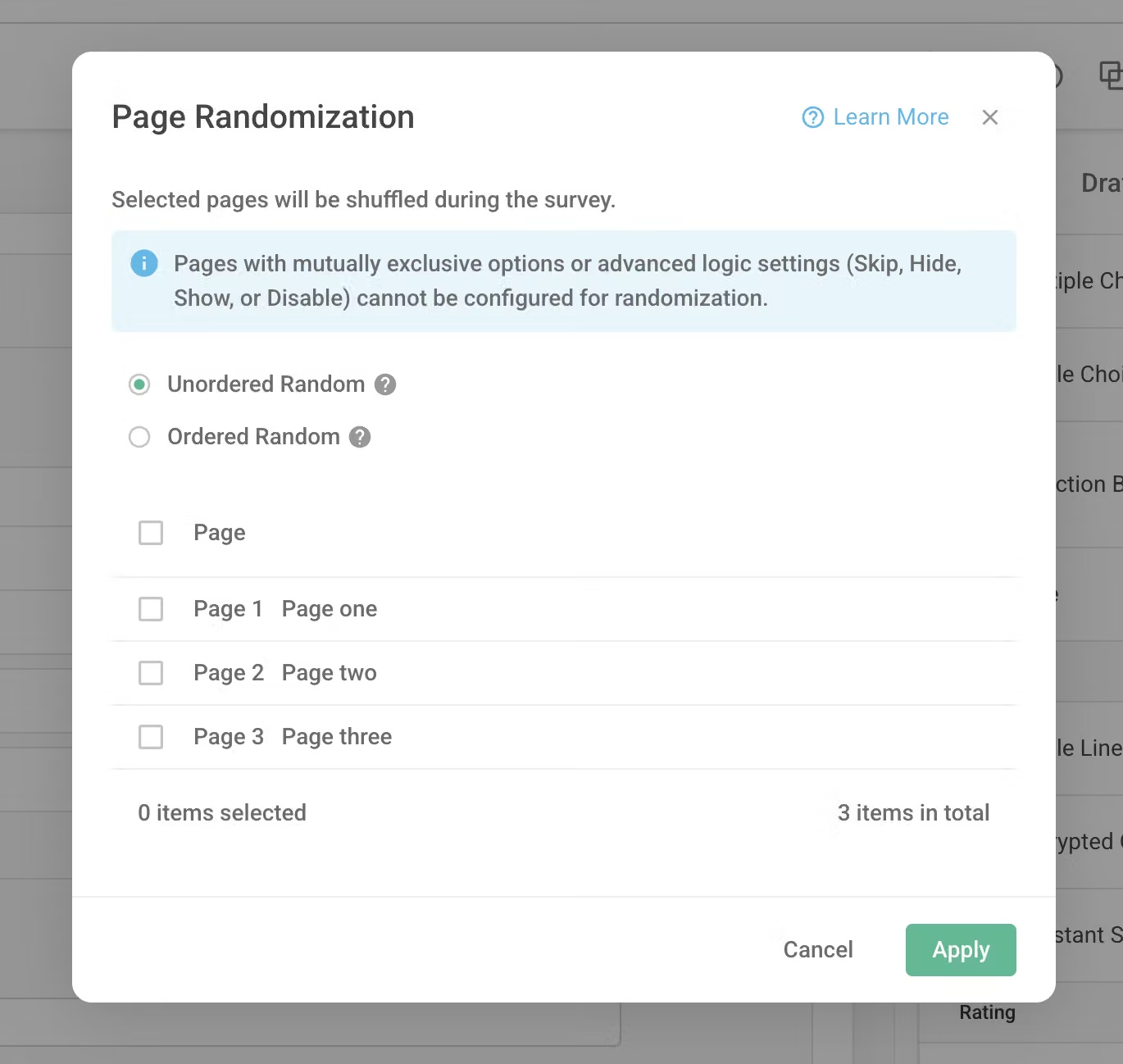
When One Question Per Page mode is enabled, click the "Page Randomization
" option in the function menu, select the pages you want to randomize, and then click the "Apply" button to randomize the pages.
Notice
Not all question types can be randomly ordered.
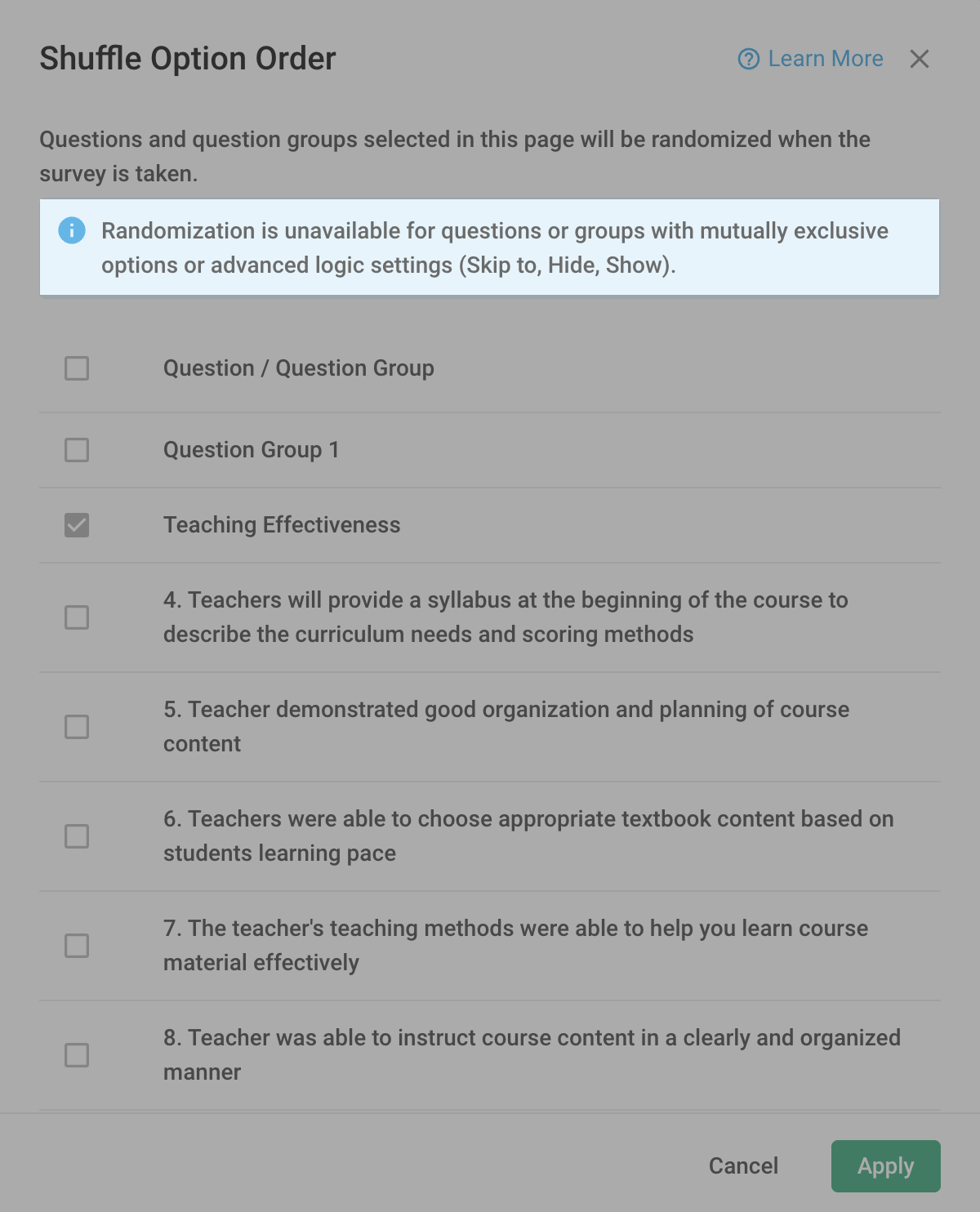
Question types that are not suitable for randomization will be disabled in the settings window and cannot be selected. Let's take a look at the scenarios where Question Randomization cannot be used!
If a question has Exclusive Options settings, it cannot be randomly ordered. This is because certain question types may have answers that depend on previous questions or options, and random ordering could disrupt such interdependencies.
If advanced logic settings such as "Skip To," "Hide," or "Show" are enabled, randomization cannot be performed.
However, setting Skip Logic and Conditional branching in the options does not affect the Question Randomization feature.
FAQ
No, it won't. Even if you enable Question Randomization, the survey's result calculations will still be valid. The random presentation order of questions will not affect the accuracy of the calculations.
Yes, you can. For example, you can simultaneously set randomization within question group and in-page randomization.
To assist in collecting objective survey results, Randomization eliminates response bias and ensures the validity of your surveys!



