In addition to Rich Text and Section Title, all the question types can be set as Required. Respondents have to answer all the required questions to submit the survey. Required not only collects the essential information you need for analysis but also makes it easier for respondents to answer the questions.
Select Required after creating questions to make them compulsory.
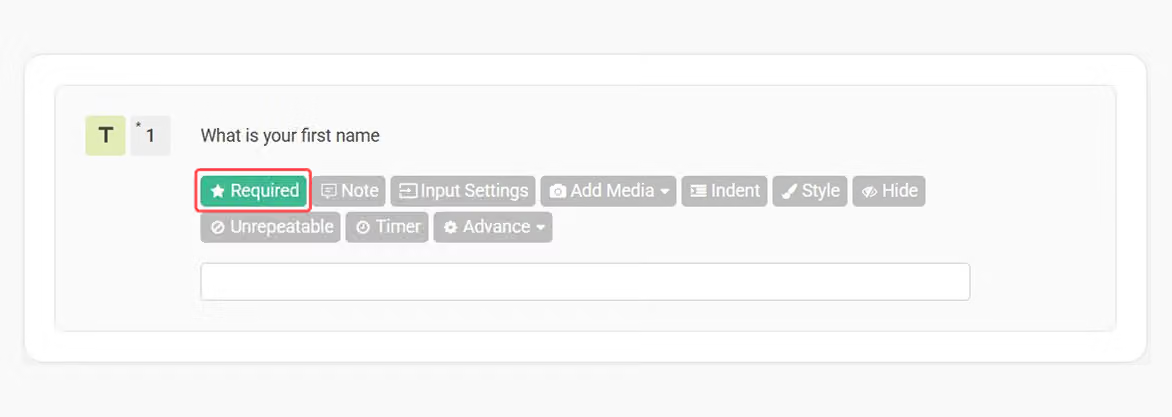
An asterisk will appear beside these questions to remind respondents that they are not optional.

FAQ
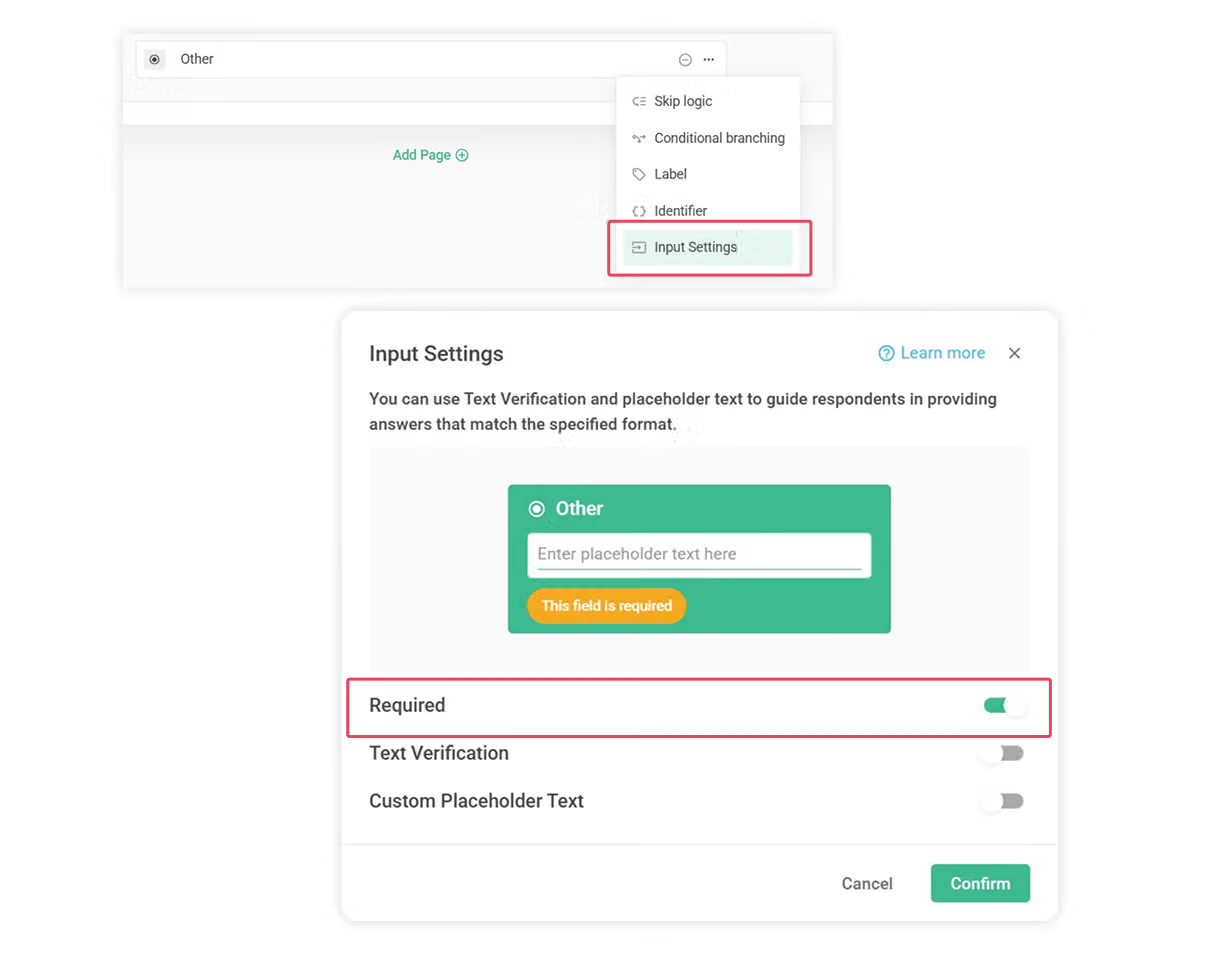
Absolutely! Once you've chosen “Other option”, simply click on the gear icon next to it, and you can set “Input Settings” and enable "Required"
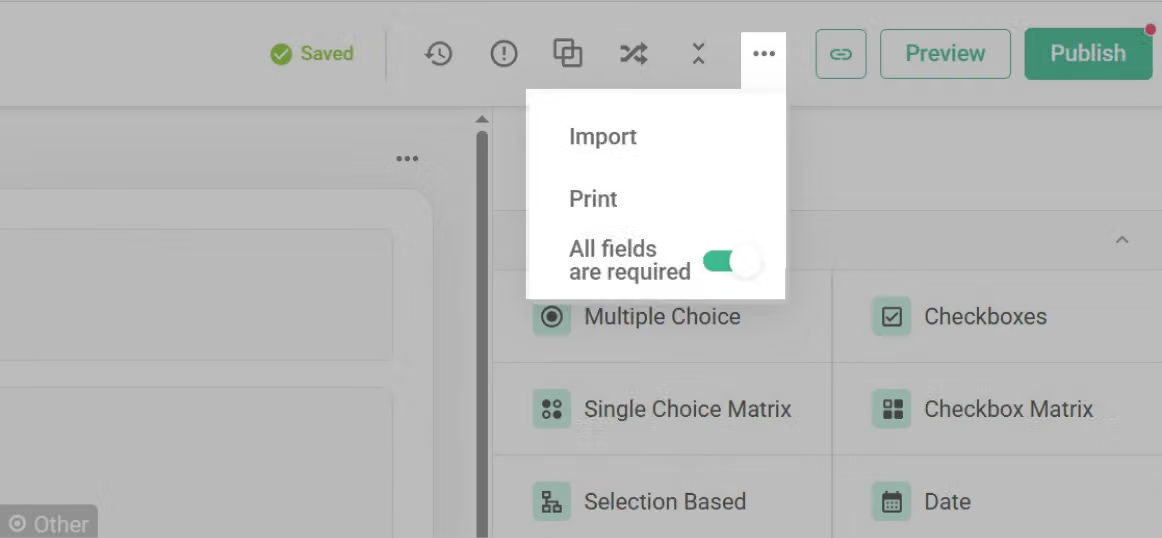
Before adding new questions, click on "More Options" in the top and enable "All fields are required". All new questions you add will be required by default. Even if you've already added some questions, enabling "All fields are required" will automatically make all previous questions required as well.
You can still manually turn off the required setting for specific questions after enabling "All fields are required", giving you more flexibility in your survey design.
Use Required to ensure you get the data you need and help respondents identify important questions.



