NPS (Net Promoter Score) is an important metric that measures customer loyalty and satisfaction, allowing respondents to express their willingness to recommend a brand or service on a scale of 0-10. This article will introduce how to set up and use the NPS question type in surveys.
Operation Settings
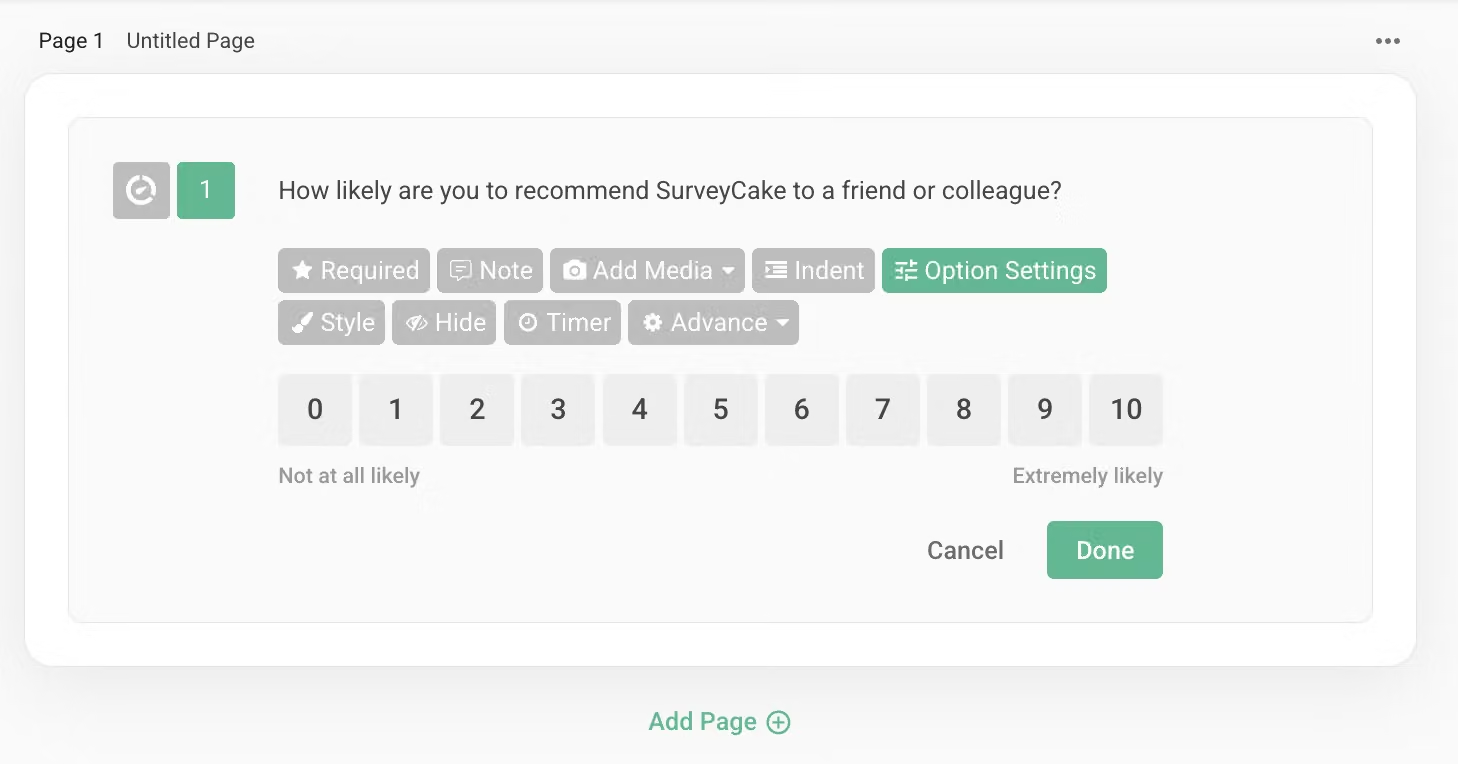
Create an NPS question with the title "How likely are you to recommend SurveyCake to a friend or colleague?"
The question will display numeric options from 0-10 by default, with default descriptive text at both ends:
Left side "Not at all likely", Right side "Extremely likely".
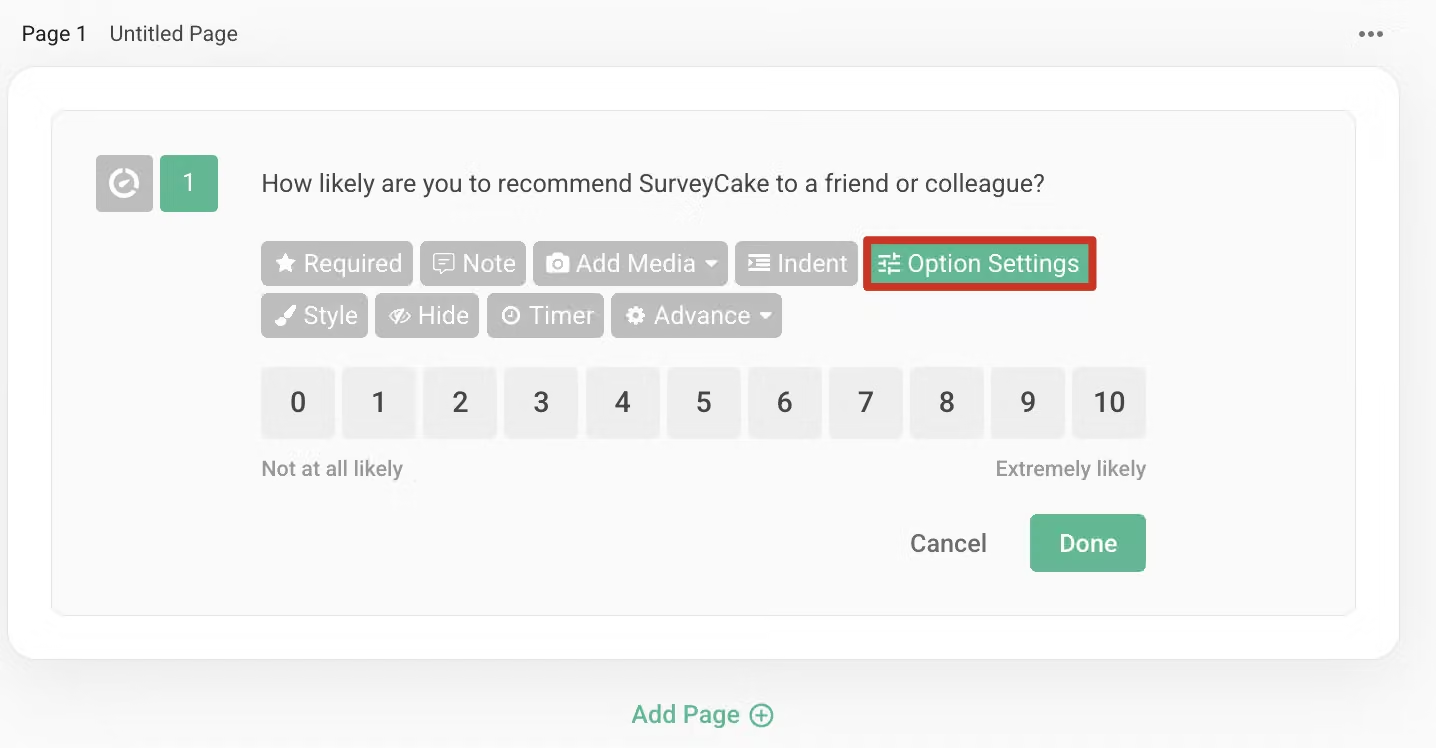
Click on "Option Settings" in the function bar to configure the following:
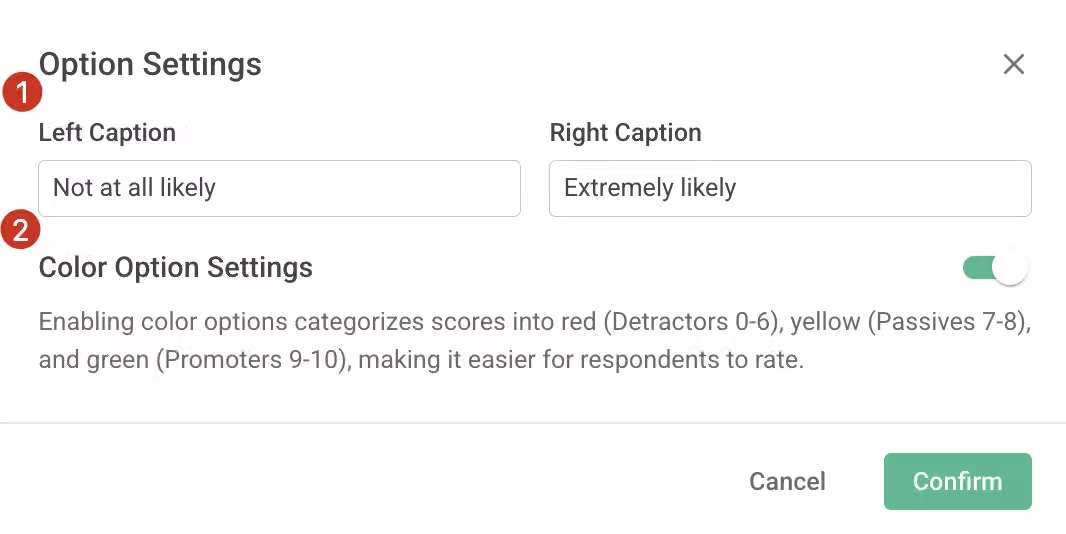
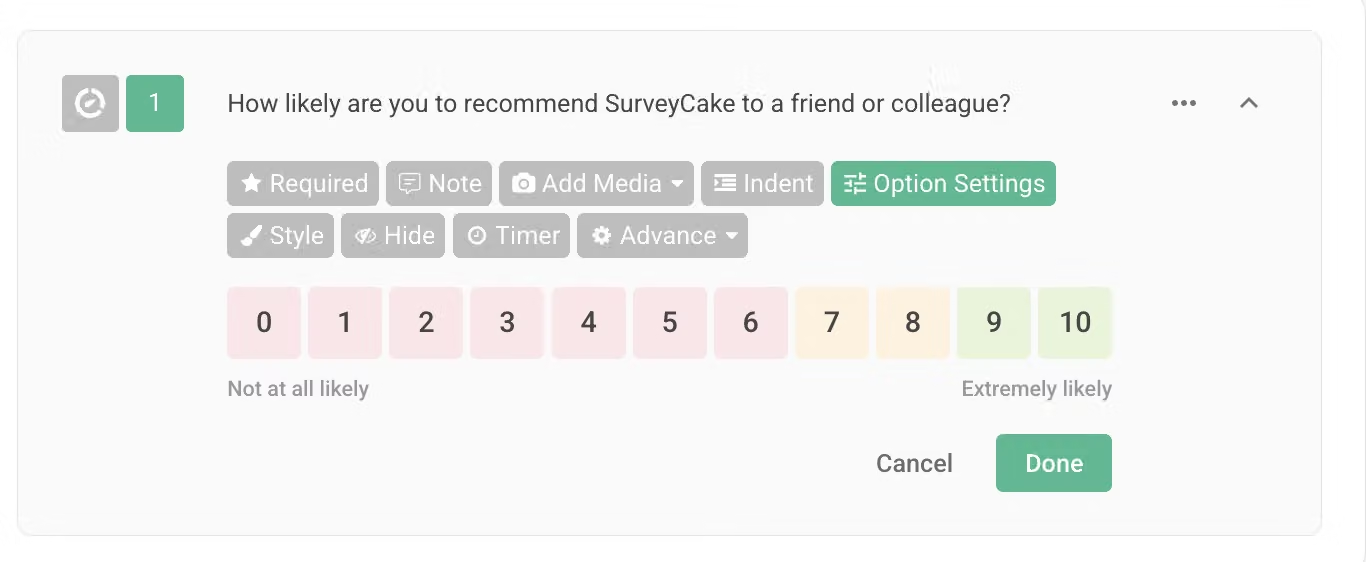
When this feature is enabled, options will display different colors according to scores, helping respondents understand the rating standards more intuitively
Statistical Results
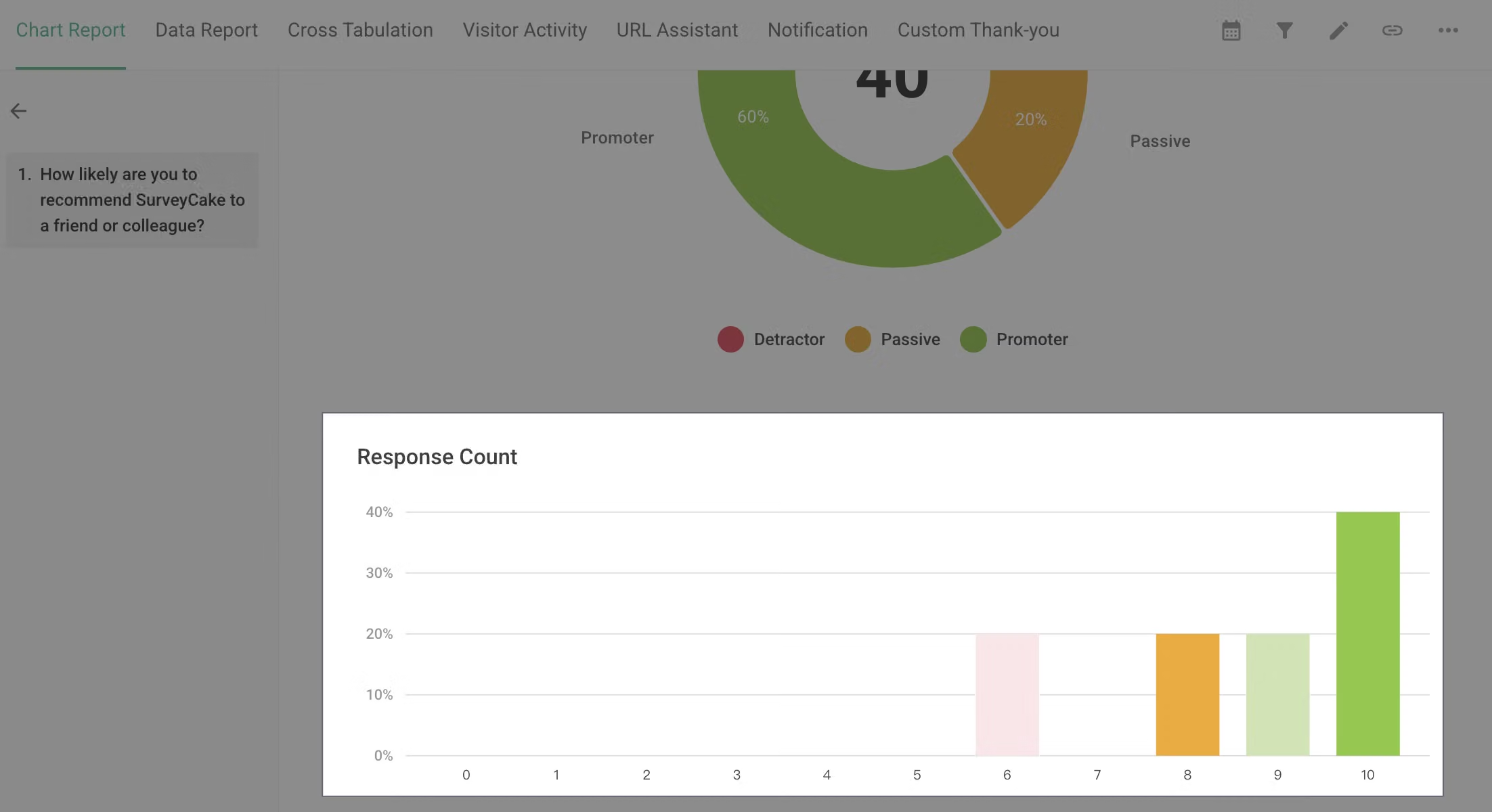
NPS questions will be presented in two forms on the statistics chart page: pie chart and bar chart.
Pie Chart
The system will automatically categorize responses into three groups:
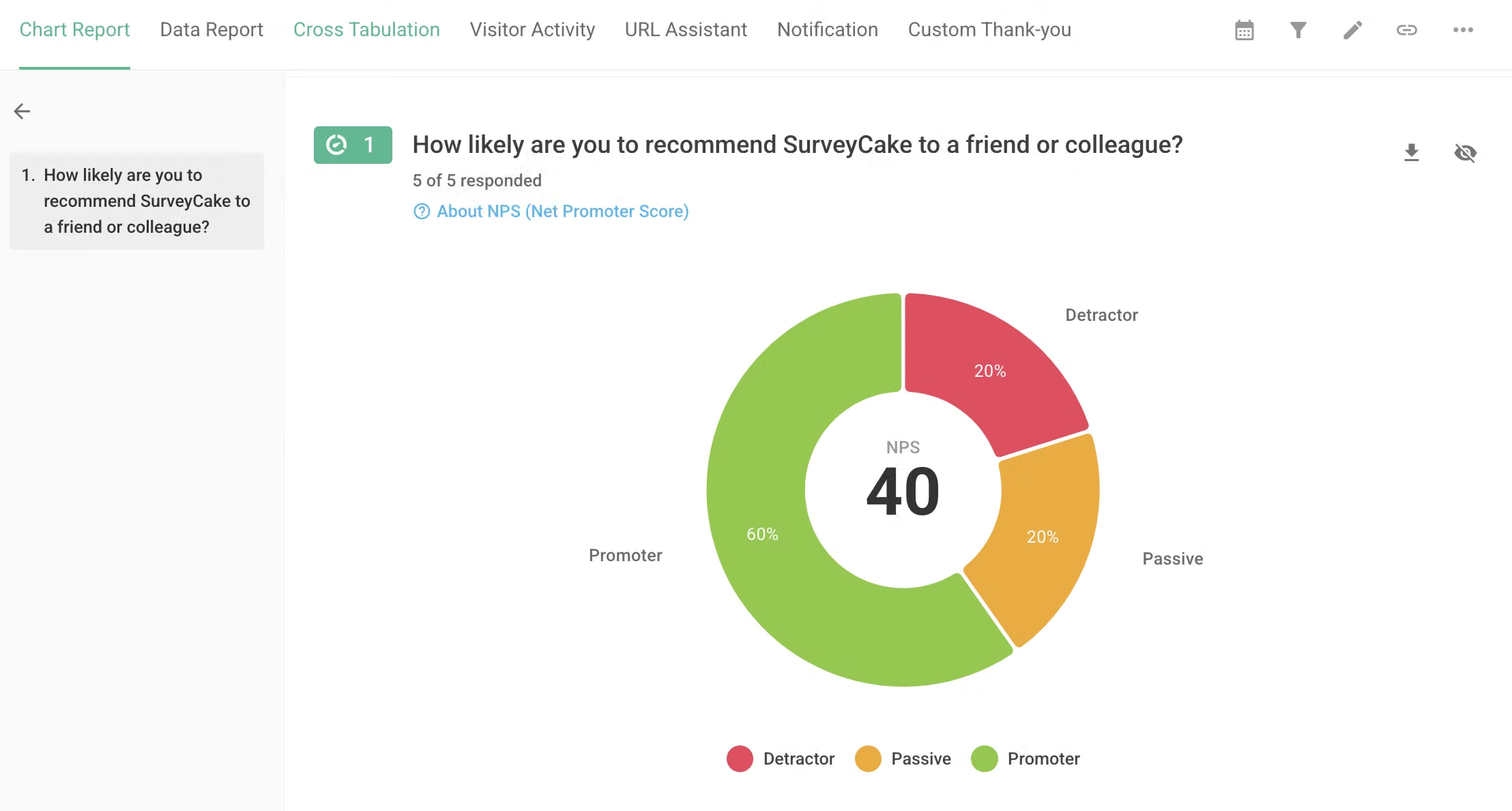
The center of the pie chart displays the NPS score, calculated as:
NPS = (Number of Promoters / Total responses − Number of Detractors / Total responses) × 100
Calculation example:
Suppose a survey received 100 responses, among which:
70 people are Promoters (gave 9-10 points)
20 people are Passives (gave 7-8 points)
10 people are Detractors (gave 0-6 points)
Then NPS = (70/100 − 10/100) × 100 = 60
Bar Chart
FAQ
NPS questions can only be set as result questions in Pro Plan's Conditional Branching /
Skip Logic and Enterprise plan's Advanced Logic. They cannot serve as condition questions.
For example, you can set: When option A is selected in a “Multiple Choice”, branch to the "NPS" question.However, you cannot set logic to Conditional Branching / Skip Logic from a NPS question to other question types.
With the NPS Net Promoter Score question type, you can easily collect and analyze respondents' willingness to recommend, paired with intuitive color differentiation and comprehensive statistical charts to effectively grasp customer evaluations of your brand or service.



